







Question: UPGMA: you'll write the program to build phylogenetic trees from distance matrices and display them. Your program should have the functions below. You may add
UPGMA: you'll write the program to build phylogenetic trees from distance matrices and display them. Your program should have the functions below. You may add additional helper functions if you wish. In any case, test every function before you move on to the next function.
findClosestPair speciesList, Distances This function takes as input a species list a list of trees represented as tuples and a distance dictionary and returns the pair of different trees in the speciesList that have the least distance between them. Let's say we have two trees from speciesList called treei and treej. Remember that to get the distance between them, you can access the Distances dictionary like this:
Distancestreei treej
findClosestPair should consider all possible pairs of trees in speciesList, and return the pair with the minimum distance as a tuple eg if treei and treej happened to be the closest pair, we would return treeitreej
updateDist speciesList, Distances, newTree This function takes the current list of trees called speciesList, the Distances dictionary, and the new tree that we have just built by merging the closest pair of species as found by findClosestPair This function does not return anything, but it does modify the Distances dictionary. Note that the two species trees that were merged are assumed to have been removed from the speciesList already but newTree has not yet been added to that speciesList. This function changes the Distances dictionary by adding the distances between newTree and all of the other trees in speciesList. This function is short and sweet about lines of code suffice! Here are the parts:
The newTree is the merger of two trees. We can easily get these trees and give them names; let's call them treeI and treeJ.
The distance between newTree and any other tree, call it treeK, in the speciesList is computed as follows note that we wrote a function leafCount in the PhylogeneticTrees.py homework:
def leafCountTree:
counts the number of leaf nodes in the tree.
if not Tree:
return
if not Tree and not Tree: # If both left and right subtrees are empty
return
return leafCountTree leafCountTree
leafCounttreeIleafCounttreeI leafCounttreeJthe distance from treeI to treeK leafCounttreeJleafCounttreeI leafCounttreeJthe distance from treeJ to treeKRemember to multiply integers by before dividing in order to make sure that you don't get integer division unintentionally!
upgma speciesList, Distances This function takes as input the the speciesList and the distance dictionary and runs the algorithm that we described in the text. It repeatedly does the following until there is only one tree in the speciesList, at which point that phylogenetic tree is returned.
Find the closest pair of species in the speciesList using findClosestPair
Merge these two species trees into a new tree. The root of that tree is a number which is half the distance between the two species trees being merged. Update the speciesList by removing the two species. The function speciesList.removeblah will remove the item named blah from the list named speciesList. Update the distance dictionary by calling updateDist. Add the new merged tree into the speciesList.
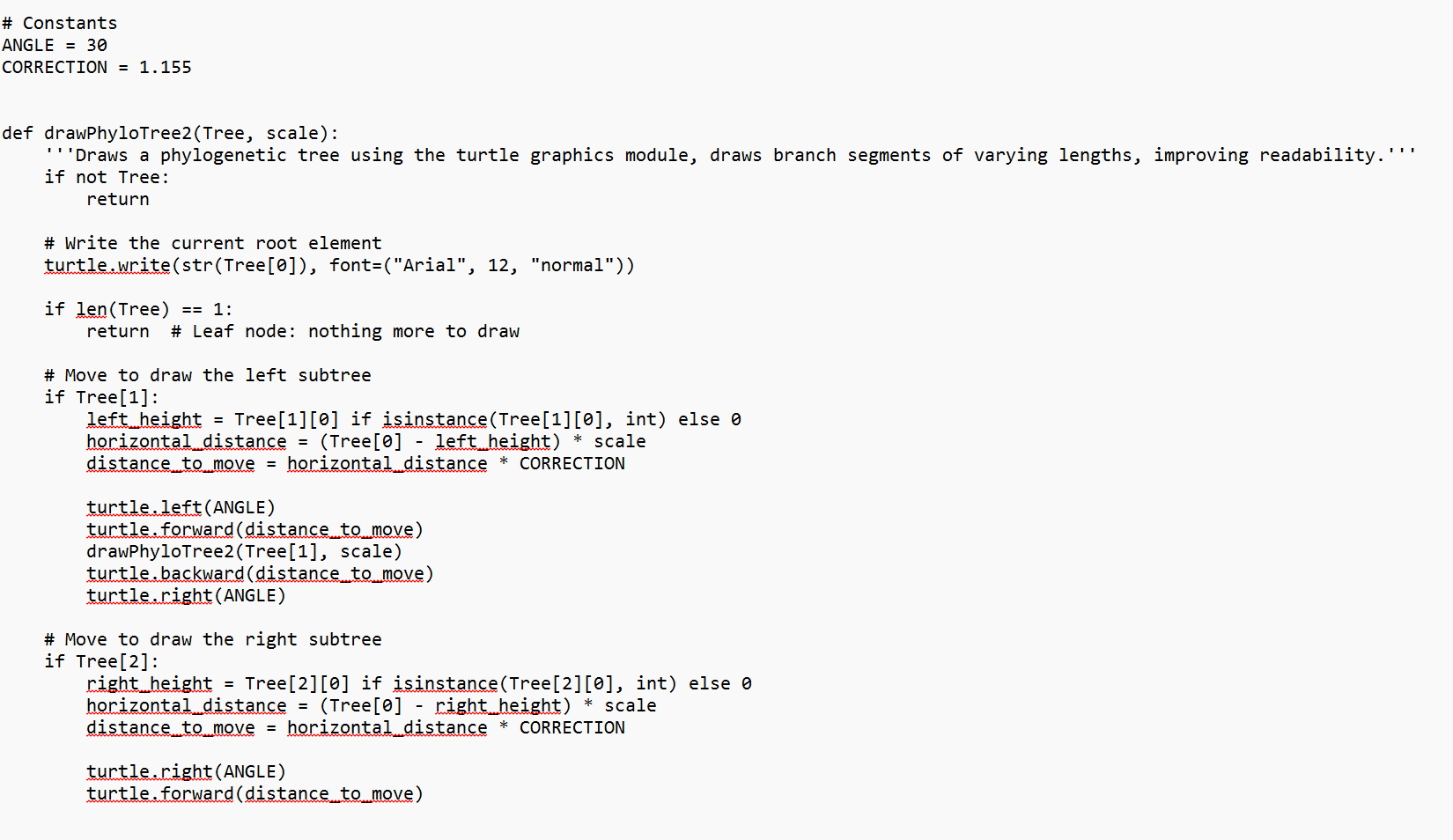
You can use the drawPhyloTree function you've previously written to display these trees. drawPhyloTree finds the height value at each internal node, and writes that on the tree it's drawing. When you get numbers with many decimal places, as we will here, this can make the diagram harder to read.
You can slightly modify your drawPhyloTree function to fix this. We had been using the builtin str function. Instead, we can use a function called format. Format allows us to take a decimal number, round it to some number of decimal places, and convert it to a string. For example, this will round to three decimal places:
formatf
Here's an example of our code running on test data:
groodiesTreeupgmagroodiesList groodiesMatrix
drawPhyloTreegroodiesTree
Step by Step Solution
There are 3 Steps involved in it
1 Expert Approved Answer
Step: 1 Unlock

Question Has Been Solved by an Expert!
Get step-by-step solutions from verified subject matter experts
Step: 2 Unlock
Step: 3 Unlock
 Study Help