







Question: *-------URGENT-------* *An Easy Assignment.* *This is for CS 102 Java class.* * I cannot use switch, conditional operator, break, continue, label, system.exit or exceptions, recursion.
*-------URGENT-------*
*An Easy Assignment.*
*This is for CS 102 Java class.*
* I cannot use switch, conditional operator, break, continue, label, system.exit or exceptions, recursion. *
Here is the link to the page:
http://www.cs.bilkent.edu.tr/~adayanik/courses/cs102/assignments/lab02/
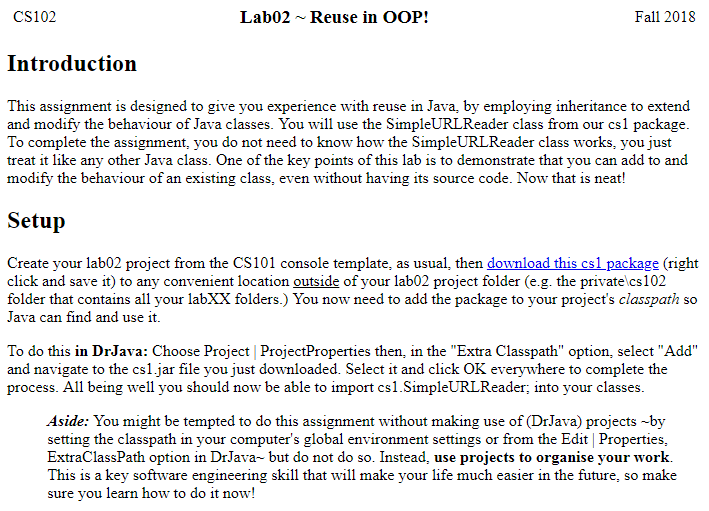
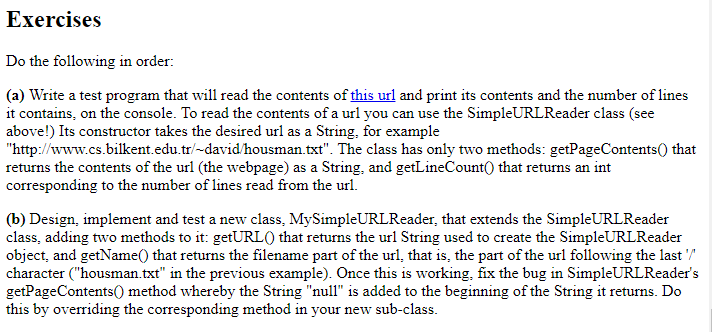
CS102 Lab02Reuse in OOP! Fall 2018 Introduction This assignment is designed to give you experience with reuse in Java, by employing inheritance to extend and modify the behaviour of Java classes. You will use the SimpleURLReader class from our cs1 package To complete the assignment, you do not need to know how the SimpleURLReader class works, you just treat it like any other Java class. One of the key points of this lab is to demonstrate that you can add to and modify the behaviour of an existing class, even without having its source code. Now that is neat! Setup Create your lab02 project from the CS101 console template, as usual, then download this cslpackage (right click and save it) to any convenient location outside of your lab02 project folder (e.g. the privatelcs102 folder that contains all your labXX folders.) You now need to add the package to your project's classpath so Java can find and use it. To do this in DrJava: Choose Project ProjectProperties then, in the "Extra Classpath" option, select "Add" and navigate to the cs1.jar file you just downloaded. Select it and click OK everywhere to complete the process. All being well you should now be able to import cs1.SimpleURLReader; into your classes Aside: You might be tempted to do this assignment without making use of (DrJava) projects -by setting the classpath in your computer's global environment settings or from the Edit Properties, ExtraClassPath option in DrJava~ but do not do so. Instead, use projects to organise your work. This is a key software engineering skill that will make your life much easier in the future, so make sure you learn how to do it now
Step by Step Solution
There are 3 Steps involved in it

Get step-by-step solutions from verified subject matter experts
 Study Help