







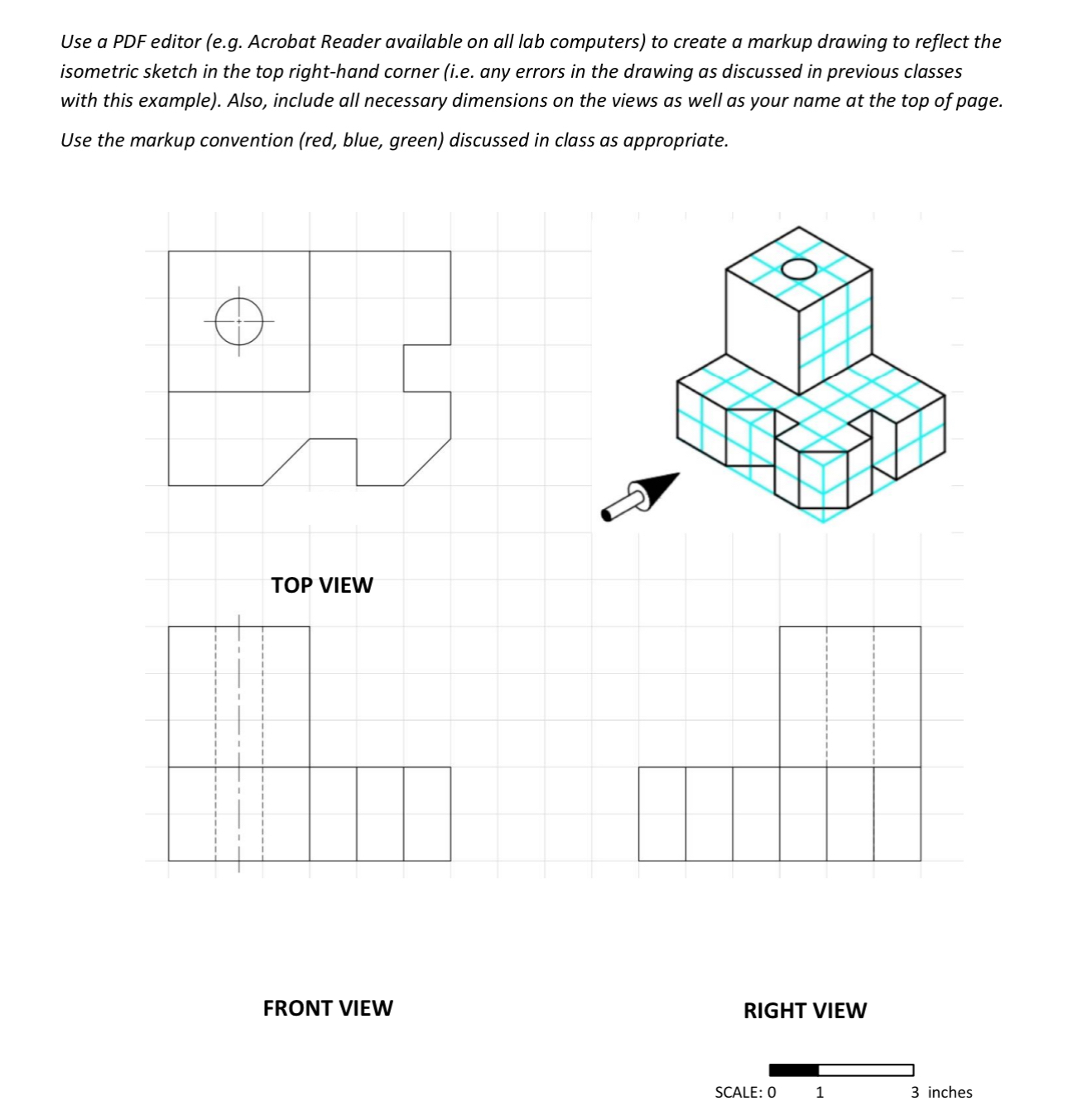
Question: Use a PDF editor ( e . g . Acrobat Reader available on all lab computers ) to create a markup drawing to reflect the
Use a PDF editor eg Acrobat Reader available on all lab computers to create a markup drawing to reflect the isometric sketch in the top righthand corner ie any errors in the drawing as discussed in previous classes with this example Also, include all necessary dimensions on the views as well as your name at the top of page. Use the markup convention red blue, green discussed in class as appropriate.
FRONT VIEW
Step by Step Solution
There are 3 Steps involved in it
1 Expert Approved Answer
Step: 1 Unlock

Question Has Been Solved by an Expert!
Get step-by-step solutions from verified subject matter experts
Step: 2 Unlock
Step: 3 Unlock
 Study Help