





Question: Use C++ Visual Studio Task 3: Two-dimensional arravs Exercise I. Create a new C++ project in Visual Studio, add a new C++ file and copy
 Use C++ Visual Studio Task 3: Two-dimensional arravs Exercise I. Createa new C++ project in Visual Studio, add a new C++ file

Use C++

Visual Studio

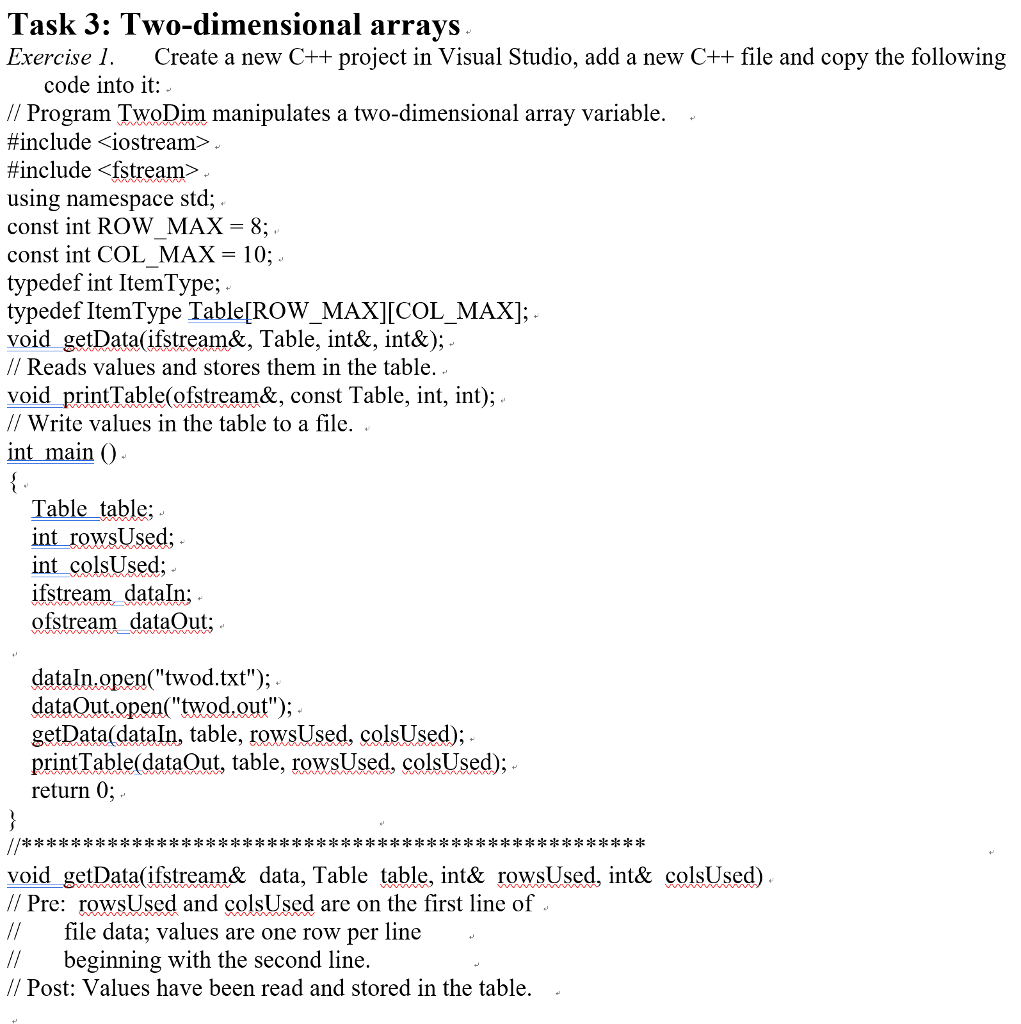
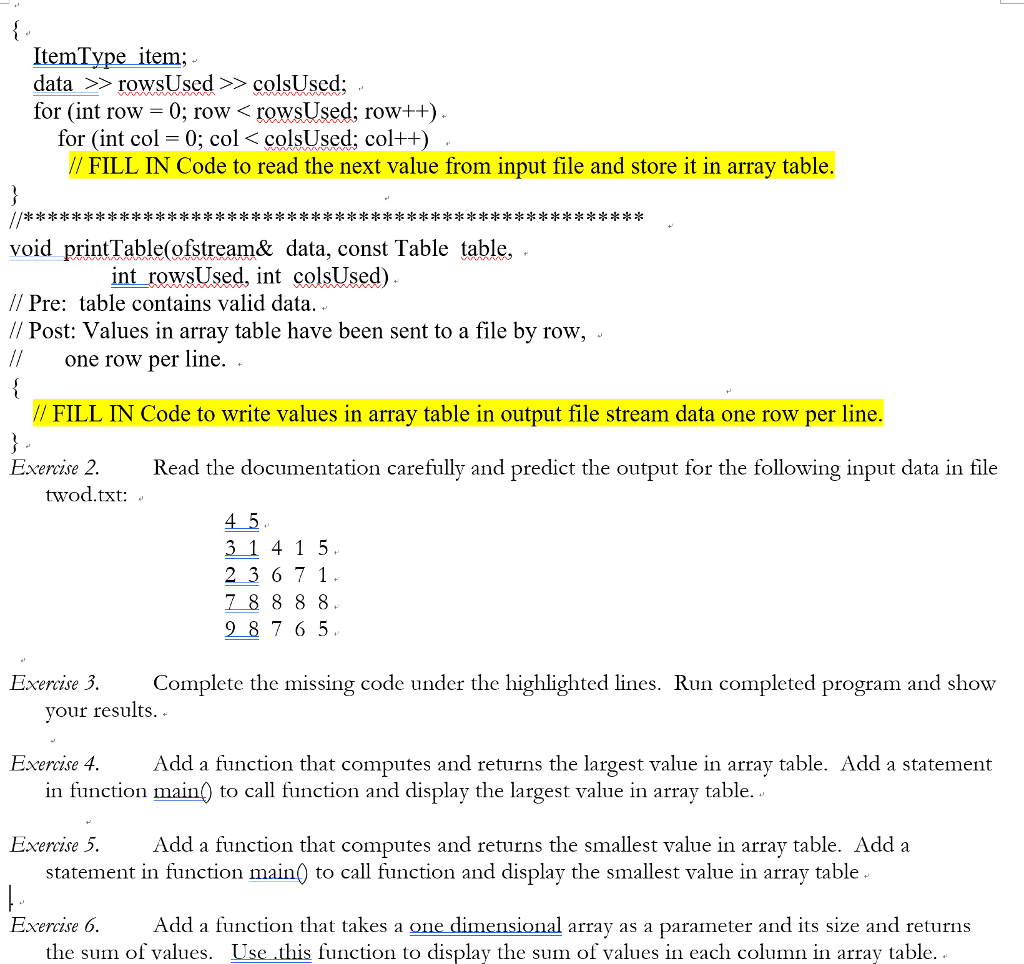
Task 3: Two-dimensional arravs Exercise I. Create a new C++ project in Visual Studio, add a new C++ file and copy the following code into it: - / Program TwoDim manipulates a two-dimensional array variable. #include #include . using namespace std;. const int ROW MAX-8; const int COL MAX- 10; typedef int ItemType; typedef ItemType Table[ROW_MAX][COL _MAX]; void getData(ifstream&, Table, int&, int&);. // Reads values and stores them in the table, void printTable(ofstream&, const Table, int, int); // Write values in the table to a file. . int main O Tabletable; int_rowsUsed; int_colsUsed; ifstream_dataln; ofstream dataOut: dataln.open("twod.txt"); dat???t.open('tw?d.out ''); . getData(dataIn, table, rowsUsed, colsUsed); printTable(dataQut, table, rowsUsed, colsUsed);- return 0;. void getData(ifstream& data, Table table, int& rowsUsed, int& colsUsed). // Pre: rowsUsed and colsUsed are on the first line of //file data; values are one row per line / beginning with the second line. // Post: Values have been read and stored in the table

Step by Step Solution

There are 3 Steps involved in it

1 Expert Approved Answer
Step: 1 Unlock blur-text-image
Question Has Been Solved by an Expert!

Get step-by-step solutions from verified subject matter experts

Step: 2 Unlock
Step: 3 Unlock

Students Have Also Explored These Related Databases Questions!