







Question: Use DEV C++ ABC bakery is using a console based inventory management system for the receipt generation purposes. Console application will help the cashier in
Use DEV C++
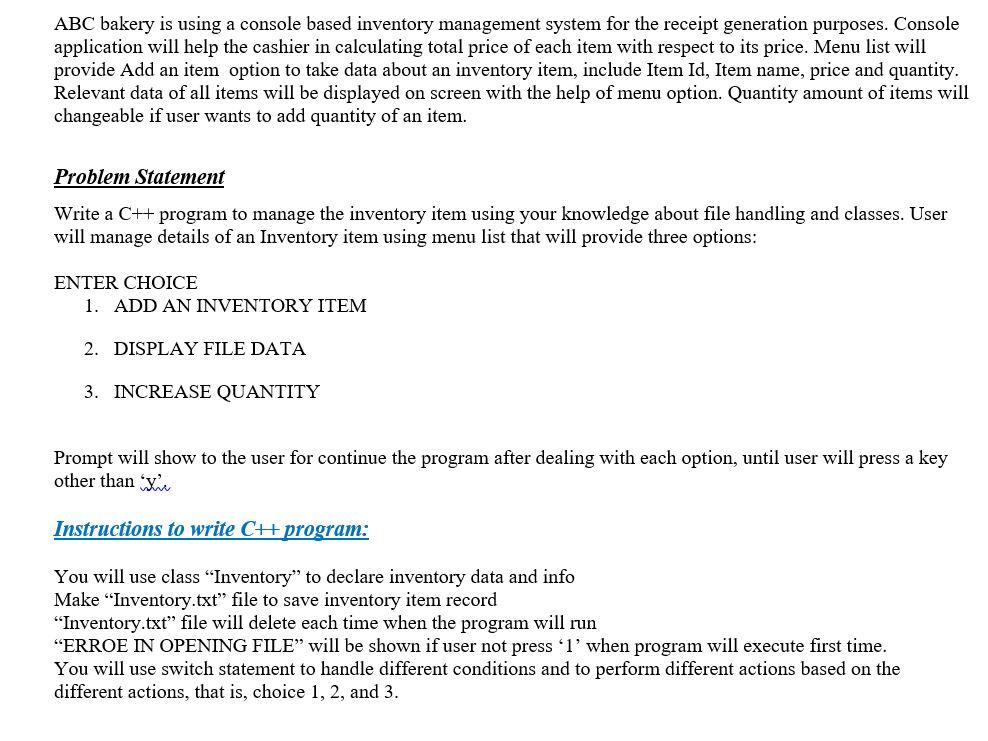
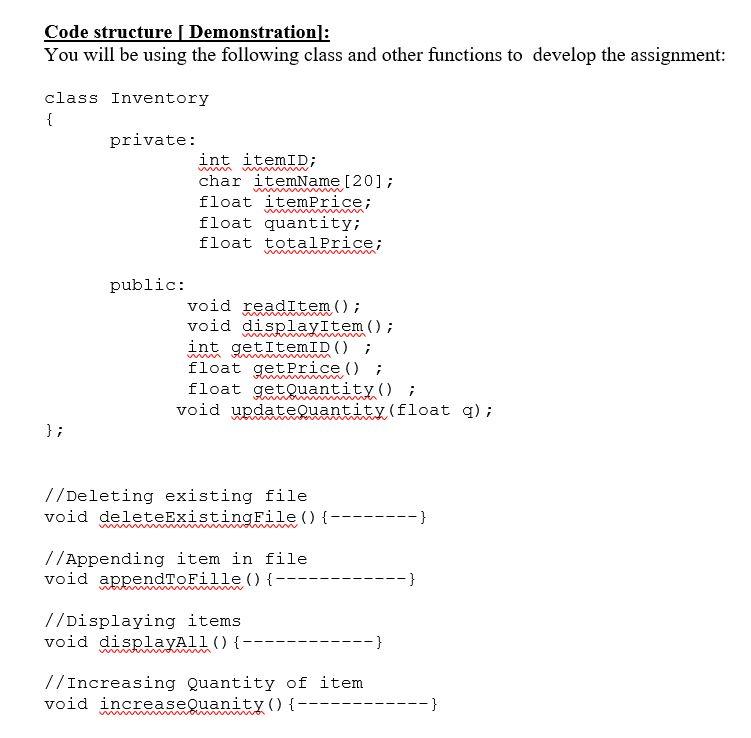
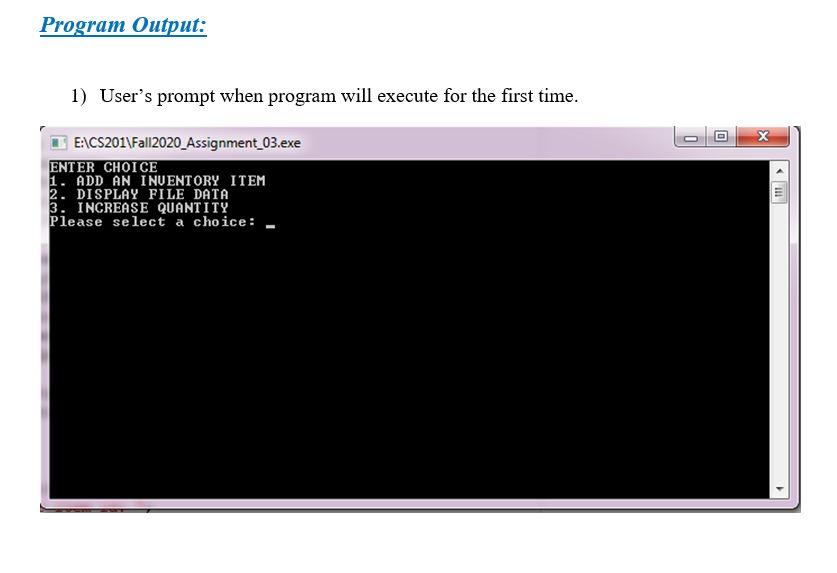
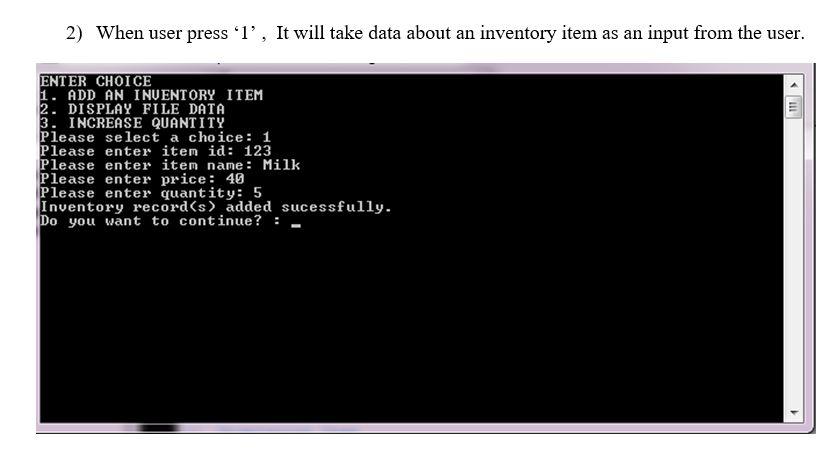
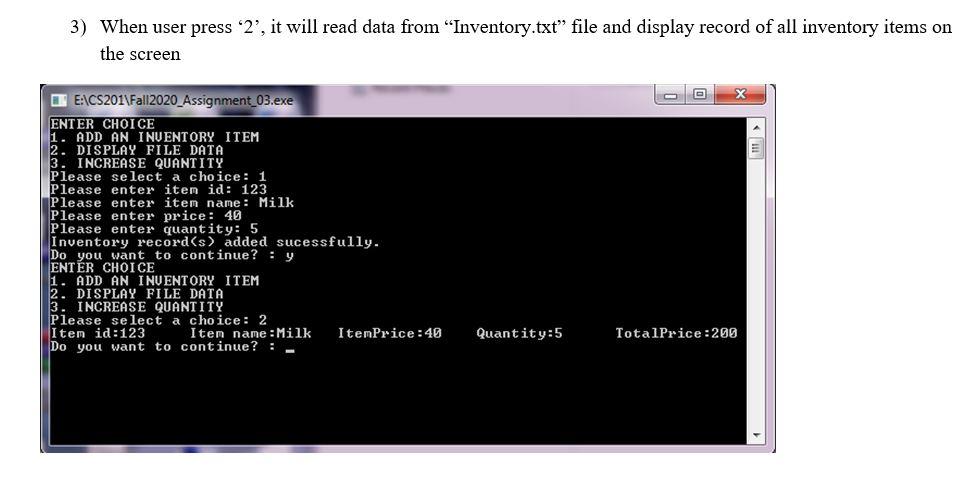
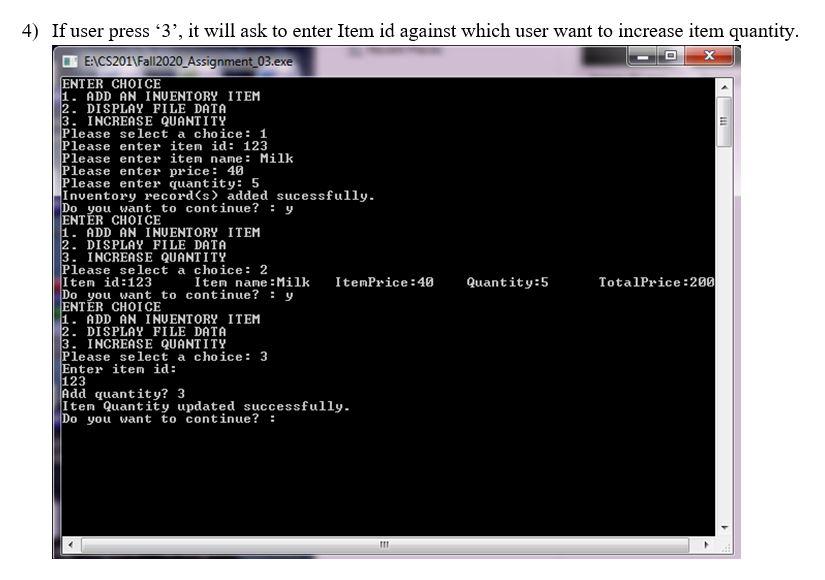
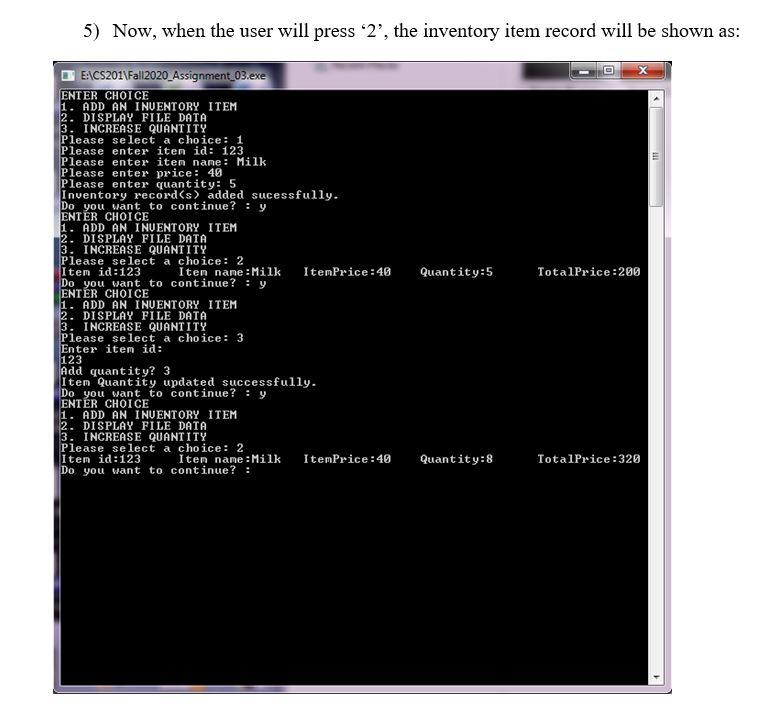
ABC bakery is using a console based inventory management system for the receipt generation purposes. Console application will help the cashier in calculating total price of each item with respect to its price. Menu list will provide Add an item option to take data about an inventory item, include Item Id, Item name, price and quantity. Relevant data of all items will be displayed on screen with the help of menu option. Quantity amount of items will changeable if user wants to add quantity of an item. Problem Statement Write a C++ program to manage the inventory item using your knowledge about file handling and classes. User will manage details of an Inventory item using menu list that will provide three options: ENTER CHOICE 1. ADD AN INVENTORY ITEM 2. DISPLAY FILE DATA 3. INCREASE QUANTITY Prompt will show to the user for continue the program after dealing with each option, until user will press a key other than me Instructions to write CH program: You will use class Inventory" to declare inventory data and info Make "Inventory.txt" file to save inventory item record "Inventory.txt" file will delete each time when the program will run "ERROE IN OPENING FILE will be shown if user not press 'l' when program will execute first time. You will use switch statement to handle different conditions and to perform different actions based on the different actions, that is, choice 1, 2, and 3. Code structure [ Demonstration): You will be using the following class and other functions to develop the assignment: class Inventory { private: int itemID; char itemName [20]; float itemPrice; float quantity; float totalPrice; w Www w public: void readItem(); void displayItem(); int getItemID(); float getPrice (); float getQuantity(); void update Quantity (float q); w Mar }; //Deleting existing file void deleteExistingFile() {------ ---- } //Appending item in file void appendToFille() {- //Displaying items void displayAll() {- -- } //Increasing Quantity of item void increaseQuanity () {- -} w Program Output: 1) User's prompt when program will execute for the first time. E:\CS201\Fall2020_Assignment_03.exe ENTER CHOICE 1. ADD AN INUENTORY ITEM 2. DISPLAY FILE DATA 3. INCREASE QUANTITY Please select a choice: 2) When user press 'l', It will take data about an inventory item as an input from the user. 111 ENTER CHOICE 1. ADD AN INUENTORY ITEM 2. DISPLAY FILE DATA 3. INCREASE QUANTITY Please select a choice: 1 Please enter item id: 123 Please enter item name: Milk Please enter price: 49 Please enter quantity: 5 Inventory record(s) added sucessfully. Do you want to continue? :- 3) When user press '2', it will read data from "Inventory.txt" file and display record of all inventory items on the screen X E:\CS201\Fall2020_Assignment_03.exe ENTER CHOICE 1. ADD AN INVENTORY ITEM 2. DISPLAY FILE DATA 3. INCREASE QUANTITY Please select a choice: 1 Please enter item id: 123 Please enter item name: Milk Please enter price : 40 Please enter quantity: 5 Inventory record(s) added sucessfully. Do you want to continue? : y ENTER CHOICE 1. ADD AN INUENTORY ITEM 2. DISPLAY FILE DATA 3. INCREASE QUANTITY Please select a choice: 2 Item id:123 Item name : Milk ItemPrice:40 Do you want to continue? :- Quantity:5 TotalPrice:200 111 4) If user press '3', it will ask to enter Item id against which user want to increase item quantity. E\CS201\Fal|2020_Assignment_03.exe ENTER CHOICE 1. ADD AN INVENTORY ITEM 2. DISPLAY FILE DATA 3. INCREASE QUANTITY Please select a choice: 1 Please enter item id: 123 Please enter item name: Milk Please enter price: 49 Please enter quantity: 5 Inventory record(s) added sucessfully. Do you want to continue? : y ENTR CHOICE 1. ADD AN INVENTORY ITEM 2. DISPLAY FILE DATA 3. INCREASE QUANTITY Please select a choice: 2 Item id:123 Iten name :Milk ItemPrice:40 Quantity:5 TotalPrice:200 Do you want to continue? : y ENTER CHOICE 1. ADD AN INVENTORY ITEM 2. DISPLAY FILE DATA 3. INCREASE QUANTITY Please select a choice: 3 Enter item id: 123 Add quantity? 3 Item Quantity updated successfully. Do you want to continue? : IT 5) Now, when the user will press 2', the inventory item record will be shown as: E E: CS201\Fall2020_Assignment_03.exe ENTER CHOICE 1. ADD AN INVENTORY ITEM 2. DISPLAY FILE DATA 3. INCREASE QUANTITY Please select a choice: 1 Please enter iten id: 123 Please enter iten name : Milk Please enter price: 40 Please enter quantity: 5 Inventory record(s) added sucessfully. Do you want to continue? : y ENTER CHOICE 1. ADD AN INUENTORY ITEM 2. DISPLAY FILE DATA 3. INCREASE QUANTITY Please select a choice: 2 Item id:123 Iten name : Milk ItemPrice:40 Do you want to continue? : Y ENTER CHOICE 1. ADD AN INUENTORY ITEM 2. DISPLAY FILE DATA 3. INCREASE QUANTITY Please select a choice: 3 Enter item id: 123 Add quantity? 3 Item Quantity updated successfully. Do you want to continue? : y 1. ADD AN INVENTORY ITEM 2. DISPLAY FILE DATA 3 INCREASE QUANTITY Please select a choice : 2 Iten id:123 Iten name :Milk ItemPrice : 40 Do you want to continue? : Quantity:5 TotalPrice:200 Quantity: 8 TotalPrice:328
Step by Step Solution
There are 3 Steps involved in it

Get step-by-step solutions from verified subject matter experts
 Study Help