







Question: . Use Figure 11.5 and Table 11.1 (copy or create your own) to label the IP address and/or subnet mask for each of the network
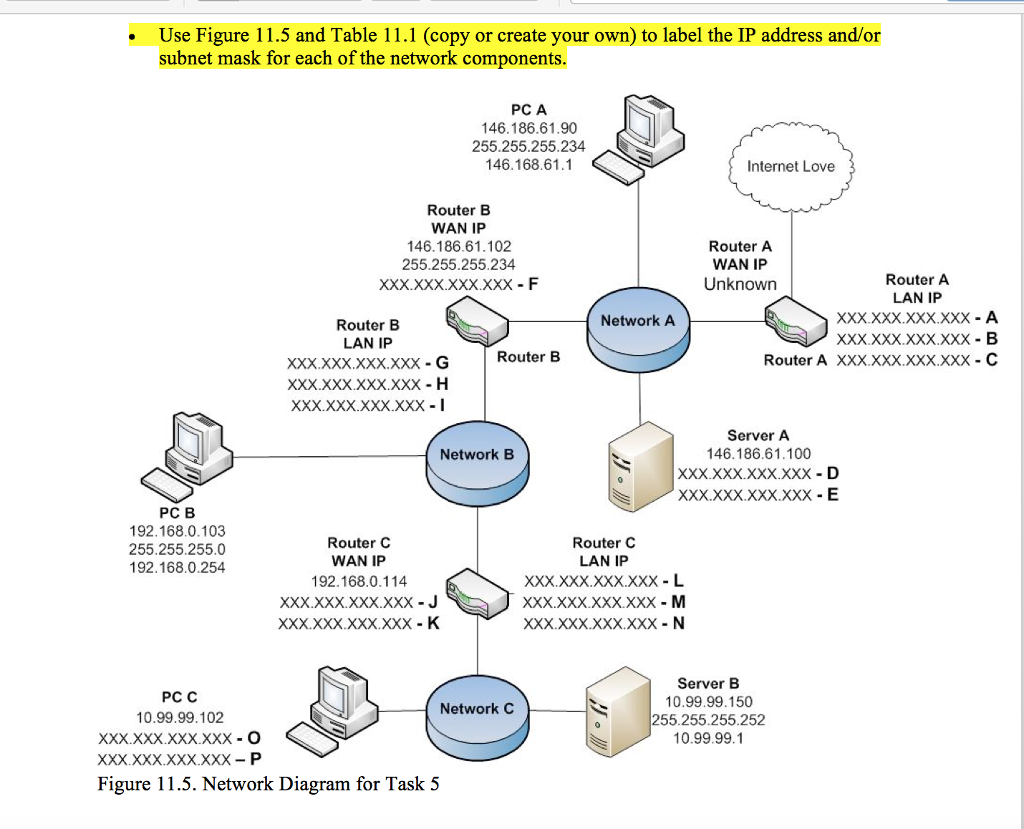
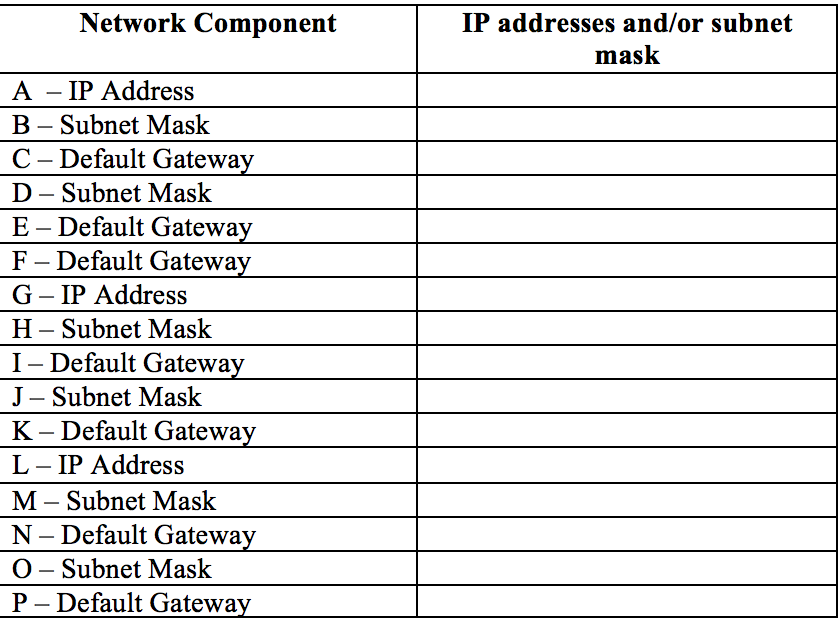
. Use Figure 11.5 and Table 11.1 (copy or create your own) to label the IP address and/or subnet mask for each of the network components. PC A 146.186.61.90 255.255.255.234 146.168.61.1 Internet Love Router B WAN IP 146.186.61.102 255.255.255.234 XXX xxx.xxXXxX - F Router A WAN IP Unknown Router A LAN IP XXX xxX XXXXxX A XxX XxX.xxx.xXX B Network A Router B LAN IP XXXxxx.XXX.XxX G xxx.xxX.XxX.xXX -H XXX.XxX.XxXXxX -I Router B Router A XXXXXX.xxx.xxx C Server A 146.186.61.100 xxX XxX.XxX.xxX D Network B PC B 192.168.0.103 255.255.255.0 192.168.0.254 Router C WAN IP 192.168.0.114 XxX.xxX XxX xxX -J Router C LAN IP xxx.xxx.xxXxxX L XxX.XxX XXX.XXX -M XxX.xxx.XxxXxX N PC C 10.99.99.102 XxX xxx.xxxXxX O Xxx xxx.XxXXxX-P Server B 0.99.99.150 255.255.255.252 0.99.99.1 Network C Figure 11.5. Network Diagram for Task 5
Step by Step Solution
There are 3 Steps involved in it
To label the IP address andor subnet mask for each network component lets analyze the information gi... View full answer

Get step-by-step solutions from verified subject matter experts
 Study Help