







Question: Use HTML to create Web documents and organize them in a Web root document directory. Follow the instructions to set up your website under a
Use HTML to create Web documents and organize them in a Web root document directory.
Follow the instructions to set up your website under a Web root document directory:
a Open Visual Studio Code.
b Back up aagy previous files in your Web project directory.
c Create an HTML file which should be named "index.html
d Create a folder named "images" under the Web root document directory. Under the images folder, save the exam image file msujpg which can be downloaded from the Blackboard course website. Please ensure you use the correct image file name for this exam msujpg as the file name may change when you download it
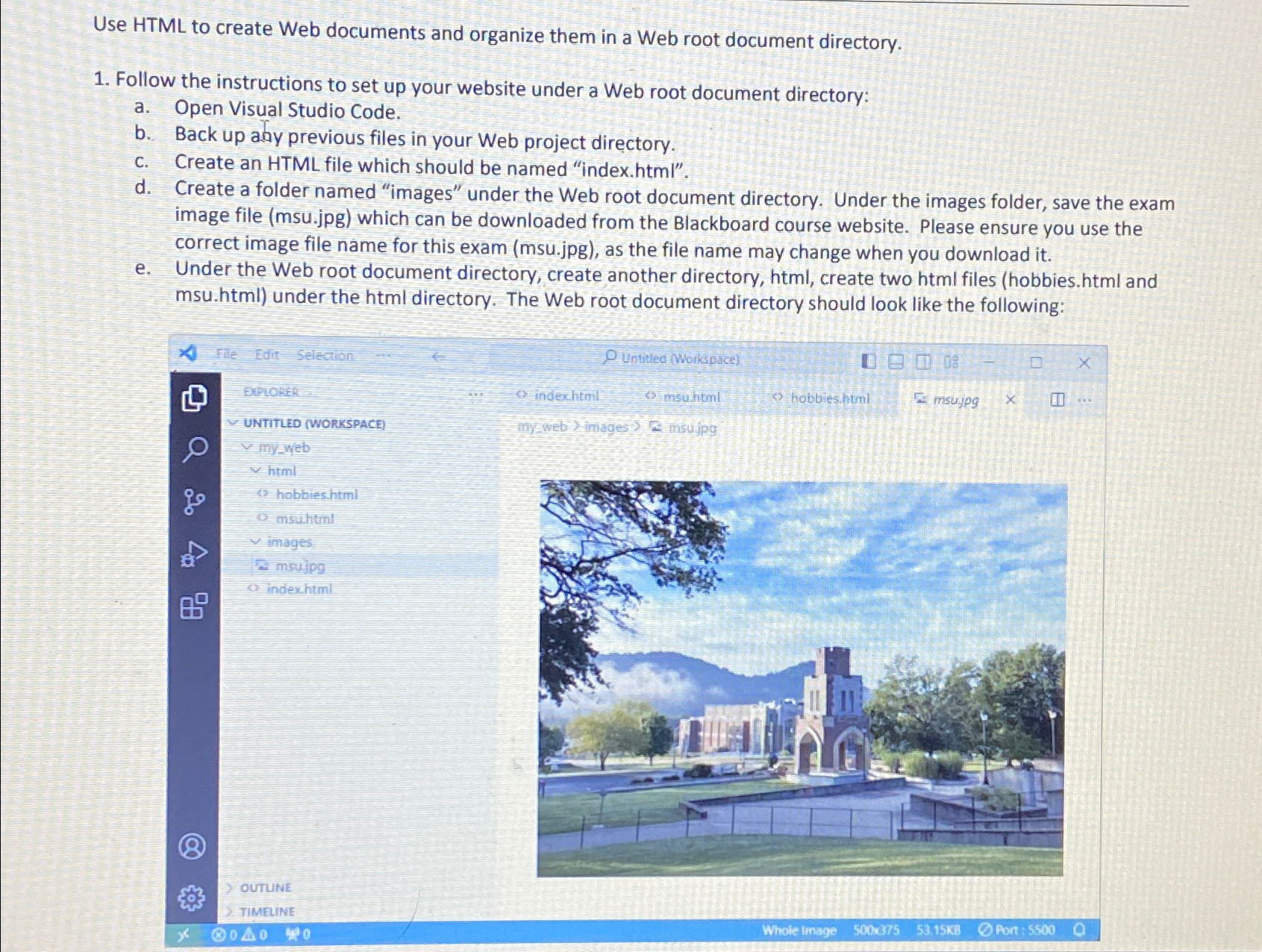
e Under the Web root document directory, create another directory, html create two html files hobbies html and msu.html under the html directory. The Web root document directory should look like the following:
File Edit Selection
Untitiec Worksuce?
BPLORER
indexhtril
misutitin!
habbies huml
misujpg
UNTITLED WORKSPACE
minineb
html
hobbieshtml
msuhtinl
images
msulpes
inderitiml
OUTUNE
TIMELINE
Whole trnage
Somexps
Pont
Step by Step Solution
There are 3 Steps involved in it
1 Expert Approved Answer
Step: 1 Unlock

Question Has Been Solved by an Expert!
Get step-by-step solutions from verified subject matter experts
Step: 2 Unlock
Step: 3 Unlock
 Study Help