







Question: USE IT ! Runtime Spreadsheet Storage.vi It is often an advantage to stream data to disk during a data acquisition program's runtime ( i .
USE IT
Runtime Spreadsheet
Storage.vi It is often an advantage to "stream data to disk"
during a data acquisition program's runtime ie add each data sample to an open
computer file at the instant it is acquired rather than store the entire collection of
data samples at the close of the VI's execution. With this approach, if your com
puting system crashes before the data acquisition program has completed its full
execution, the data up to the time of the crash have been saved, a feature that is
especially valuable for long data runs.
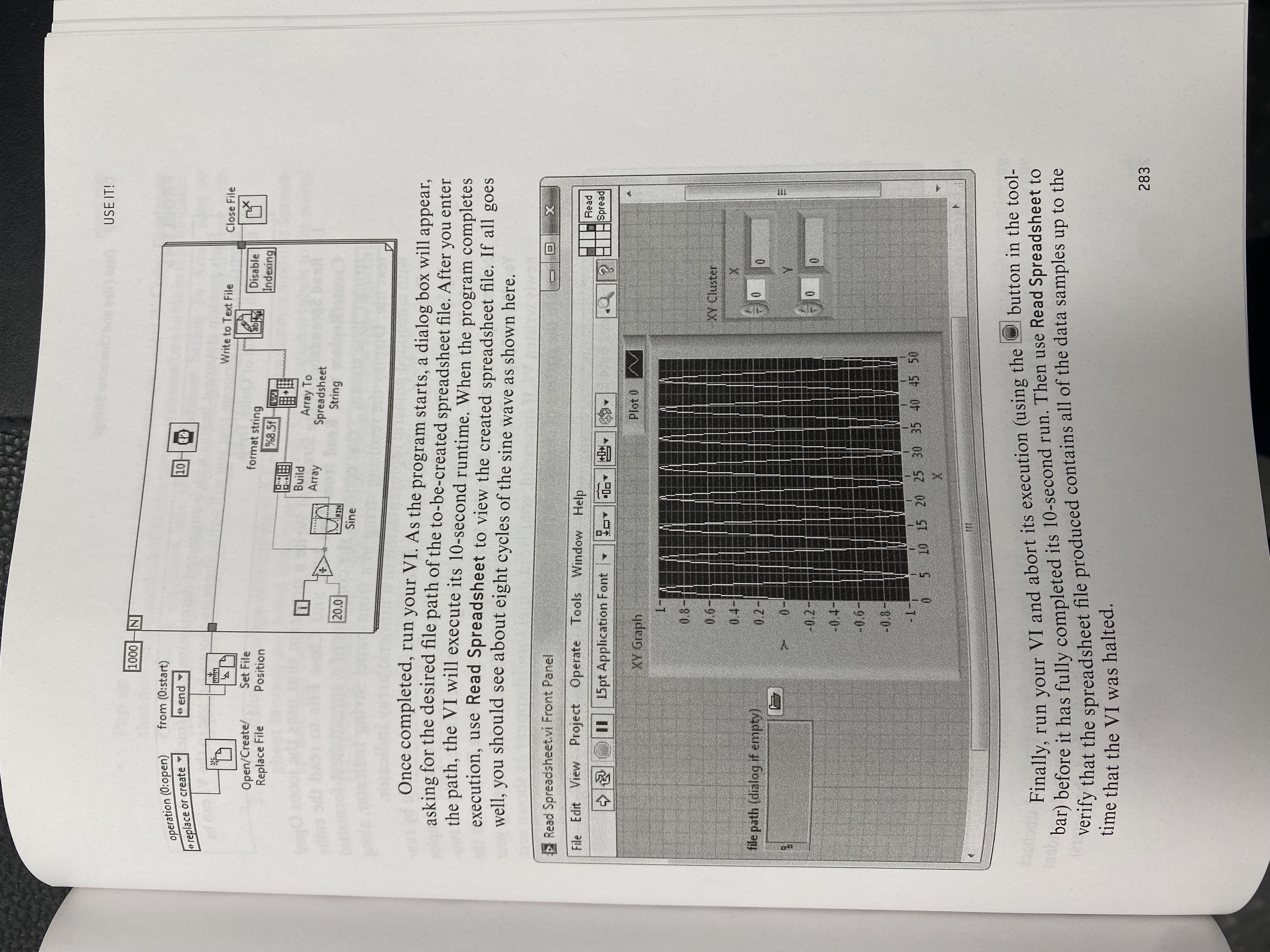
Using the block diagram shown below, create a VI that streams sinewave data
to a file. The Set File Position icon with its from input wired to end configures the file
storage process so that each new data sample is appended to the end of the open file.Once completed, run your VI As the program starts, a dialog box will appear,
asking for the desired file path of the tobecreated spreadsheet file. After you enter
the path, the VI will execute its second runtime. When the program completes
execution, use Read Spreadsheet to view the created spreadsheet file. If all goes
well, you should see about eight cycles of the sine wave as shown here.
Read
Spreadsheet.vi Front Panel
Finally, run your VI and abort its execution using the button in the tool
bar before it has fully completed its second run. Then use Read Spreadsheet to
verify that the spreadsheet file produced contains all of the data samples up to the
time that the VI was halted.
Step by Step Solution
There are 3 Steps involved in it
1 Expert Approved Answer
Step: 1 Unlock

Question Has Been Solved by an Expert!
Get step-by-step solutions from verified subject matter experts
Step: 2 Unlock
Step: 3 Unlock
 Study Help