







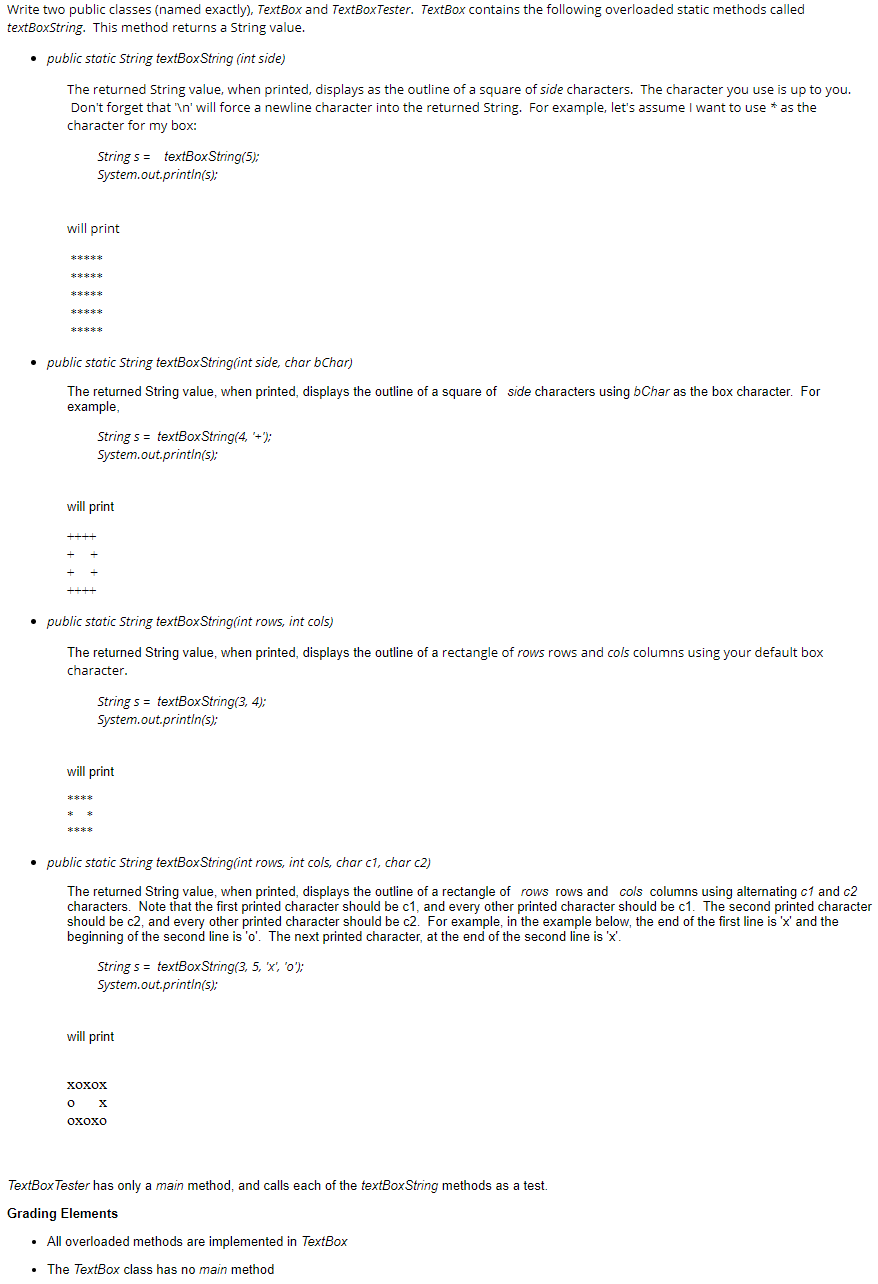
Question: use Java pls Write two public classes (named exactly), TextBox and TextBoxTester. TextBox contains the following overloaded static methods called textBoxString. This method returns a
use Java pls
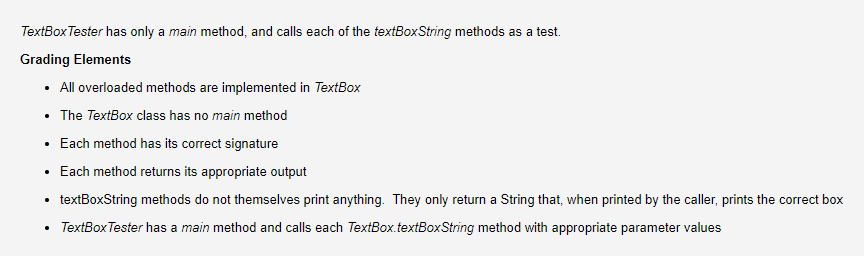
Write two public classes (named exactly), TextBox and TextBoxTester. TextBox contains the following overloaded static methods called textBoxString. This method returns a String value. public static String textBoxString (int side) The returned String value, when printed, displays as the outline of a square of side characters. The character you use is up to you. Don't forget that ' ' will force a newline character into the returned String. For example, let's assume I want to use * as the character for my box: Strings = textBox String(5): System.out.println(s); will print ***** public static String textBox String(int side, char bChar) The returned String value, when printed, displays the outline of a square of side characters using Char as the box character. For example, String 5 = textBox String(4, '+"); System.out.println(s); will print public static String textBox String(int rows, int cols) The returned String value, when printed, displays the outline of a rectangle of rows rows and cols columns using your default box character. String s = textBoxString(3, 4); System.out.println(s); will print public static String textBoxString(int rows, int cols, char c1, char c2) The returned String value, when printed, displays the outline of a rectangle of rows rows and cols columns using alternating c1 and c2 characters. Note that the first printed character should be c1, and every other printed character should be c1. The second printed character should be c2, and every other printed character should be c2. For example, in the example below, the end of the first line is 'X' and the beginning of the second line is 'o'. The next printed character, at the end of the second line is 'x'. String s = textBoxString(3, 5, 'X', '0'); System.out.println(s); will print XOXOX o oxoxo TextBox Tester has only a main method, and calls each of the textBoxString methods as a test. Grading Elements All overloaded methods are implemented in TextBox The TextBox class has no main method TextBox Tester has only a main method, and calls each of the textBoxString methods as a test. Grading Elements All overloaded methods are implemented in TextBox The TextBox class has no main method Each method has its correct signature Each method returns its appropriate output textBoxString methods do not themselves print anything. They only return a String that, when printed by the caller, prints the correct box TextBox Tester has a main method and calls each TextBox.textBox String method with appropriate parameter values
Step by Step Solution
There are 3 Steps involved in it

Get step-by-step solutions from verified subject matter experts
 Study Help