







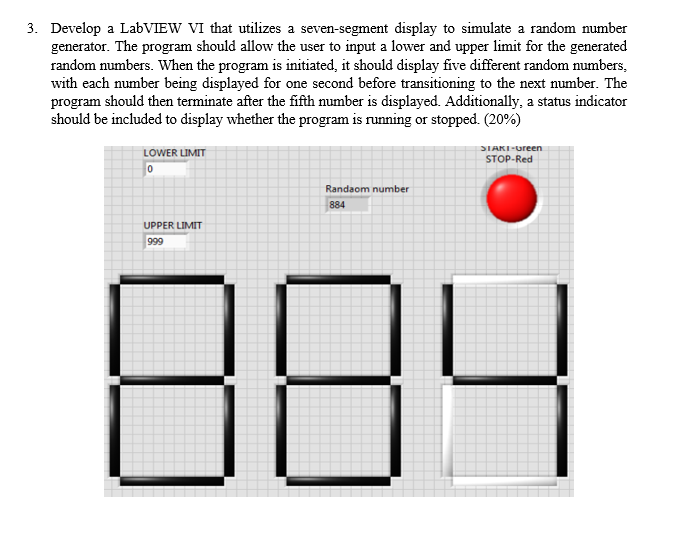
Question: USE LABVIEW show front panel and block diagrams. Develop a LabVIEW VI that utilizes a seven - segment display to simulate a random number generator.
USE LABVIEW show front panel and block diagrams. Develop a LabVIEW VI that utilizes a sevensegment display to simulate a random number
generator. The program should allow the user to input a lower and upper limit for the generated
random numbers. When the program is initiated, it should display five different random numbers,
with each number being displayed for one second before transitioning to the next number. The
program should then terminate after the fifth number is displayed. Additionally, a status indicator
should be included to display whether the program is running or stopped.
Step by Step Solution
There are 3 Steps involved in it
1 Expert Approved Answer
Step: 1 Unlock

Question Has Been Solved by an Expert!
Get step-by-step solutions from verified subject matter experts
Step: 2 Unlock
Step: 3 Unlock
 Study Help