







Question: use linux terminal Note: You need to write every command that you will run in the exercise in a file named commands.txt. Note2: Please make
use linux terminal
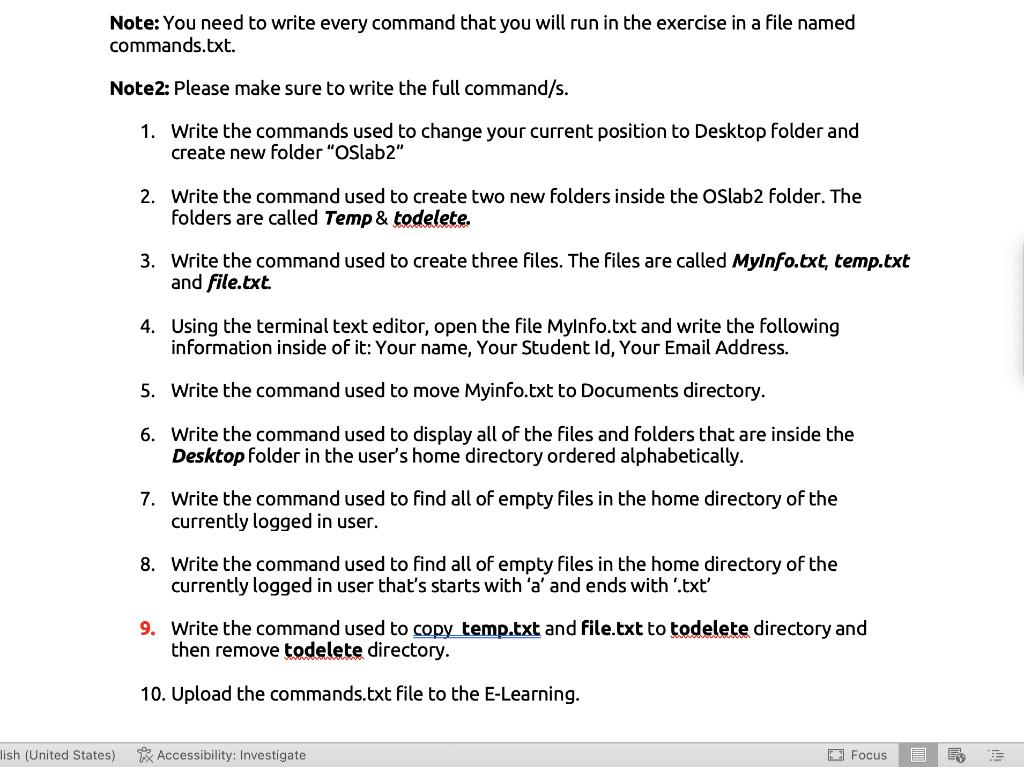
Note: You need to write every command that you will run in the exercise in a file named commands.txt. Note2: Please make sure to write the full command/s. 1. Write the commands used to change your current position to Desktop folder and create new folder "Oslab2" 2. Write the command used to create two new folders inside the OSlab2 folder. The folders are called Temp & todelete. 3. Write the command used to create three files. The files are called MyInfo.txt, temp.txt and file.txt. 4. Using the terminal text editor, open the file Mylnfo.txt and write the following information inside of it: Your name, Your Student Id, Your Email Address. 5. Write the command used to move Myinfo.txt to Documents directory. 6. Write the command used to display all of the files and folders that are inside the Desktop folder in the user's home directory ordered alphabetically. 7. Write the command used to find all of empty files in the home directory of the currently logged in user. 8. Write the command used to find all of empty files in the home directory of the currently logged in user that's starts with 'a' and ends with '.txt' 9. Write the command used to copy temp.txt and file.txt to todelete directory and then remove todelete directory. 10. Upload the commands.txt file to the E-Learning. lish (United States) Accessibility: Investigate Focus
Step by Step Solution
There are 3 Steps involved in it
Certainly Lets break down the steps for creating two new fold... View full answer

Get step-by-step solutions from verified subject matter experts
 Study Help