







Question: USE MATLAB 7. Create a rectangular pulse waveform using the following commands using a script M-file in MATLAB: fs-500; %sampling frequency T-02; %width of the
USE MATLAB
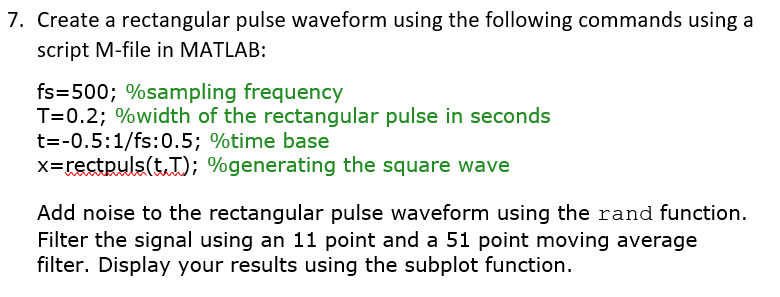
7. Create a rectangular pulse waveform using the following commands using a script M-file in MATLAB: fs-500; %sampling frequency T-02; %width of the rectangular pulse in seconds t--0.5: 1/fs:0.5: %time base x-rctpuls(LT); %generating the square wave Add noise to the rectangular pulse waveform using the rand function. Filter the signal using an 11 point and a 51 point moving average filter. Display your results using the subplot function
Step by Step Solution
There are 3 Steps involved in it
1 Expert Approved Answer
Step: 1 Unlock

Question Has Been Solved by an Expert!
Get step-by-step solutions from verified subject matter experts
Step: 2 Unlock
Step: 3 Unlock
 Study Help