







Question: use Matlab. code for the assign: clear %format long; %this changes the number of decimal digits that DISPLAY n=30; st=0.001; % Define a stepsize x=8:st:10;
use Matlab.
code for the assign:
clear %format long; %this changes the number of decimal digits that DISPLAY n=30; st=0.001; % Define a stepsize x=8:st:10; % x is a row vector of numbers between 1.3 and 2.3 of increments st y=x; for i=1:n y=4*log(y); end %y(1) %this is how you print the 1st element of y to the screen %y(11) %y(101) %y(1001) %pause %this stops your program until you press a key for i=1:n y=exp(y/4.0); end %y(1) %y(11) %y(101) %y(1001) % Plot the output y versus the input x plot(x,y) %you can change the title and axis labels in this manner title(['Output of the Computation with n = ' num2str(n)],'fontsize',14) xlabel(['Input x'],'fontsize',12) ylabel(['Output y'],'fontsize',12)
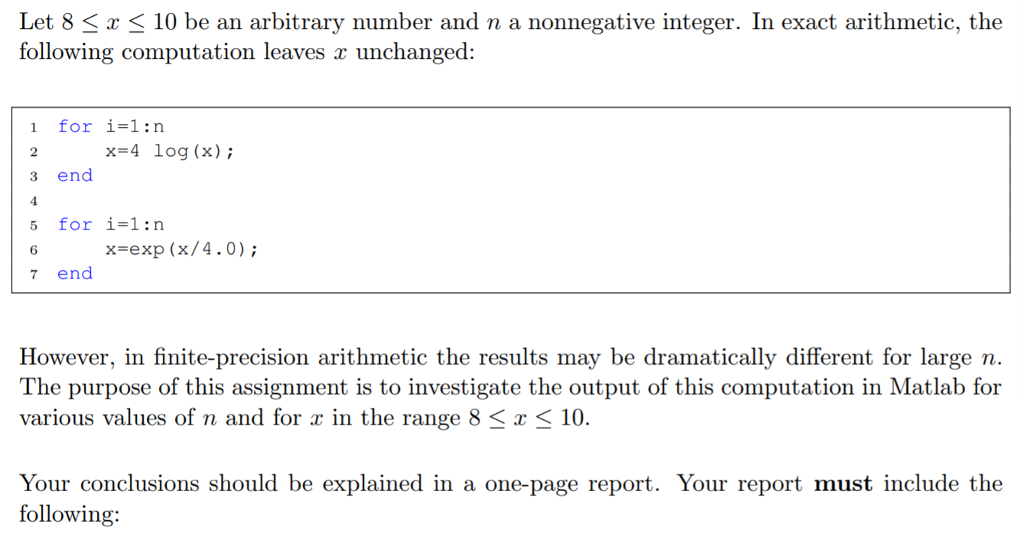
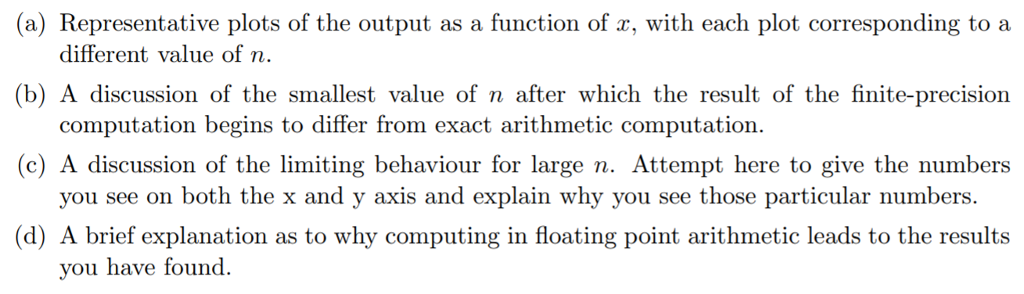
Let 8 3x 10 be an arbitrary number and n a nonnegative integer. In exact arithmetic, the following computation leaves x unchanged: 1 for i-1:n x=4 log (x); 3 end 4 5 for i-1:n 6 7 end x-exp (x/4.0) However, in finite-precision arithmetic the results may be dramatically different for large n. The purpose of this assignment is to investigate the output of this computation in Matlab for various values of n and for r in the range 8 K r 10. Your conclusions should be explained in a one-page report. Your report must include the following
Step by Step Solution
There are 3 Steps involved in it
1 Expert Approved Answer
Step: 1 Unlock

Question Has Been Solved by an Expert!
Get step-by-step solutions from verified subject matter experts
Step: 2 Unlock
Step: 3 Unlock
 Study Help