







Question: Use MATLAB ICA 19-16 Write a function named Count Down that accepts a total time T in seconds and displays the time remaining after half
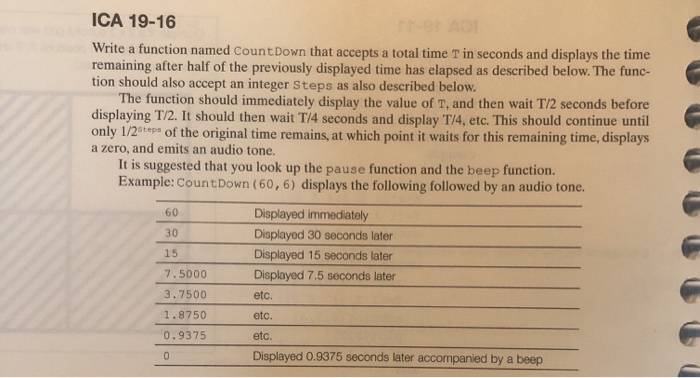

ICA 19-16 Write a function named Count Down that accepts a total time T in seconds and displays the time remaining after half of the previously displayed time has elapsed as described below. The func- tion should also accept an integer Steps as also described below. The function should immediately display the value of T, and then wait T/2 seconds before displaying T/2. It should then wait T/4 seconds and display T/4, etc. This should continue until only 1/2 top of the original time remains, at which point it waits for this remaining time, displays a zero, and emits an audio tone. It is suggested that you look up the pause function and the beep function. Example: Count Down (60,6) displays the following followed by an audio tone. 60 30 15 7.5000 3.7500 1.8750 0.9375 Displayed immediately Displayed 30 seconds later Displayed 15 seconds later Displayed 7.5 seconds later etc. etc. etc. Displayed 0.9375 seconds later accompanied by a beep Prompt the user for the total time and the number of steps You must use the while loop indicated in the sentence starting "This should continue until ..." Use display format: Time Remaining xx seconds. Hote: The beep may not work, that's ok, include the command anyway
Step by Step Solution
There are 3 Steps involved in it

Get step-by-step solutions from verified subject matter experts
 Study Help