







Question: Use Microsoft Visual Studio - Visual Basic - Windows Forms Application Objective: Practice using Visual Basic to develop a user interface that allows multi-form and
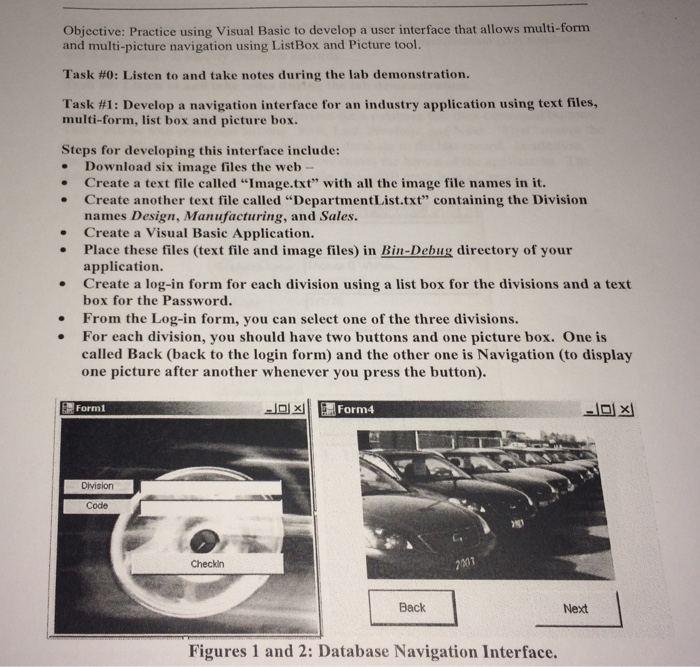
Objective: Practice using Visual Basic to develop a user interface that allows multi-form and multi-picture navigation using ListBox and Picture tool. Task #0: Listen to and take notes during the lab demonstration. Task #1: Develop a navigation interface for an industry application using text files, multi-form, list box and picture box. Steps for developing this interface include: . Download six image files the web- . Create a text file called "Image.txt" with all the image file names in it. . Create another text file called "DepartmentList.txt" containing the Division names Design, Manufacturing, and Sales. Create a Visual Basic Application. Place these files (text file and image files) in Bin-Debug directory of your application. Create a log-in form for each division using a list box for the divisions and a text box for the Password. . . . From the Log-in form, you can select one of the three divisions. For each division, you should have two buttons and one picture box. One is called Back (back to the login form) and the other one is Navigation (to display one picture after another whenever you press the button). Form1 Division Code Checkin Back Next Figures 1 and 2: Database Navigation Interface
Step by Step Solution
There are 3 Steps involved in it

Get step-by-step solutions from verified subject matter experts
 Study Help