







Question: Use python: # A class for cars which have a known fuel efficiency in mpg. import time class Car(object): def __init__(self, mpg): self.mpg = mpg
Use python:
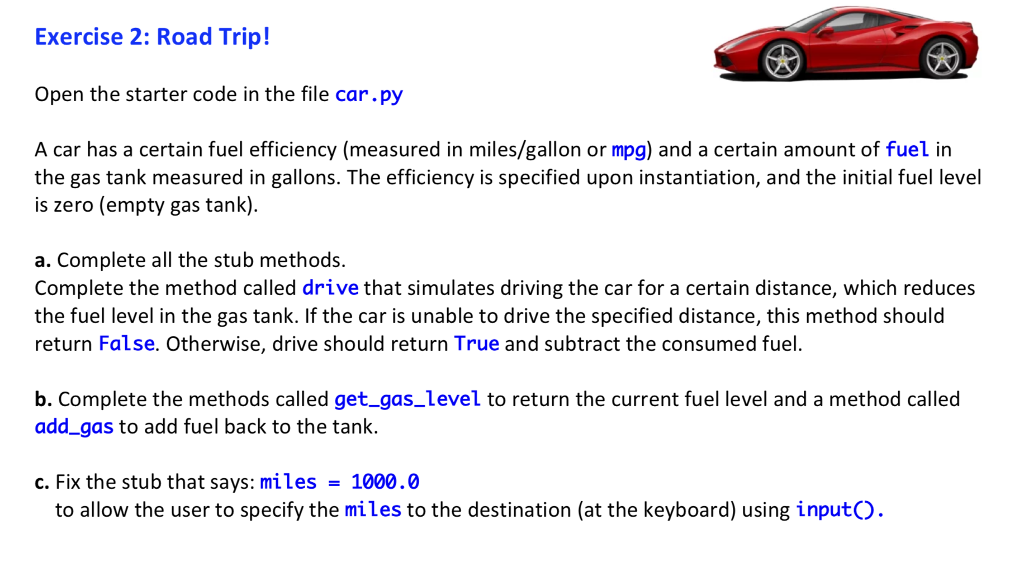
# A class for cars which have a known fuel efficiency in mpg. import time class Car(object): def __init__(self, mpg): self.mpg = mpg self.fuel = 0 # gallons of fuel in the tank def get_gas_level(self): return 0 # fix this stub def add_gas(self, gallons): self . fuel = 0 # fix this stub def drive(self, miles): return True # implement this method as described in the lab notes. if __name__ == "__main__": pass # Construct a new car which makes 50 mpg. my_car = Car(50) # done for you! # Add 20 gallons of fuel # Get the miles to destination from the user at the keyboard. print(" How far to your destination in miles?") miles = 1000.0 # fix this stub using input() if my_car.drive(miles): # Drive this number of miles print("Let's go! Vroom!") distance_traveled = 0 while distance_traveled print("*", end=" ", flush=True) time.sleep(0.25) distance_traveled += miles/20 print(" We have arrived! The remaining gas is:", my_car.get_gas_level()) else: print("Sorry, not enough gas for this destination!") Exercise 2: Road Trip! Open the starter code in the file car.py A car has a certain fuel efficiency (measured in miles/gallon or mpg) and a certain amount of fuel in the gas tank measured in gallons. The efficiency is specified upon instantiation, and the initial fuel level is zero (empty gas tank) a. Complete all the stub methods. Complete the method called drive that simulates driving the car for a certain distance, which reduces the fuel level in the gas tank. If the car is unable to drive the specified distance, this method should return False. Otherwise, drive should return True and subtract the consumed fuel. b. Complete the methods called get_gas_level to return the current fuel level and a method called add gas to add fuel back to the tank. c. Fix the stub that says:miles 1000.0 to allow the user to specify the miles to the destination (at the keyboard) using inputO
Step by Step Solution
There are 3 Steps involved in it

Get step-by-step solutions from verified subject matter experts
 Study Help