







Question: Use Python Open IDLE. Create a new script file (File->New File, Ctri+n on Windows, Cmd+n on macOS) On the first line, place your name in
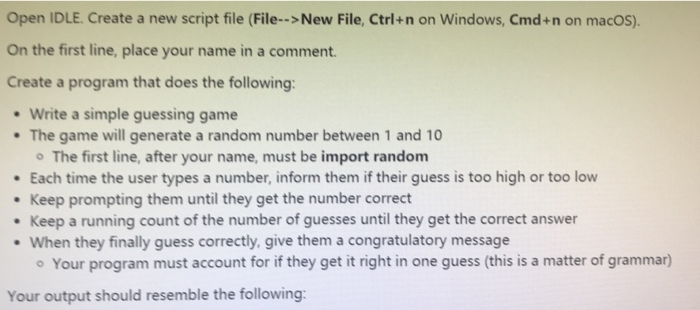
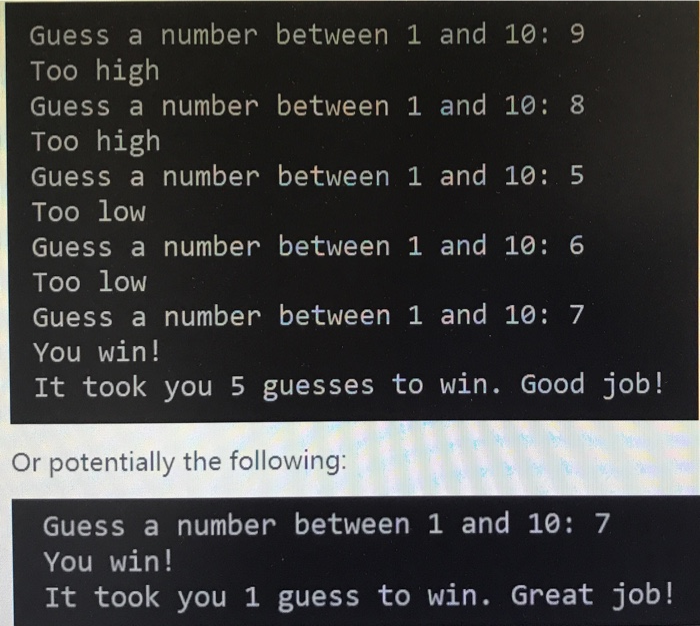
Open IDLE. Create a new script file (File->New File, Ctri+n on Windows, Cmd+n on macOS) On the first line, place your name in a comment Create a program that does the following: Write a simple guessing game The game will generate a random number between 1 and 10 o The first line, after your name, must be import random Each time the user types a number, inform them if their guess is too high or too low . Keep prompting them until they get the number correct Keep a running count of the number of guesses until they get the correct answer When they finally guess correctly, give them a congratulatory message Your program must account for if they get it right in one guess (this is a matter of grammar) Your output should resemble the following
Step by Step Solution
There are 3 Steps involved in it

Get step-by-step solutions from verified subject matter experts
 Study Help