







Question: Use python programing. The Assignment: Professor Bob is a movie buff, but like most professors he is absent-minded. He has an old text t which
Use python programing.
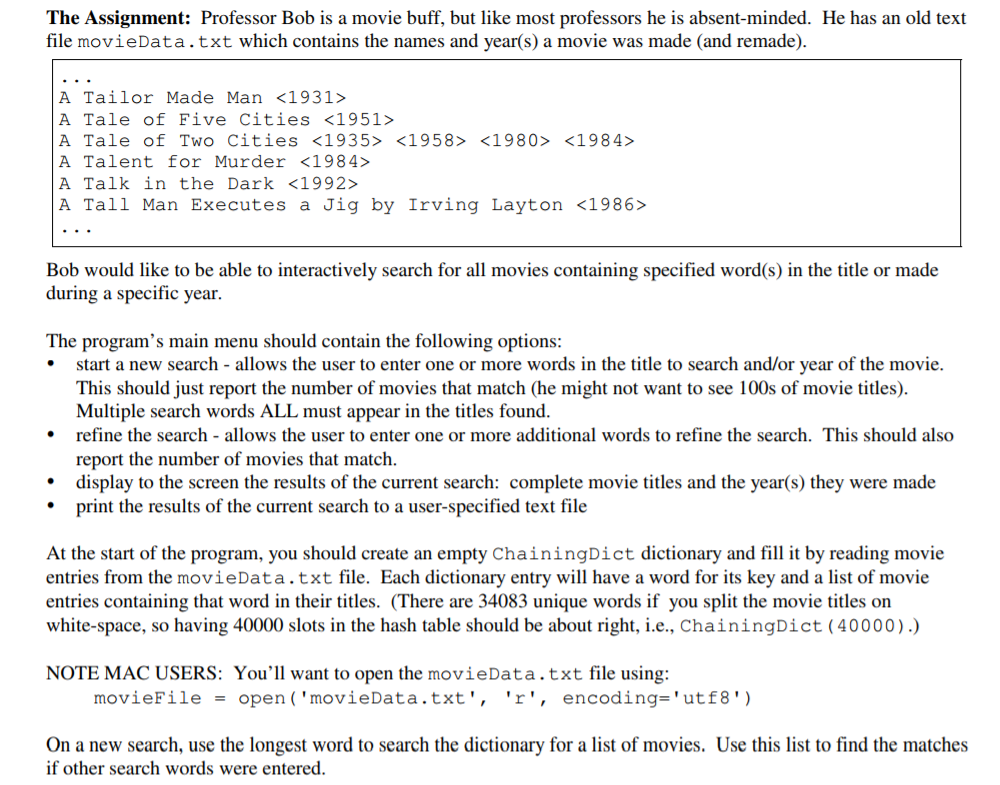
The Assignment: Professor Bob is a movie buff, but like most professors he is absent-minded. He has an old text t which contains the names and year(s) a movie was made (and remade). A Tailor Made Man A Tale of Five Cities A Tale of Two Cities A Talent for Murder A Talk in the Dark A Tall Man Executes a Jig by Irving Layton Bob would like to be able to interactively search for all movies containing specified word(s) in the title or made during a specific year The program's main menu should contain the following options: start a new search allows the user to enter one or more words in the title to search and/or year of the movie This should just report the number of movies that match (he might not want to see 100s of movie titles). Multiple search words ALL must appear in the titles found refine the search - allows the user to enter one or more additional words to refine the search. This should also report the number of movies that match. display to the screen the results of the current search: complete movie titles and the year(s) they were made print the results of the current search to a user-specified text file At the start of the program, you should create an empty ChainingDict dictionary and fill it by reading movie entries from the movieData.txt file. Each dictionary entry will have a word for its key and a list of movie entries containing that word in their titles. (There are 34083 unique words if you split the movie titles on white-space, so having 40000 slots in the hash table should be about right, i.e., ChainingDict (40000).) NOTE MAC USERS: You'll want to open the movieData.txt file using movieFile = open ('movieData.txt', 'r', encoding="utf8") On a new search, use the longest word to search the dictionary for a list of movies. Use this list to find the matches if other search words were entered. The Assignment: Professor Bob is a movie buff, but like most professors he is absent-minded. He has an old text t which contains the names and year(s) a movie was made (and remade). A Tailor Made Man A Tale of Five Cities A Tale of Two Cities A Talent for Murder A Talk in the Dark A Tall Man Executes a Jig by Irving Layton Bob would like to be able to interactively search for all movies containing specified word(s) in the title or made during a specific year The program's main menu should contain the following options: start a new search allows the user to enter one or more words in the title to search and/or year of the movie This should just report the number of movies that match (he might not want to see 100s of movie titles). Multiple search words ALL must appear in the titles found refine the search - allows the user to enter one or more additional words to refine the search. This should also report the number of movies that match. display to the screen the results of the current search: complete movie titles and the year(s) they were made print the results of the current search to a user-specified text file At the start of the program, you should create an empty ChainingDict dictionary and fill it by reading movie entries from the movieData.txt file. Each dictionary entry will have a word for its key and a list of movie entries containing that word in their titles. (There are 34083 unique words if you split the movie titles on white-space, so having 40000 slots in the hash table should be about right, i.e., ChainingDict (40000).) NOTE MAC USERS: You'll want to open the movieData.txt file using movieFile = open ('movieData.txt', 'r', encoding="utf8") On a new search, use the longest word to search the dictionary for a list of movies. Use this list to find the matches if other search words were entered
Step by Step Solution
There are 3 Steps involved in it

Get step-by-step solutions from verified subject matter experts
 Study Help