







Question: use python to change the output of txt file. Below is the text file and my output. please change the python code so it output
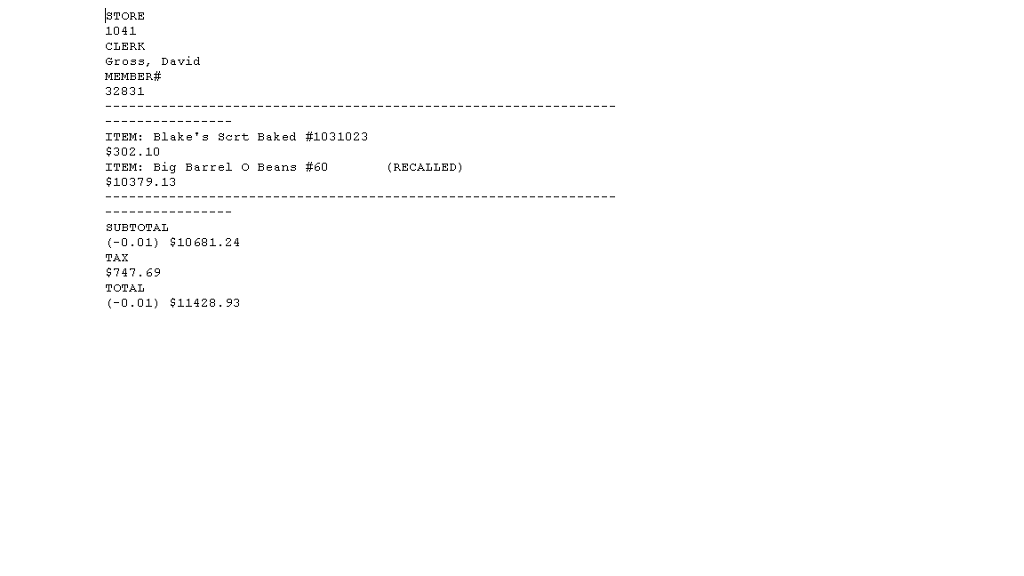
use python to change the output of txt file. Below is the text file and my output. please change the python code so it output to the last picture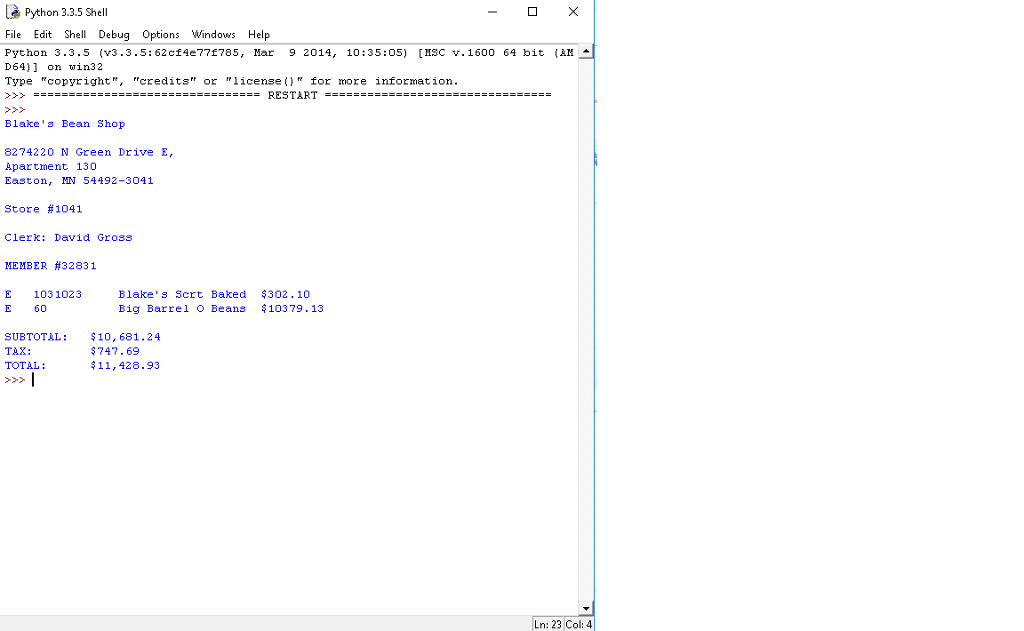
bad_receipt.txt
Blake's Bean Shop
8274220 N Green Drive E, Apartment 130 Easton, MN 54492-3041
Store #1041
Clerk: David Gross
MEMBER #32831
E 1031023 Blake's Scrt Baked $302.10 E 60 Big Barrel O Beans $10379.13
SUBTOTAL: $10,681.24 TAX: $747.69 TOTAL: $11,428.93
def main():
file = open ( "bad_receipt.txt", "r" ) lines = file.readlines() file.close()
for line in lines: line = line.strip() print(line)
main()
Python 3.3.5 Shell File Edit Shel Debug Options Windows Help Python 3.3.5 (v3.3.5:62cf4e77f785, Mar 9 2014, 10:35:05) [HSC v.1600 64 bit (AM D64)] on win32 Type "copyright", "credits or "license" for more information > RESTART- Blake' s Bean Shop 8274220 N Green Drive E, Apartment 130 Easton, MN 54492-3041 Store #1041 Clerk David GroSs MEMBER #3283 1 E 1031023 E 60 Blake' s Scrt Baked $302.10 Big Barrel O Beans 10379.13 SUBTOTAL : TAX: TOTAL: $10,681.24 747.69 $11,428.93 Ln: 23 Col: 4
Step by Step Solution
There are 3 Steps involved in it

Get step-by-step solutions from verified subject matter experts
 Study Help