







Question: Use the Amortization Schedule worksheet in the Present Value Excel Template to complete an amortization schedule for the car loan in the previous problem (price=$31,250;
Use the Amortization Schedule worksheet in the Present Value Excel Template to complete an amortization schedule for the car loan in the previous problem (price=$31,250; 20% down; 3% APR for 5 years on the remainder) for the first six months only (6 payments). Enter the remaining balance on the loan after six months as a positive number with two decimal places (i.e., to the penny) but without the dollar sign
here
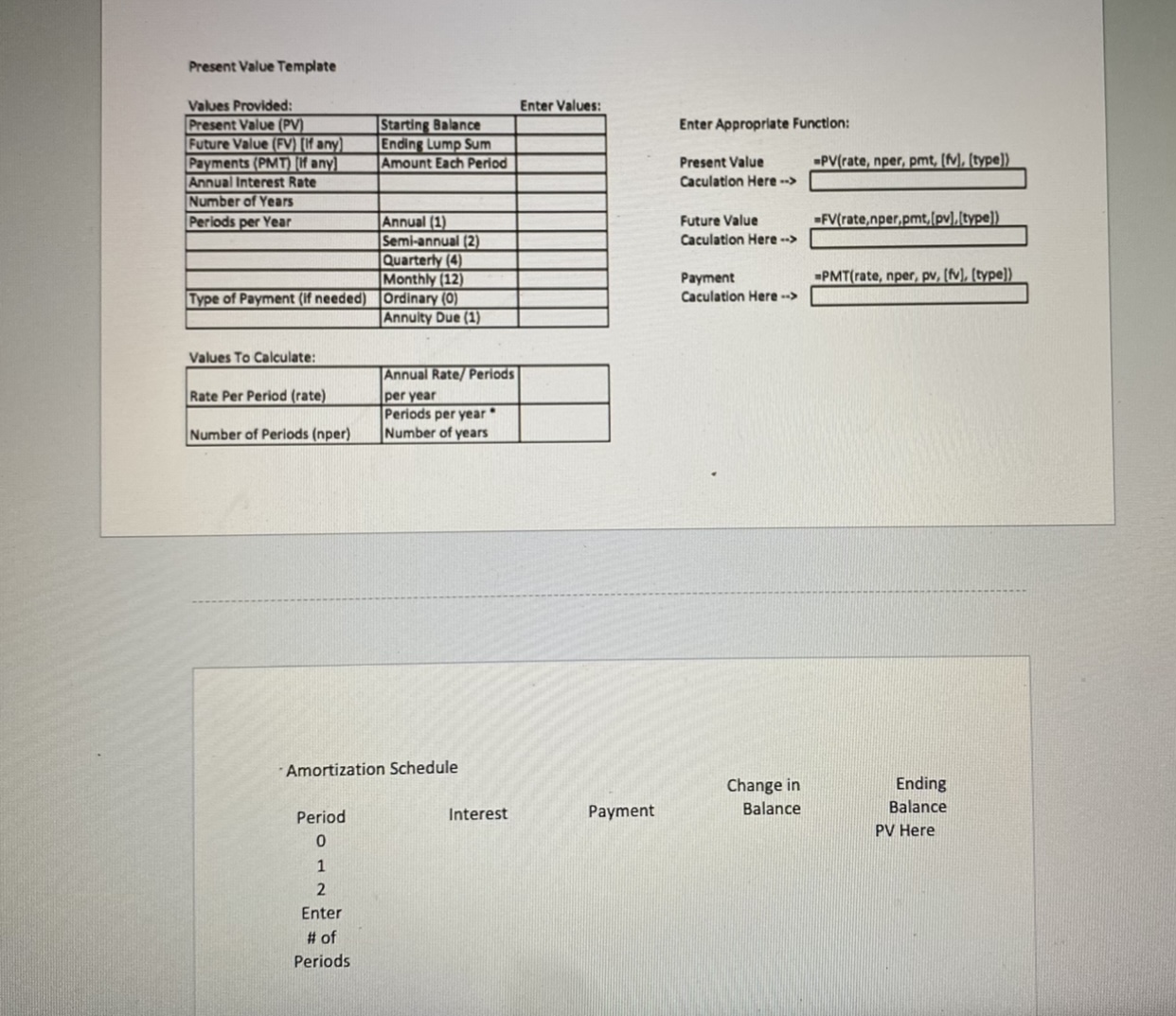
Present Value Template Enter Values: Enter Appropriate Function: Present Value Caculation Here --> -PV(rate, nper, pmt, [1]. (type)) Values Provided: Present Value (PV) Starting Balance Future Value (FV) [If any) Ending Lump Sum Payments (PMT) If any) Amount Each Period Annual Interest Rate Number of Years Periods per Year Annual (1) Semi-annual (2) Quarterly (4) Monthly (12) Type of Payment (If needed) Ordinary (0) Annuity Due (1) =FV(rate,nper,pmt, (pv).[type]) Future Value Caculation Here --> PMT(rate, nper, pv, (fv), (type]) Payment Caculation Here --> Values To Calculate: Rate Per Period (rate) Annual Rate/Periods per year Periods per year Number of years Number of Periods (nper) Amortization Schedule Change in Balance Ending Balance PV Here Interest Payment Period 0 1 2 Enter # of Periods
Step by Step Solution
There are 3 Steps involved in it

Get step-by-step solutions from verified subject matter experts
 Study Help