



Question: Use the attached General Journal document to journalize the following transactions for Jim Smith's Auto Repair and Services. Enter date 1. Enter the name of
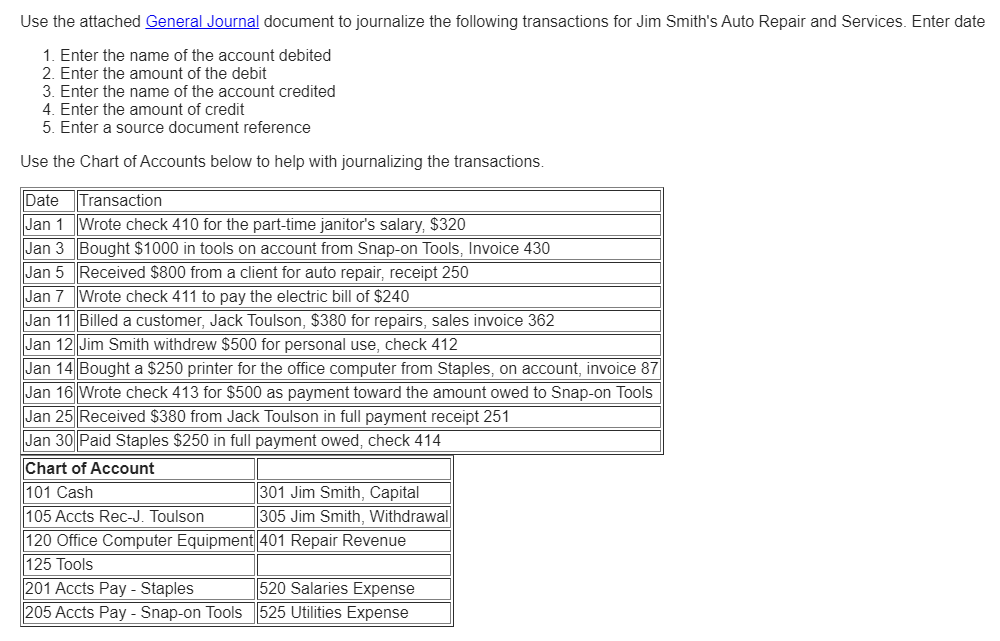
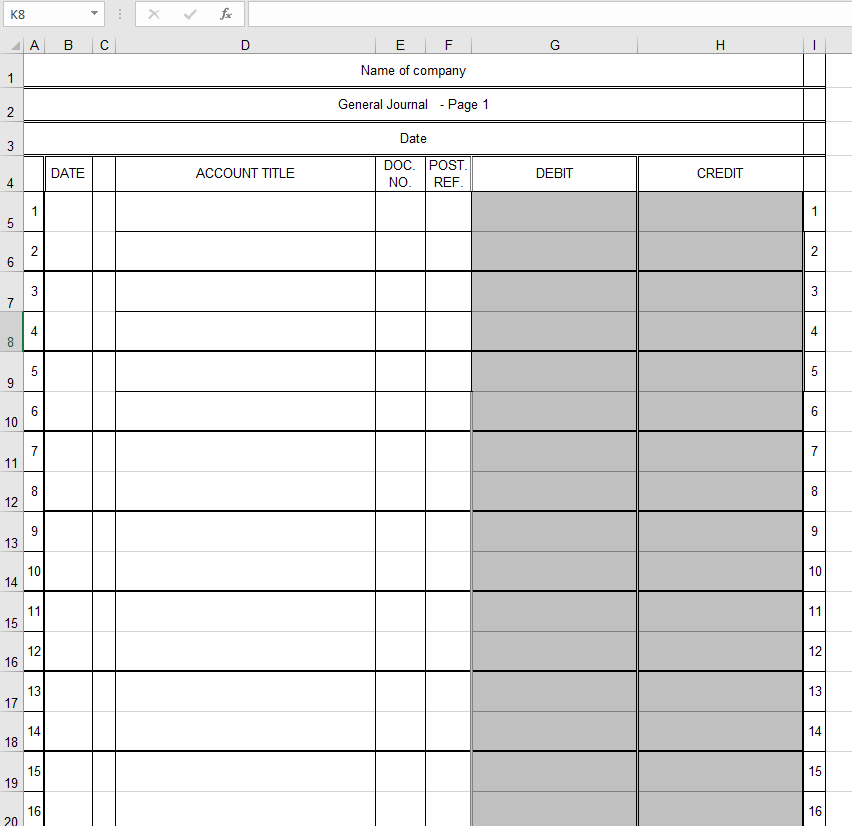
Use the attached General Journal document to journalize the following transactions for Jim Smith's Auto Repair and Services. Enter date 1. Enter the name of the account debited 2. Enter the amount of the debit 3. Enter the name of the account credited 4. Enter the amount of credit 5. Enter a source document reference Use the Chart of Accounts below to help with journalizing the transactions. Date Transaction Jan 1 Wrote check 410 for the part-time janitor's salary, $320 Jan 3 Bought $1000 in tools on account from Snap-on Tools, Invoice 430 Jan 5 Received $800 from a client for auto repair, receipt 250 Jan 7 Wrote check 411 to pay the electric bill of $240 Jan 11 Billed a customer, Jack Toulson, $380 for repairs, sales invoice 362 Jan 12 Jim Smith withdrew $500 for personal use, check 412 Jan 14 Bought a $250 printer for the office computer from Staples, on account, invoice 87 Jan 16 Wrote check 413 for $500 as payment toward the amount owed to Snap-on Tools Jan 25 Received $380 from Jack Toulson in full payment receipt 251 Jan 30 Paid Staples $250 in full payment owed, check 414 Chart of Account 101 Cash 301 Jim Smith, Capital 105 Accts Rec-J. Toulson 305 Jim Smith, Withdrawal 120 Office Computer Equipment 401 Repair Revenue 125 Tools 201 Accts Pay - Staples 620 Salaries Expense 205 Accts Pay - Snap-on Tools 525 Utilities ExpenseK8 X V J A B C D E F G H 1 Name of company 2 General Journal - Page 1 3 Date 4 DATE ACCOUNT TITLE DOC. |POST. NO. REF DEBIT CREDIT 1 5 1 2 3 4 4 9 LT 6 10 6 11 7 8 12 8 13 9 10 14 10 11 15 11 12 16 12 13 17 13 14 18 14 15 19 15 16 16
Step by Step Solution
There are 3 Steps involved in it

Get step-by-step solutions from verified subject matter experts