







Question: use the command pd.read_excel to read in the excel file Class3_hisassetret.xlsx It contains the annual return data for S&P 500 (includes dividends), 3-month T.Bill, and
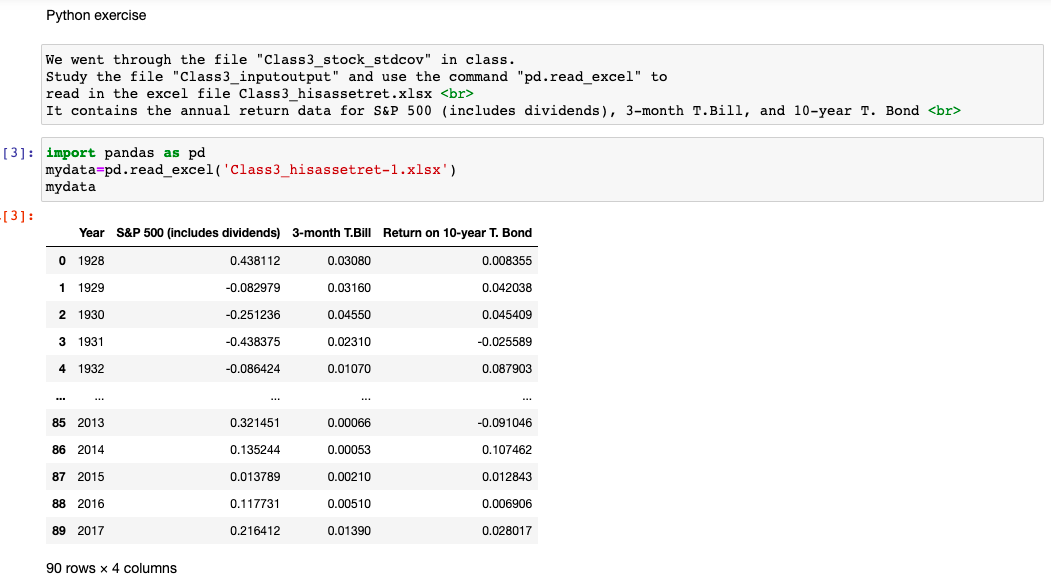
use the command "pd.read_excel" to read in the excel file Class3_hisassetret.xlsx It contains the annual return data for S&P 500 (includes dividends), 3-month T.Bill, and 10-year T. Bond
import pandas as pd mydata=pd.read_excel('Class3_hisassetret-1.xlsx') mydata
Can you just tell me the code I need to write? (This is Python)
Since I cannot share the xlsx file in chegg.
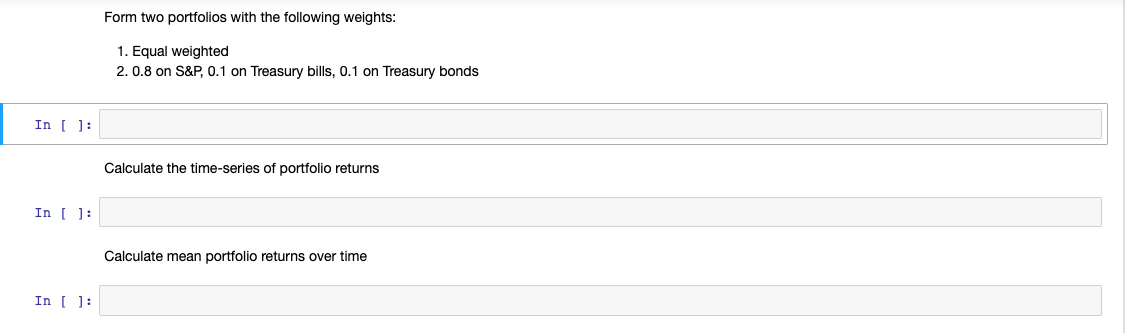
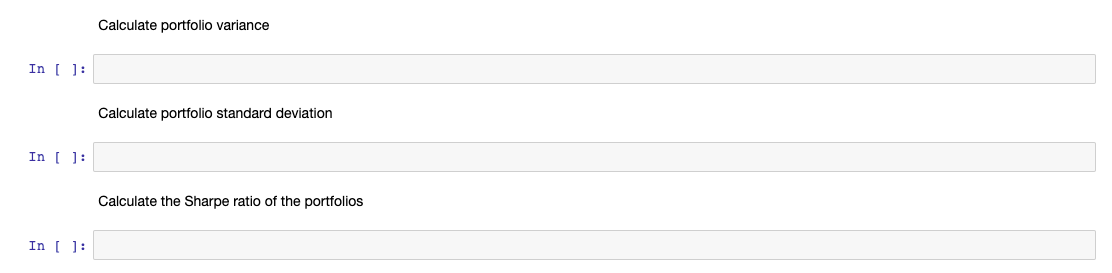
Python exercise We went through the file "Class3_stock_stdcov" in class. Study the file "Class3_inputoutput" and use the command "pd.read_excel" to read in the excel file Class3_hisassetret.xlsx It contains the annual return data for S&P 500 (includes dividends), 3-month T.Bill, and 10-year T. Bond [3]: import pandas as pd mydata=pd.read_excel('Class3_hisassetret-1.xlsx') mydata -[3]: Year S&P 500 (includes dividends) 3-month T.Bill Return on 10-year T. Bond 0 1928 0.438112 0.03080 0.008355 1 1929 -0.082979 0.03160 0.042038 2 1930 -0.251236 0.04550 0.045409 3 1931 -0.438375 0.02310 -0.025589 4 1932 -0.086424 0.01070 0.087903 LE 85 2013 0.321451 0.00066 -0.091046 86 2014 0.135244 0.00053 0.107462 87 2015 0.013789 0.00210 0.012843 88 2016 0.117731 0.00510 0.006906 89 2017 0.216412 0.01390 0.028017 90 rows x 4 columns Form two portfolios with the following weights: 1. Equal weighted 2. 0.8 on S&P, 0.1 on Treasury bills, 0.1 on Treasury bonds In [ ]: Calculate the time-series of portfolio returns In ( ): Calculate mean portfolio returns over time In [ ]: Calculate portfolio variance In ( ): Calculate portfolio standard deviation In 1]: Calculate the Sharpe ratio of the portfolios In (
Step by Step Solution
There are 3 Steps involved in it

Get step-by-step solutions from verified subject matter experts
 Study Help