







Question: Use the FDR to design and write a function called bpFilter. The function takes an image as input parameter and converts each pixel as follows:
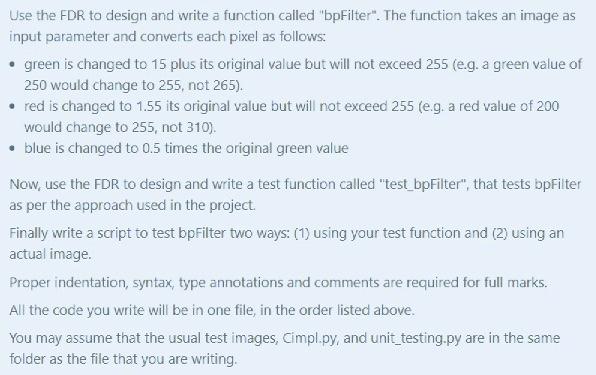
Use the FDR to design and write a function called "bpFilter". The function takes an image as input parameter and converts each pixel as follows: green is changed to 15 plus its original value but will not exceed 255 (e.g. a green value of 250 would change to 255, not 265). red is changed to 1.55 its original value but will not exceed 255 (e.g. a red value of 200 would change to 255, not 310). blue is changed to 0.5 times the original green value Now, use the FDR to design and write a test function called "test_bpFilter", that tests bpFilter as per the approach used in the project. Finally write a script to test bpFilter two ways: (1) using your test function and (2) using an actual image. Proper indentation, syntax, type annotations and comments are required for full marks. All the code you write will be in one file, in the order listed above. You may assume that the usual test images, Cimpl.py, and unit_testing.py are in the same folder as the file that you are writing
Step by Step Solution
There are 3 Steps involved in it

Get step-by-step solutions from verified subject matter experts
 Study Help