







Question: use the information above to write a code for experiment 1 Experiment 1: Now type the following code into the main method of Example_1. You
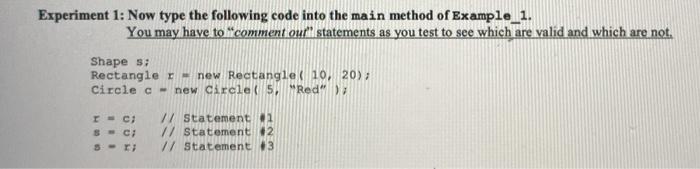
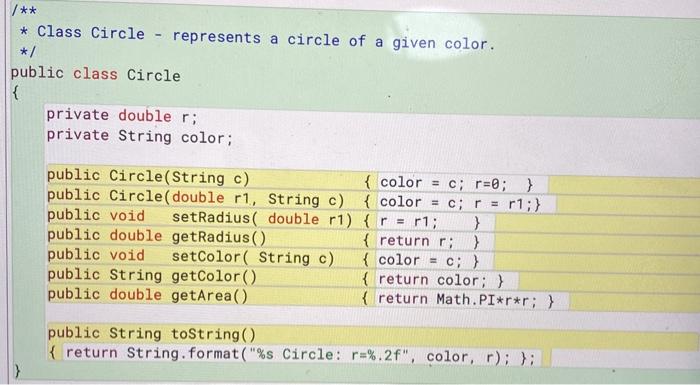
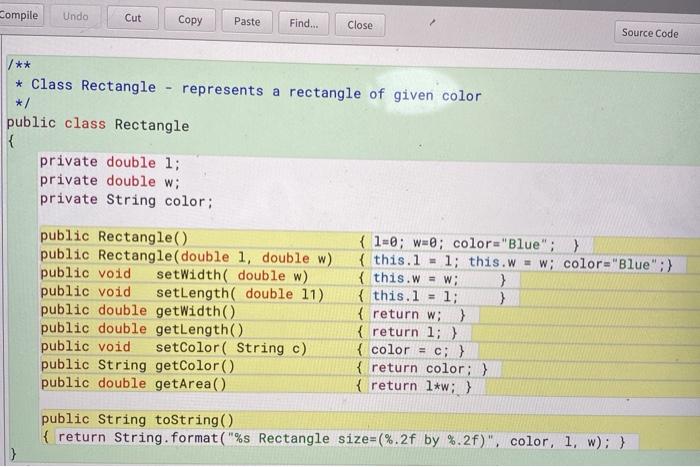
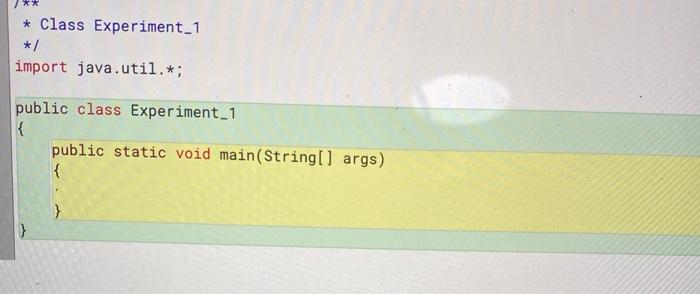
Experiment 1: Now type the following code into the main method of Example_1. You may have to comment our statements as you test to see which are valid and which are not. Shape s: Rectangle r-new Rectangle( 10, 20); Circle c - new Circle(5,Red"); Ic; SC S- 77 Statement 1 // Statement 12 // Statement 3 * Class Circle - represents a circle of a given color. */ public class Circle { private double r; private String color; public Circle(String c) { color = c; r=0; } public Circle( double ri, String c) { color = c; r = r1;} public void setRadius( double r1) { r = r1; } public double getRadius() { return r; } public void setColor( String c) { color = c; } public String getColor() { return color; } public double getArea() { return Math.PI*r*r; } public String toString() { return String.format("%s Circle: r=%.2f", color, r); }; Compile Undo Cut Copy Paste Find... Close Source Code * Class Rectangle - represents a rectangle of given color */ public class Rectangle { private double 1; private double w; private String color: public Rectangle public Rectangle( double 1, double w) public void setWidth( double w) public void setLength( double 11) public double getWidth() public double getLength() public void setColor( String c) public String getColor() public double getArea() { 1=0; w=0; color="Blue";} { this. l = 1; this.w = w; color="Blue" :) { this.w = w; } { this. l = 1; } { return w;} { return 1; ) { color { return color; } { return 1*w;) = c; } public String toString() { return String.format("%s Rectangle size=(%.2f by %.2f)", color, 1, w): ) ) * Class Experiment_1 */ import java.util.*; public class Experiment_1 { public static void main(String[] args) {
Step by Step Solution
There are 3 Steps involved in it

Get step-by-step solutions from verified subject matter experts
 Study Help