







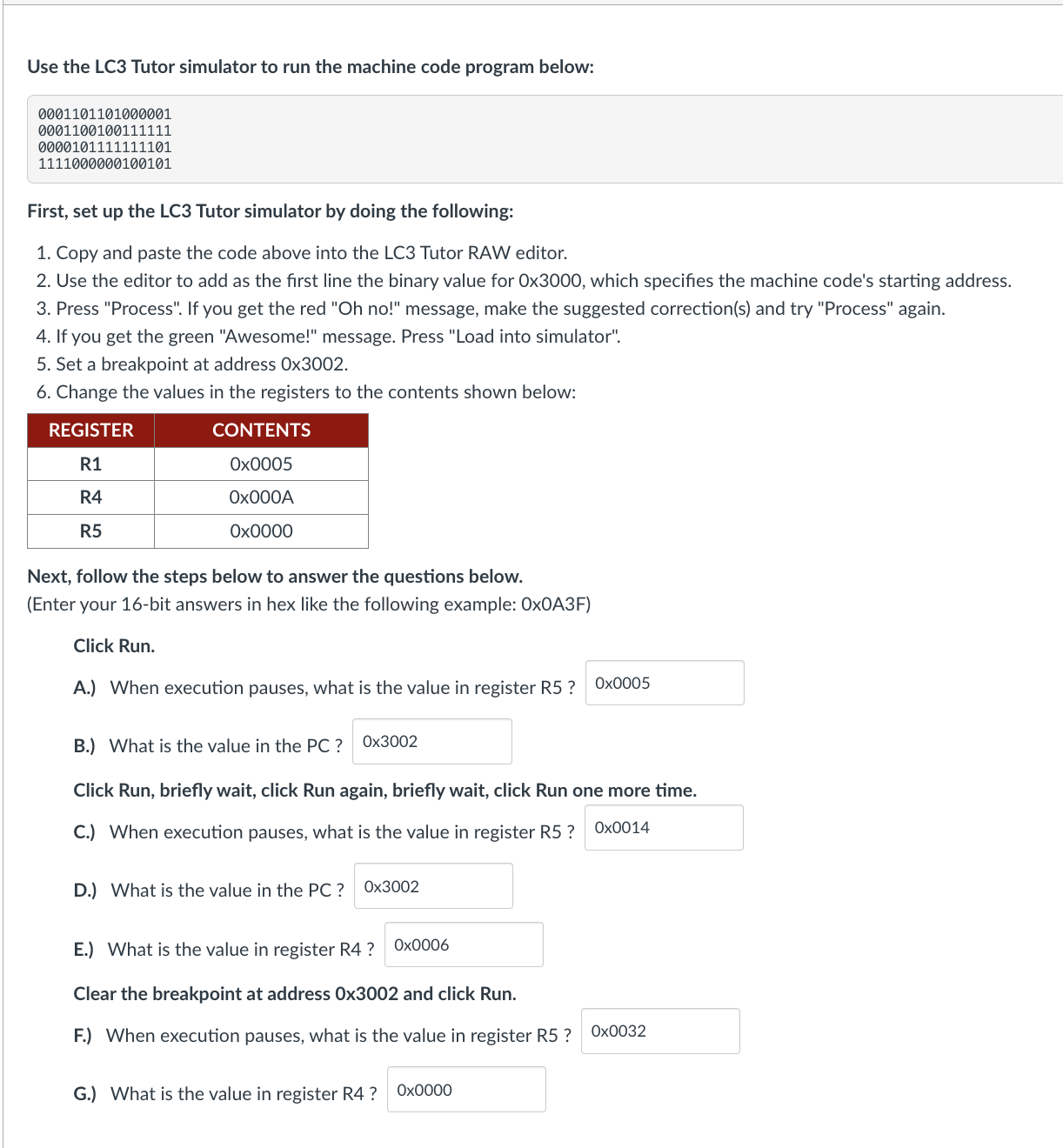
Question: Use the LC 3 Tutor simulator to run the machine code program below: 0 0 0 1 1 0 1 1 0 1 0 0
Use the LC Tutor simulator to run the machine code program below:
First, set up the LC Tutor simulator by doing the following:
Copy and paste the code above into the LC Tutor RAW editor.
Use the editor to add as the first line the binary value for times which specifies the machine code's starting address.
Press "Process". If you get the red Oh no message, make the suggested corrections and try "Process" again.
If you get the green "Awesome!" message. Press "Load into simulator".
Set a breakpoint at address x
Change the values in the registers to the contents shown below:
Next, follow the steps below to answer the questions below.
Enter your bit answers in hex like the following example: xAF
Click Run.
A When execution pauses, what is the value in register R
B What is the value in the PC
Click Run, briefly wait, click Run again, briefly wait, click Run one more time.
C When execution pauses, what is the value in register R
D What is the value in the PC
E What is the value in register R
Clear the breakpoint at address x and click Run.
F When execution pauses, what is the value in register R
G What is the value in register R
Step by Step Solution
There are 3 Steps involved in it
1 Expert Approved Answer
Step: 1 Unlock

Question Has Been Solved by an Expert!
Get step-by-step solutions from verified subject matter experts
Step: 2 Unlock
Step: 3 Unlock
 Study Help