







Question: Use the Markdown Pricing Model spreadsheet model and a two-way data table to find the total revenue if days at full retail var from 10
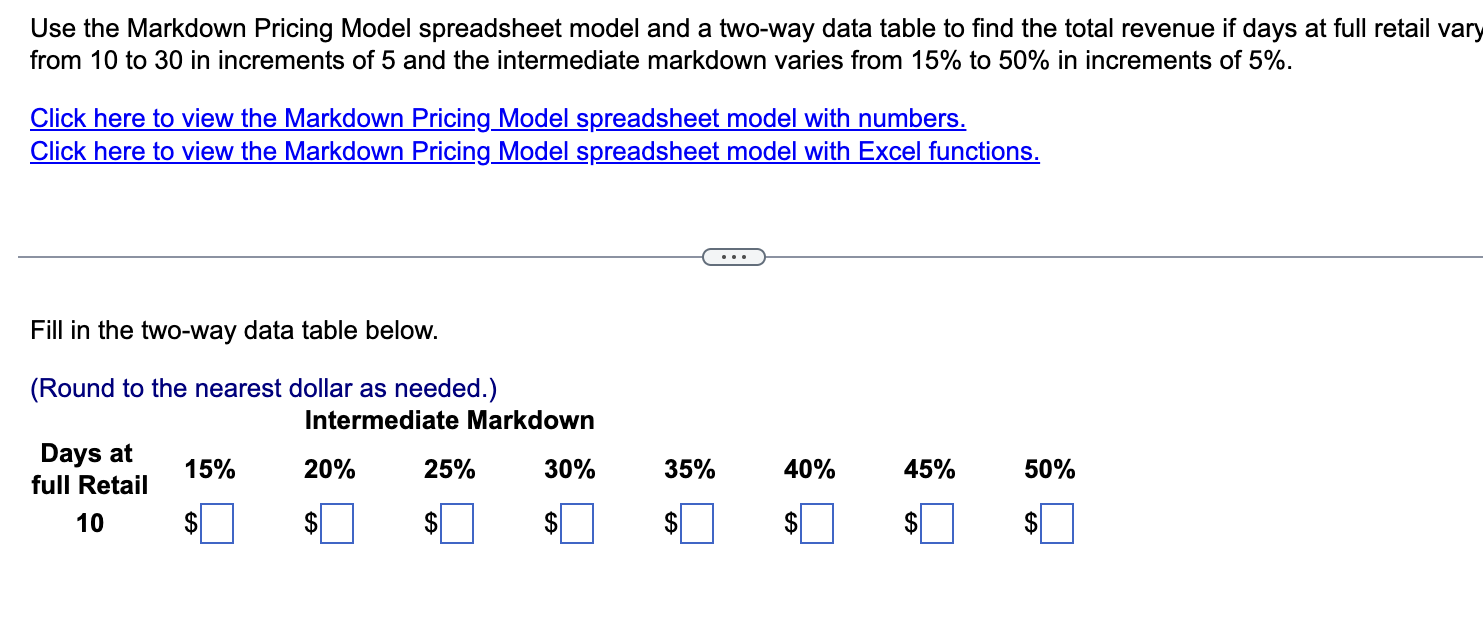
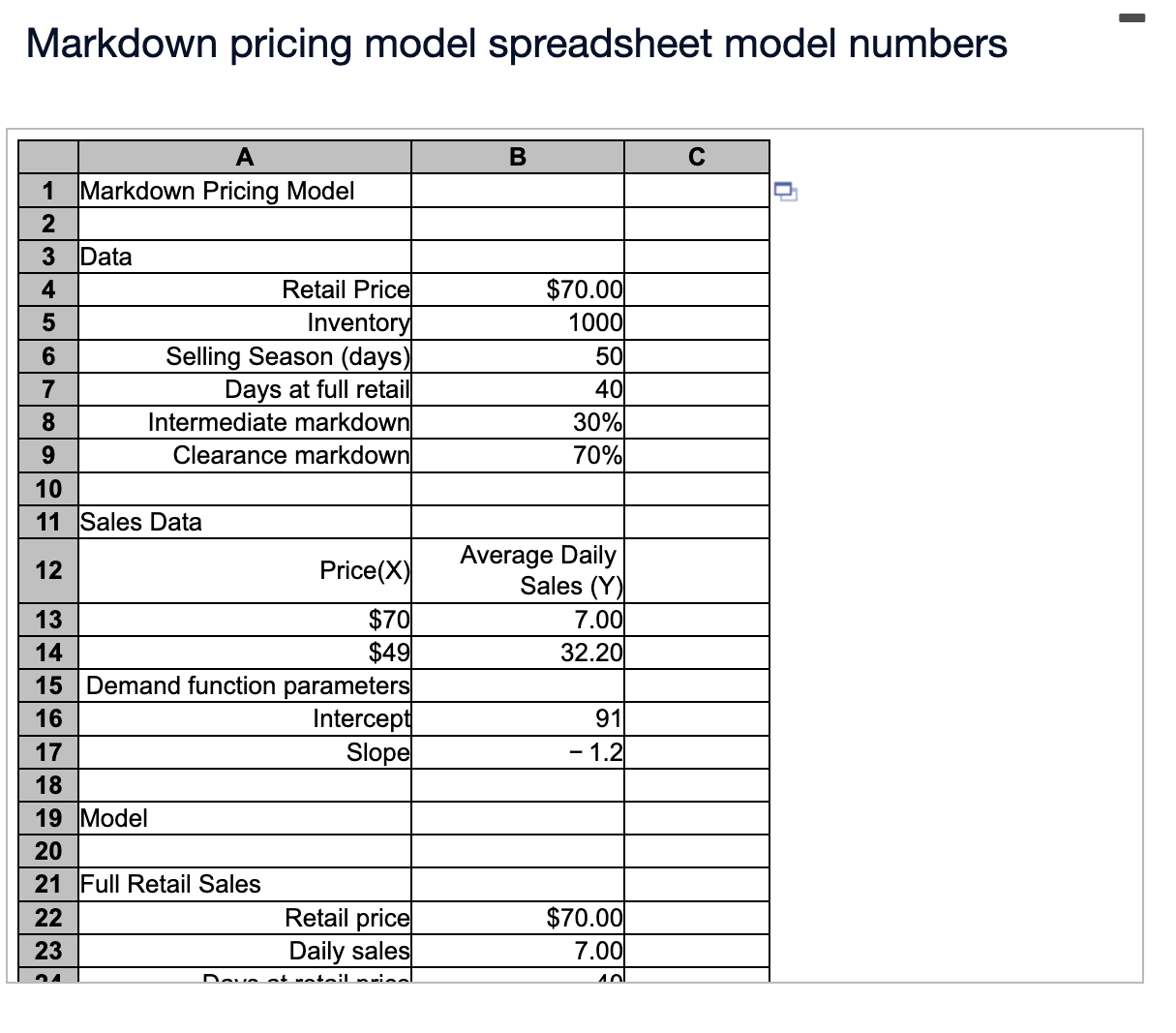
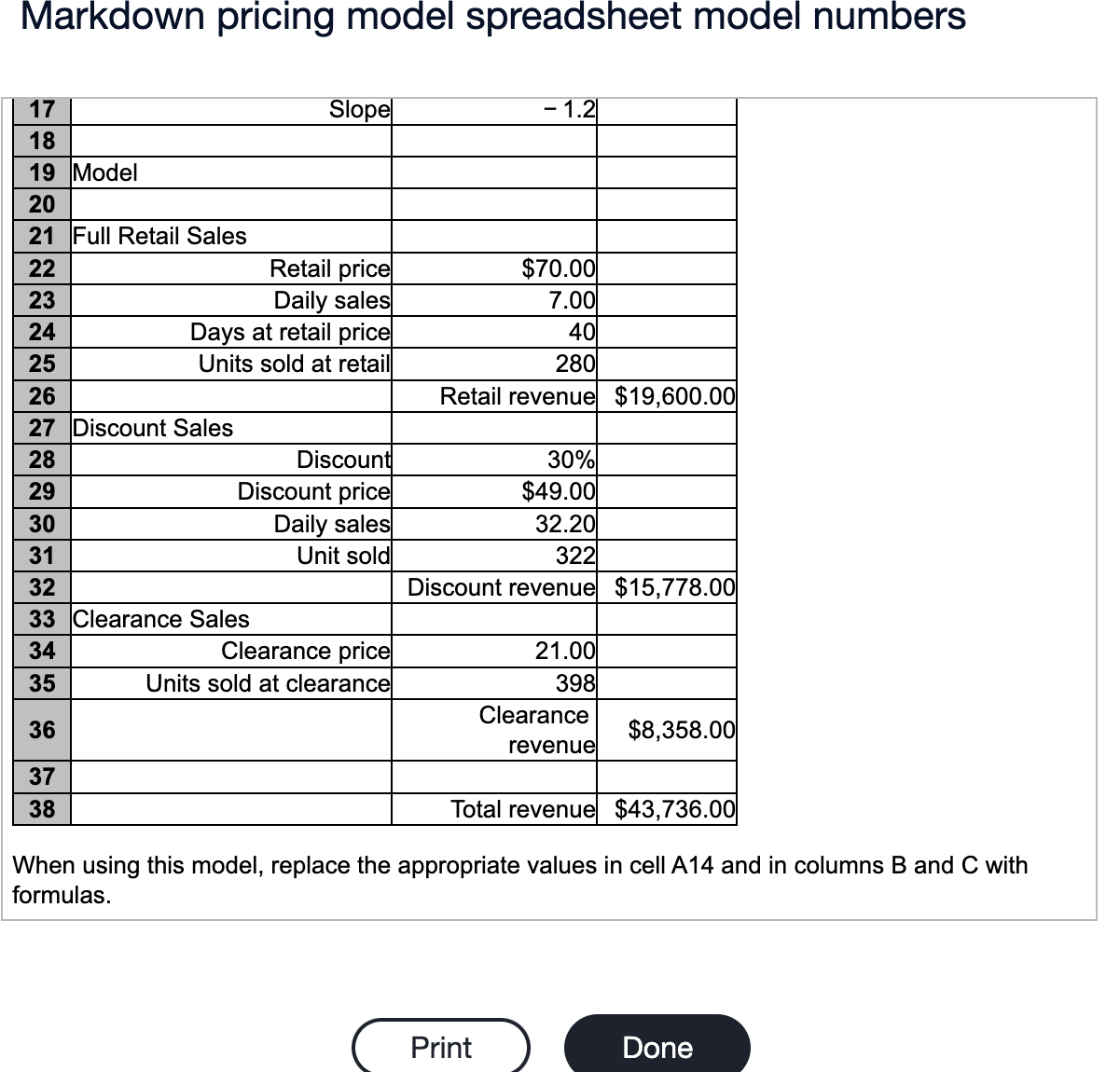
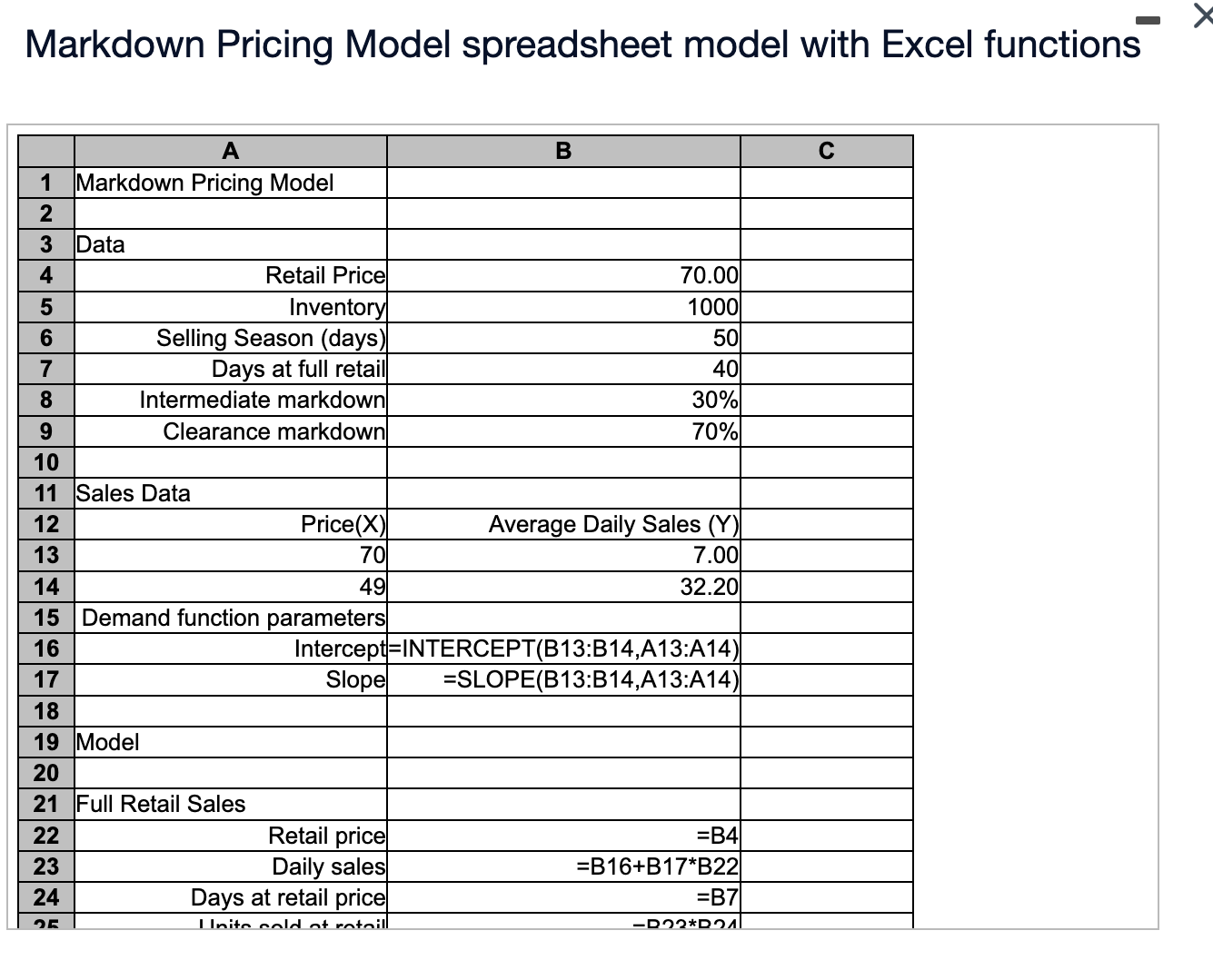
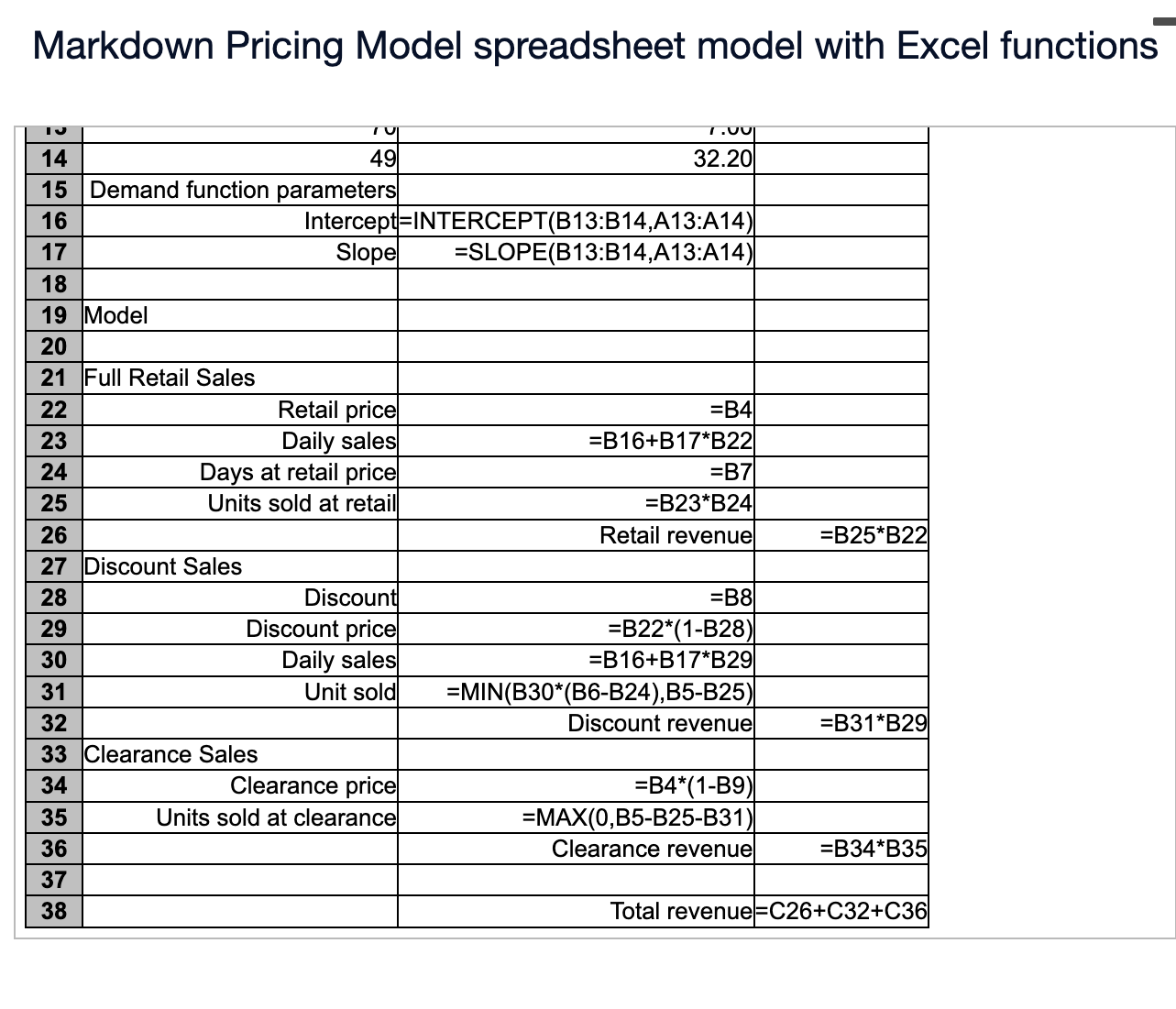
Use the Markdown Pricing Model spreadsheet model and a two-way data table to find the total revenue if days at full retail var from 10 to 30 in increments of 5 and the intermediate markdown varies from 15% to 50% in increments of 5%. Click here to view the Markdown Pricing Model spreadsheet model with numbers. Click here to view the Markdown Pricing Model spreadsheet model with Excel functions. Fill in the two-way data table below. (Round to the nearest dollar as needed.) Markdown pricing model spreadsheet model numbers Markdown pricing model spreadsheet model numbers When using this model, replace the appropriate values in cell A14 and in columns B and C with formulas. Markdown Pricing Model spreadsheet model with Excel functions Markdown Pricing Model spreadsheet model with Excel functions Use the Markdown Pricing Model spreadsheet model and a two-way data table to find the total revenue if days at full retail var from 10 to 30 in increments of 5 and the intermediate markdown varies from 15% to 50% in increments of 5%. Click here to view the Markdown Pricing Model spreadsheet model with numbers. Click here to view the Markdown Pricing Model spreadsheet model with Excel functions. Fill in the two-way data table below. (Round to the nearest dollar as needed.) Markdown pricing model spreadsheet model numbers Markdown pricing model spreadsheet model numbers When using this model, replace the appropriate values in cell A14 and in columns B and C with formulas. Markdown Pricing Model spreadsheet model with Excel functions Markdown Pricing Model spreadsheet model with Excel functions
Step by Step Solution
There are 3 Steps involved in it

Get step-by-step solutions from verified subject matter experts
 Study Help