







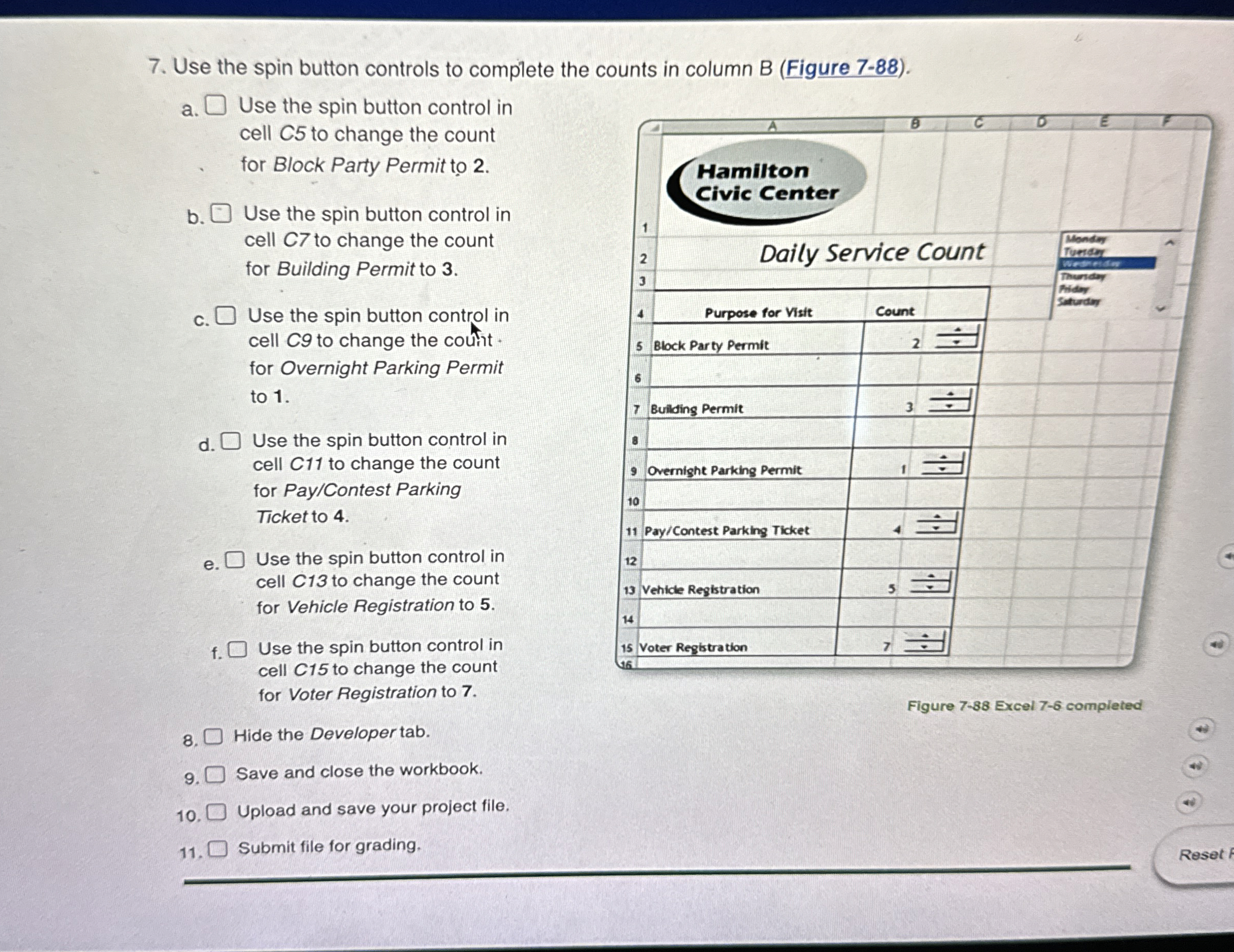
Question: Use the spin button controls to complete the counts in column B ( Figure 7 - 8 8 ) . a . Use the spin
Use the spin button controls to complete the counts in column B Figure
a
Use the spin button control in
cell to change the count
for Block Party Permit to
b
Use the spin button control in
cell to change the count
for Building Permit to
c Use the spin button control in
cell to change the coutht.
for Overnight Parking Permit
to
d
Use the spin button control in
cell C to change the count
for PayContest Parking
Ticket to
e Use the spin button control in
cell C to change the count
for Vehicle Registration to
f Use the spin button control in
cell C to change the count
for Voter Registration to
Hide the Developer tab.
Save and close the workbook.
Upload and save your project file.
Submit file for grading.
Figure Excel completed
Step by Step Solution
There are 3 Steps involved in it
1 Expert Approved Answer
Step: 1 Unlock

Question Has Been Solved by an Expert!
Get step-by-step solutions from verified subject matter experts
Step: 2 Unlock
Step: 3 Unlock
 Study Help