



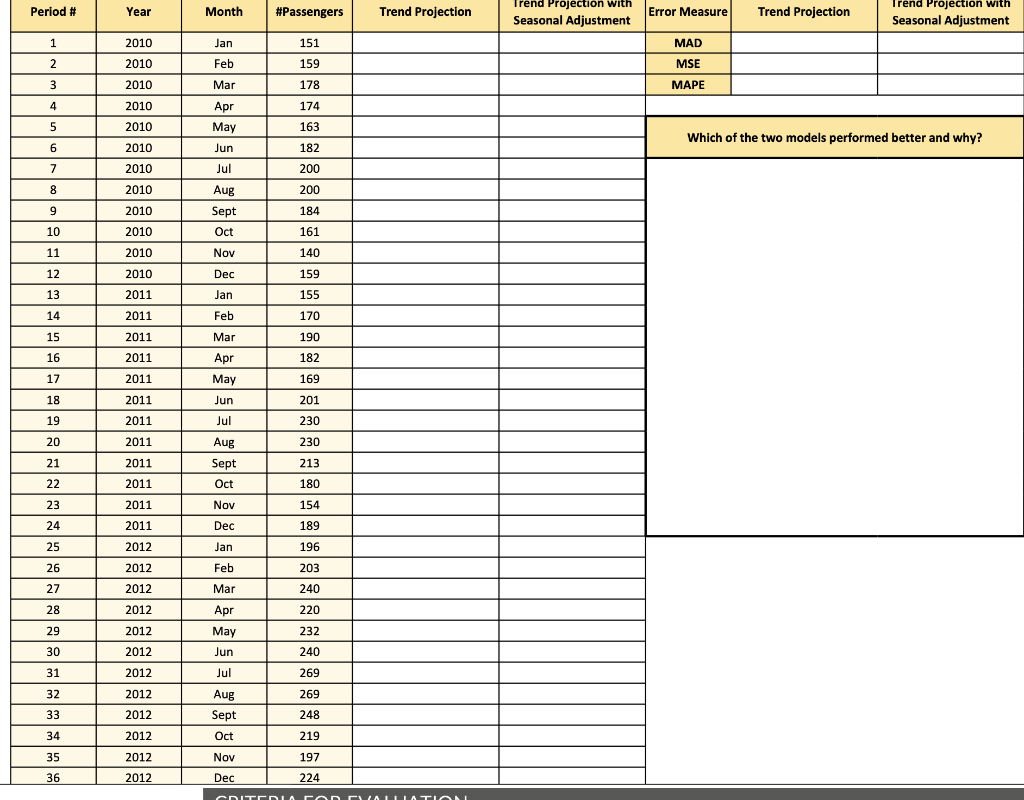
Question: Use the trend projection method, and the trend projection with seasonal adjustment method to create forecasting models in Excel. Next, using the two models, compute
Use the trend projection method, and the trend projection with seasonal adjustment method to create forecasting models in Excel.
Next, using the two models, compute the forecasted values of monthly total passengers between 2010 to 2012
Compare the above two models using MAD, MSE, and MAPE
Please explain which of the two models is performing better and why?
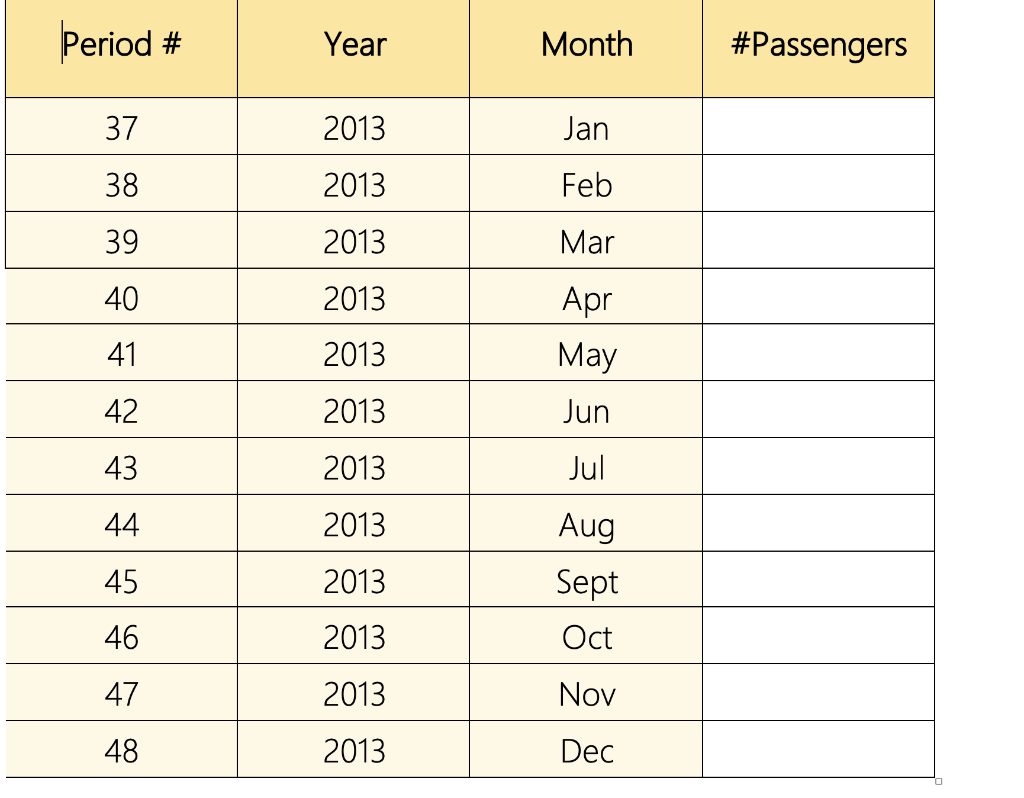 Use the best model to forecast the monthly total passengers for year 2013
\begin{tabular}{|c|c|c|c|} \hline Period # & Year & Month & #Passengers \\ \hline 37 & 2013 & Jan & \\ \hline 38 & 2013 & Feb & \\ \hline 39 & 2013 & Mar & \\ \hline 40 & 2013 & Apr & \\ \hline 41 & 2013 & May & \\ \hline 42 & 2013 & Jun & \\ \hline 43 & 2013 & Jul & \\ \hline 44 & 2013 & Aug & \\ \hline 45 & 2013 & Sept & \\ \hline 46 & 2013 & Oct & \\ \hline 47 & 2013 & Nov & \\ \hline 48 & 2013 & Dec & \\ \hline \end{tabular} \begin{tabular}{|c|c|c|c|} \hline Period # & Year & Month & #Passengers \\ \hline 37 & 2013 & Jan & \\ \hline 38 & 2013 & Feb & \\ \hline 39 & 2013 & Mar & \\ \hline 40 & 2013 & Apr & \\ \hline 41 & 2013 & May & \\ \hline 42 & 2013 & Jun & \\ \hline 43 & 2013 & Jul & \\ \hline 44 & 2013 & Aug & \\ \hline 45 & 2013 & Sept & \\ \hline 46 & 2013 & Oct & \\ \hline 47 & 2013 & Nov & \\ \hline 48 & 2013 & Dec & \\ \hline \end{tabular}
Step by Step Solution
There are 3 Steps involved in it

Get step-by-step solutions from verified subject matter experts