







Question: Use this link to get the file : https://www.divvybikes.com/system-data Assignment Divvy is a well-known bike sharing system in Chicago. The company makes data available about
Use this link to get the file : https://www.divvybikes.com/system-data
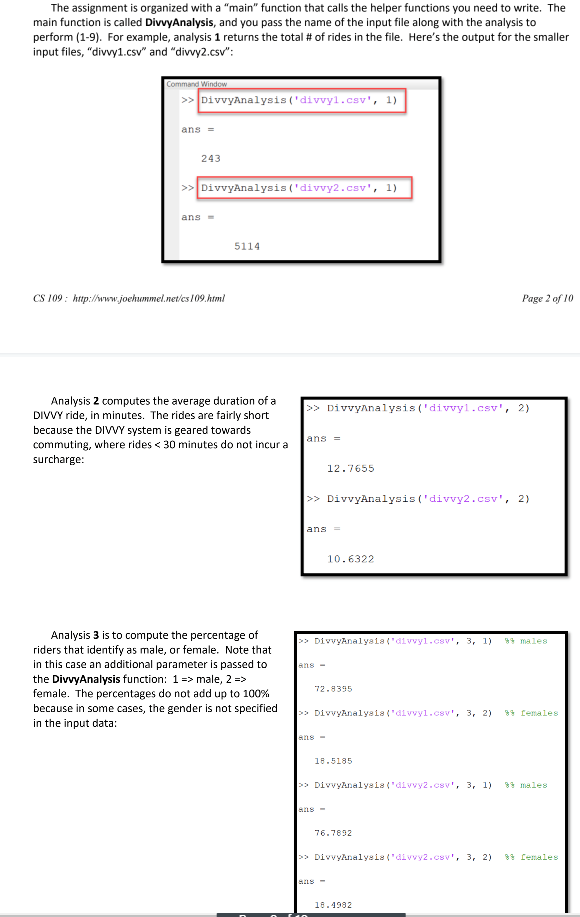
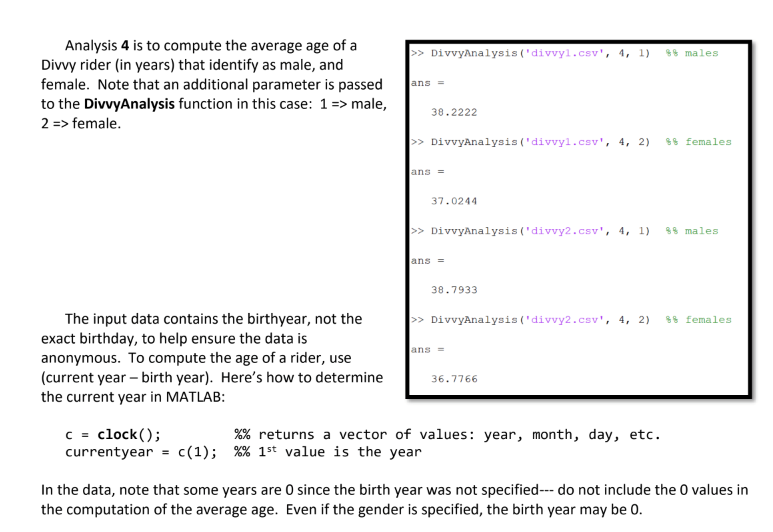
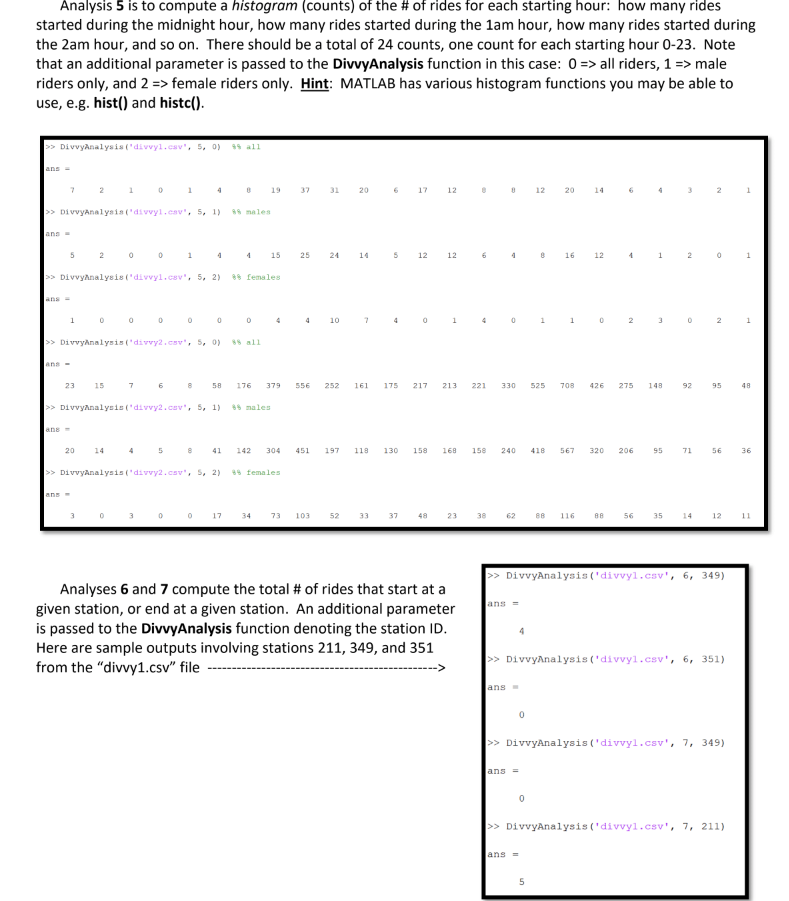
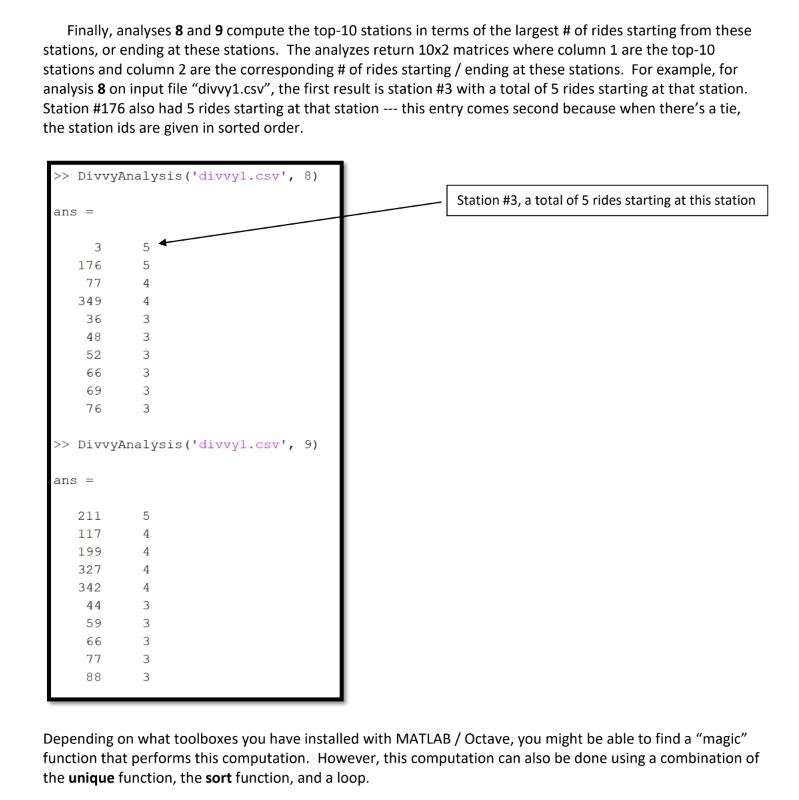
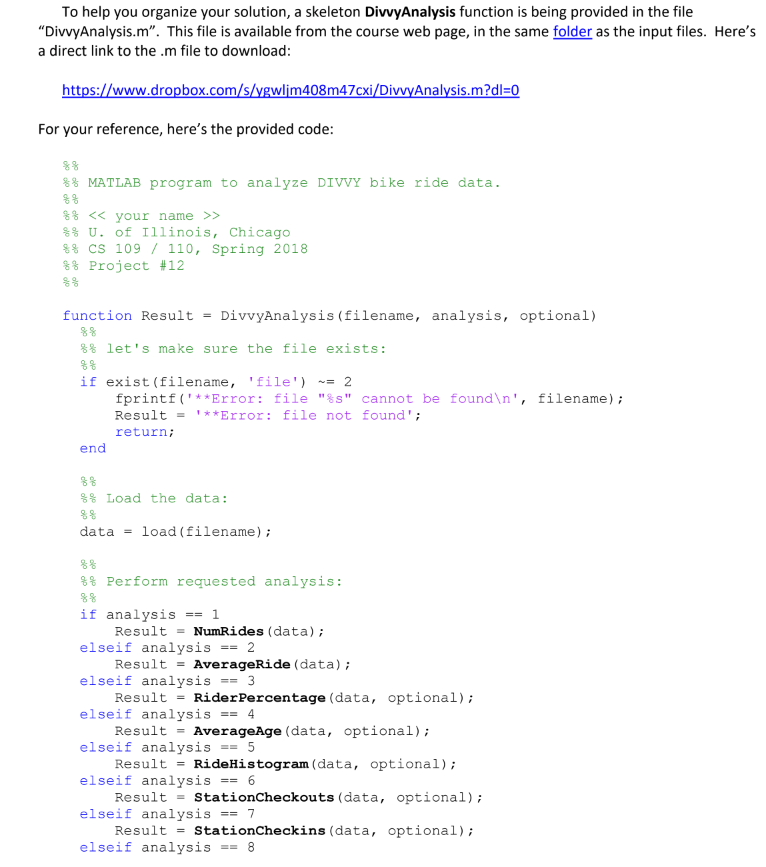
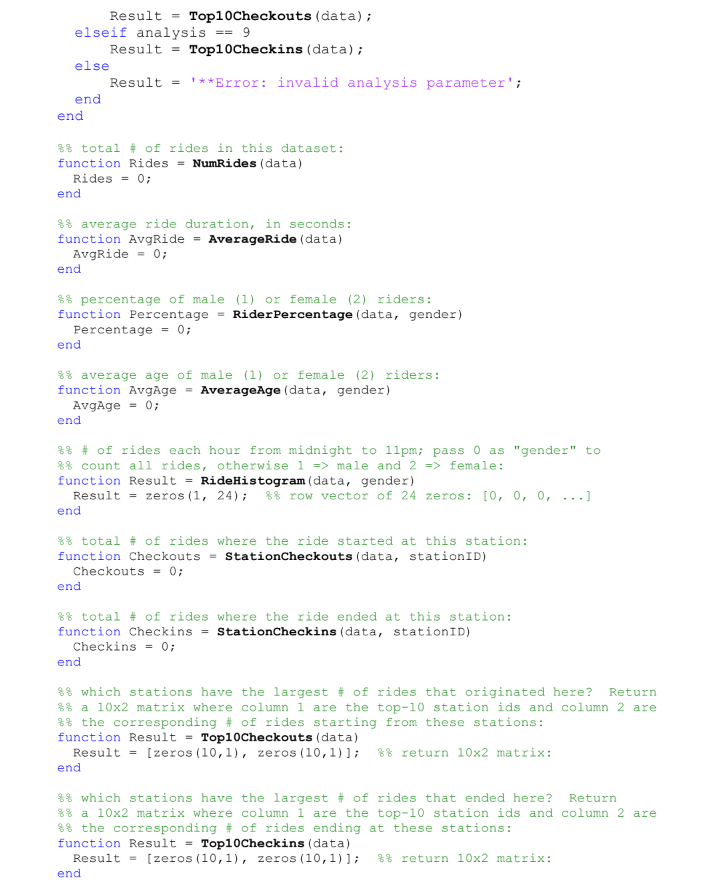
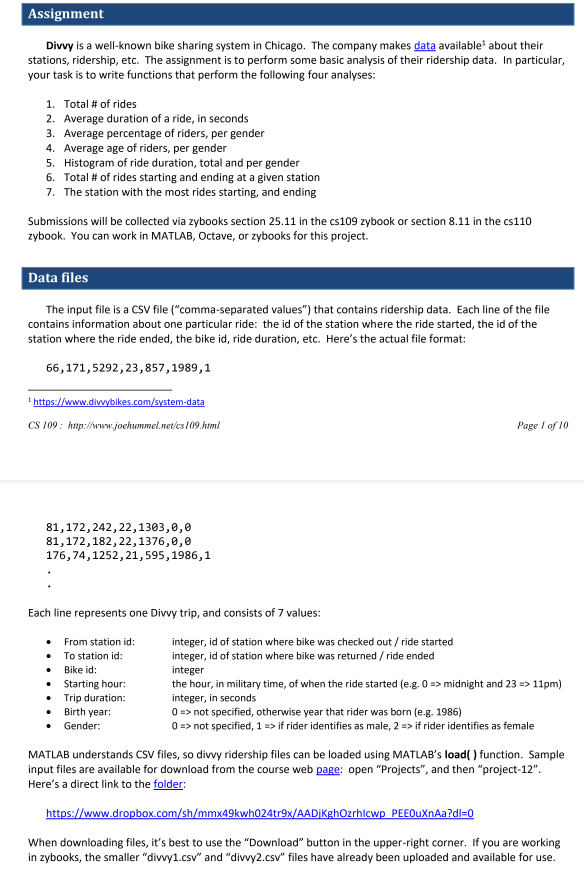
Assignment Divvy is a well-known bike sharing system in Chicago. The company makes data available about their stations, ridership, etc. The assignment is to perform some basic analysis of their ridership data. In particular, your task is to write functions that perform the following four analyses: 1, Total # of rides 2. Average duration of a ride, in seconds 3. Average percentage of riders, per gender 4. Average age of riders, per gender 5. Histogram of ride duration, total and per gender 6. Total # of rides starting and ending at a given station The station with the most rides starting, and ending 7. Submissions will be collected via zybooks section 25.11 in the cs109 zybook or section 8.11 in the cs110 zybook. You can work in MATLAB, Octave, or zybooks for this project. Data files The input file is a CSV file ("comma-separated values") that contains ridership data. Each line of the file contains information about one particular ride: the id of the station where the ride started, the id of the station where the ride ended, the bike id, ride duration, etc. Here's the actual file format: 66,171,5292,23,857,1989,1 CS 109 htp://www.joehmmel.net/cs 109.htm Page I of 10 81,172,242,22,1303,0,e 81,172,182,22,1376,0, e 176,74,1252,21,595,1986,1 Each line represents one Divvy trip, and consists of 7 values: integer, id of station where bike was checked out /ride started integer, id of station where bike was returned/ride ended integer the hour, in military time, of when the ride started (e.g. 0midnight and 23> 11pm) integer, in seconds 0 > not specified, otherwise year that rider was born (e.g. 1986) 0 >not specified, 1-> if rider identifies as male, 2if rider identifies as female From station id: To station id: Bike id: . Starting hour: . Trip duration: . Birth year: Gender: MATLAB understands CSV files, so divvy ridership files can be loaded using MATLAB's load) function. Sample input files are available for download from the course web page: open "Projects", and then "project-12" Here's a direct link to the folder: When downloading files, it's best to use the "Download" button in the upper-right corner. If you are working in zybooks, the smaller "divvy1.csv and "divvy2.csv" files have already been uploaded and available for use Assignment Divvy is a well-known bike sharing system in Chicago. The company makes data available about their stations, ridership, etc. The assignment is to perform some basic analysis of their ridership data. In particular, your task is to write functions that perform the following four analyses: 1, Total # of rides 2. Average duration of a ride, in seconds 3. Average percentage of riders, per gender 4. Average age of riders, per gender 5. Histogram of ride duration, total and per gender 6. Total # of rides starting and ending at a given station The station with the most rides starting, and ending 7. Submissions will be collected via zybooks section 25.11 in the cs109 zybook or section 8.11 in the cs110 zybook. You can work in MATLAB, Octave, or zybooks for this project. Data files The input file is a CSV file ("comma-separated values") that contains ridership data. Each line of the file contains information about one particular ride: the id of the station where the ride started, the id of the station where the ride ended, the bike id, ride duration, etc. Here's the actual file format: 66,171,5292,23,857,1989,1 CS 109 htp://www.joehmmel.net/cs 109.htm Page I of 10 81,172,242,22,1303,0,e 81,172,182,22,1376,0, e 176,74,1252,21,595,1986,1 Each line represents one Divvy trip, and consists of 7 values: integer, id of station where bike was checked out /ride started integer, id of station where bike was returned/ride ended integer the hour, in military time, of when the ride started (e.g. 0midnight and 23> 11pm) integer, in seconds 0 > not specified, otherwise year that rider was born (e.g. 1986) 0 >not specified, 1-> if rider identifies as male, 2if rider identifies as female From station id: To station id: Bike id: . Starting hour: . Trip duration: . Birth year: Gender: MATLAB understands CSV files, so divvy ridership files can be loaded using MATLAB's load) function. Sample input files are available for download from the course web page: open "Projects", and then "project-12" Here's a direct link to the folder: When downloading files, it's best to use the "Download" button in the upper-right corner. If you are working in zybooks, the smaller "divvy1.csv and "divvy2.csv" files have already been uploaded and available for use
Step by Step Solution
There are 3 Steps involved in it

Get step-by-step solutions from verified subject matter experts
 Study Help