







Question: Use your favor development tool (Netbeans is recommended). Create a project called ch01_product_discount . Copy and paste the files from ch01_product_discount.zip Download ch01_product_discount.zip to the
Use your favor development tool (Netbeans is recommended). Create a project called ch01_product_discount. Copy and paste the files from ch01_product_discount.zip Download ch01_product_discount.zip to the project (you either create three files with the same file names in the zipped file and copy texts to the corresponding files, or copy the files in the zipped file to the project folder ch01_product_discount
Run the index.html with a browser from IDE or Apache Server such as the one in xampp. Please note in your browser url address you should have something like http://localhost:63342/ch01_product_discount/index.html Links to an external site. . If you use IE, you may see the GUI is not displayed nicely. Can you fix it by modifing the main.css as the tip in http://stackoverflow.com/questions/20094276/ie11-is-missing-user-agent-style-for-main-element-display-block Links to an external site. ?
Find your ftp account information by clicking your name in the web page of http://icoolshow.net Links to an external site.. Use a ftp client such as filezilla. Create a directory called "assignment1" on the server. Upload folder ch01_product_discount to the directory assignment1.
Test you can browse the page by invoke http://[YoursiteName].icoolshow.net/assignment1/ch01_product_discountLinks to an external site.
5. Submit the url in 3. and a text entry saying your finish the assignment.
6. Grading: the url should work correctly as describe in 4.
PreviousNext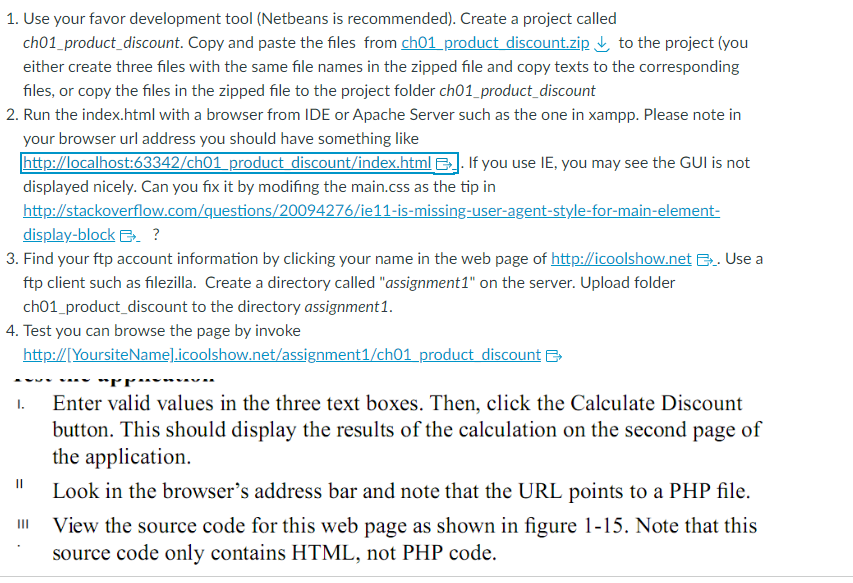 I need code for this
1. Use your favor development tool (Netbeans is recommended). Create a project called ch01_product_discount. Copy and paste the files from ch01 product discount.zip to the project (you either create three files with the same file names in the zipped file and copy texts to the corresponding files, or copy the files in the zipped file to the project folder ch01_product_discount 2. Run the index.html with a browser from IDE or Apache Server such as the one in xampp. Please note in your browser url address you should have something like http://localhost:63342/ch01 product discount/index.html . . If you use IE, you may see the GUI is not displayed nicely. Can you fix it by modifing the main.css as the tip in http://stackoverflow.com/questions/20094276/ie11-is-missing-user-agent-style-for-main-elementdisplay-block . ? 3. Find your ftp account information by clicking your name in the web page of http://icoolshow.net .. Use a 2 ftp client such as filezilla. Create a directory called "assignment1" on the server. Upload folder ch01_product_discount to the directory assignment1. I. Enter valid values in the three text boxes. Then, click the Calculate Discount button. This should display the results of the calculation on the second page of the application. II Look in the browser's address bar and note that the URL points to a PHP file. III View the source code for this web page as shown in figure 1-15. Note that this source code only contains HTML, not PHP code. 1. Use your favor development tool (Netbeans is recommended). Create a project called ch01_product_discount. Copy and paste the files from ch01 product discount.zip to the project (you either create three files with the same file names in the zipped file and copy texts to the corresponding files, or copy the files in the zipped file to the project folder ch01_product_discount 2. Run the index.html with a browser from IDE or Apache Server such as the one in xampp. Please note in your browser url address you should have something like http://localhost:63342/ch01 product discount/index.html . . If you use IE, you may see the GUI is not displayed nicely. Can you fix it by modifing the main.css as the tip in http://stackoverflow.com/questions/20094276/ie11-is-missing-user-agent-style-for-main-elementdisplay-block . ? 3. Find your ftp account information by clicking your name in the web page of http://icoolshow.net .. Use a 2 ftp client such as filezilla. Create a directory called "assignment1" on the server. Upload folder ch01_product_discount to the directory assignment1. I. Enter valid values in the three text boxes. Then, click the Calculate Discount button. This should display the results of the calculation on the second page of the application. II Look in the browser's address bar and note that the URL points to a PHP file. III View the source code for this web page as shown in figure 1-15. Note that this source code only contains HTML, not PHP code
Step by Step Solution
There are 3 Steps involved in it

Get step-by-step solutions from verified subject matter experts
 Study Help