







Question: Using a flowchart, design the logic for a program that allows a user to continually enter numbers until the user enters 0 and display the
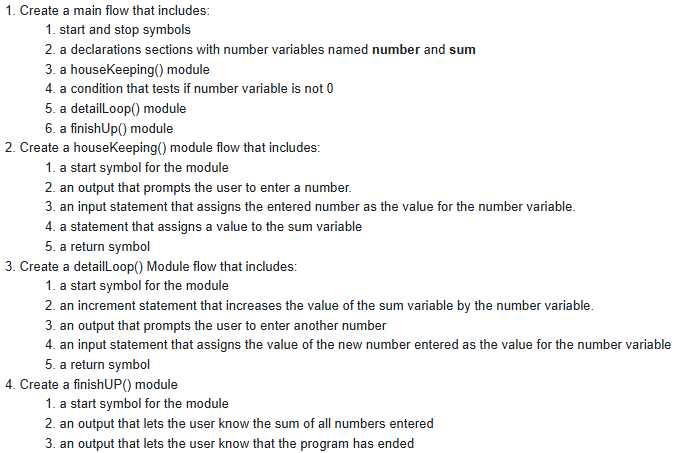
Using a flowchart, design the logic for a program that allows a user to continually enter numbers until the user enters and display the sum of the numbers entered Create a main flow that includes: start and stop symbols a declarations sections with number variables named number and sum a houseKeeping module a condition that tests if number variable is not a detailLoop module a finishUp module
Create a houseKeeping module flow that includes:
a start symbol for the module an output that prompts the user to enter a number. an input statement that assigns the entered number as the value for the number variable. a statement that assigns a value to the sum variable a return symbol
Create a detailLoop Module flow that includes:
a start symbol for the module an increment statement that increases the value of the sum variable by the number variable.an output that prompts the user to enter another number an input statement that assigns the value of the new number entered as the value for the number variable a return symbol
Create a finishUP module
a start symbol for the module an output that lets the user know the sum of all numbers entered an output that lets the user know that the program has ended Create a main flow that includes:
start and stop symbols
a declarations sections with number variables named number and sum
a houseKeeping module
a condition that tests if number variable is not
a detailloop module
a finishUp module
Create a houseKeeping module flow that includes:
a start symbol for the module
an output that prompts the user to enter a number.
an input statement that assigns the entered number as the value for the number variable.
a statement that assigns a value to the sum variable
a return symbol
Create a detailLoop Module flow that includes:
a start symbol for the module
an increment statement that increases the value of the sum variable by the number variable.
an output that prompts the user to enter another number
an input statement that assigns the value of the new number entered as the value for the number variable
a return symbol
Create a finishUP module
a start symbol for the module
an output that lets the user know the sum of all numbers entered
an output that lets the user know that the program has ended
Step by Step Solution
There are 3 Steps involved in it
1 Expert Approved Answer
Step: 1 Unlock

Question Has Been Solved by an Expert!
Get step-by-step solutions from verified subject matter experts
Step: 2 Unlock
Step: 3 Unlock
 Study Help