







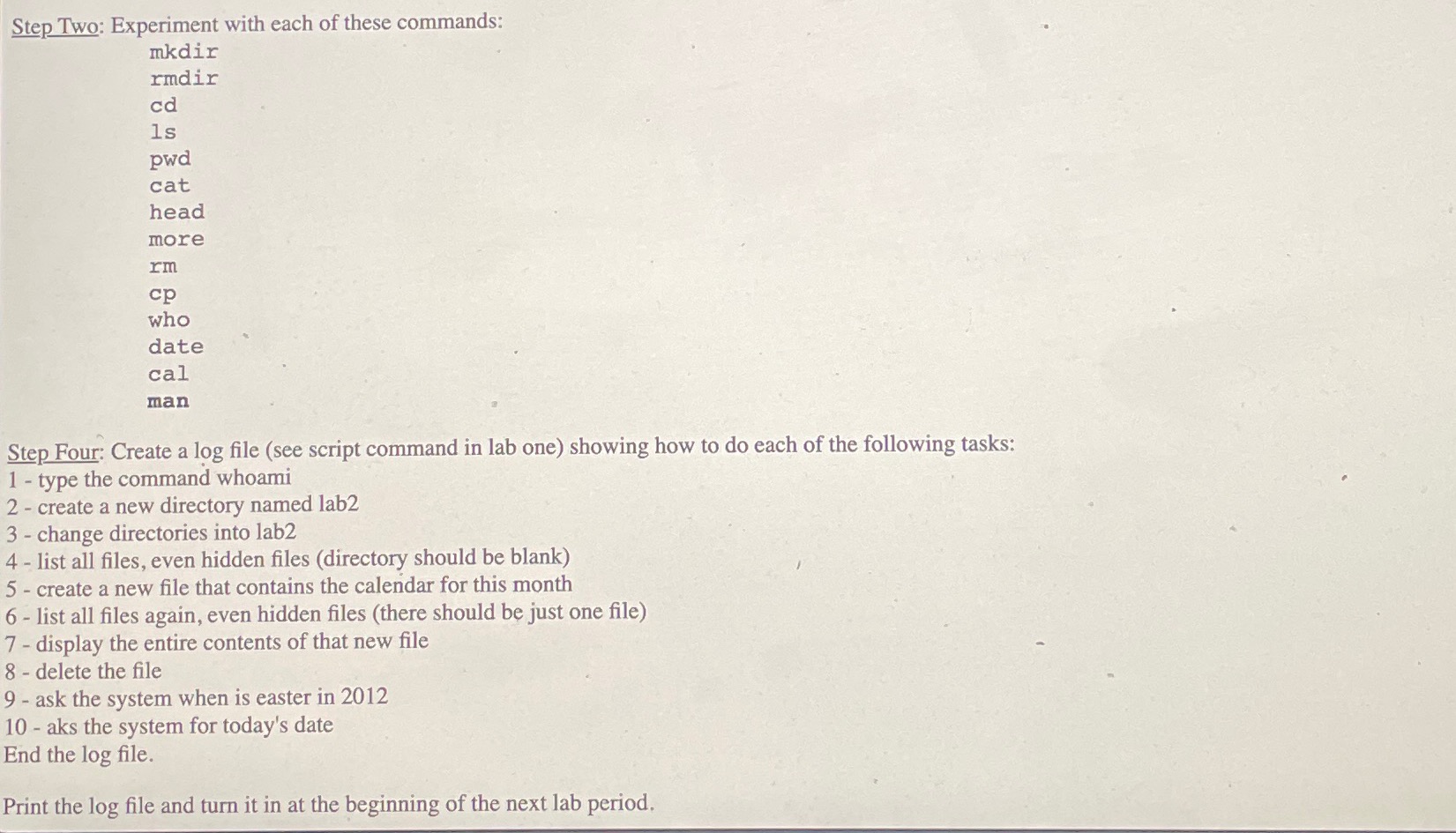
Question: Using Basic Linux Commands.Step Two: Experiment with each of these commands: mkdir rmdir cd is pwd cat head more rm c p who date cal
Using Basic Linux Commands.Step Two: Experiment with each of these commands:
mkdir
rmdir
cd
is
pwd
cat
head
more
rm
who
date
cal
man
Step Four: Create a log file see script command in lab one showing how to do each of the following tasks:
type the command whoami
create a new directory named lab
change directories into lab
list all files, even hidden files directory should be blank
create a new file that contains the calendar for this month
list all files again, even hidden files there should be just one file
display the entire contents of that new file
delete the file
ask the system when is easter in
ask the system for today's date.
End the file.
Directories
mkdir xyz make the directory xyz
cd xyz change directory, down into xyz
cd go up one directory level
cd ~ go to your home directory
cd ~dannellys go to dannelly's home directory
ls list the contents of the current directory
ls a directory listing, including all hidden files
ls l directory listing, show permission, edits dates, etc.
ls al really long directory listing
File Manipulation
cp file file make a copy of file named file
cat myfile show contents of myfile
more myfile show contents of myfile one screen at a time
head myfile show the top lines of myfile
rm myfile remove myfile delete it permanently
rm remove all files in the current directory
rm i interactive removal ask yesno for each file
ls bob redirect directory listing into the file named bob
Misc Commands
who users logged into this machine
date today's date
cal calendar many options
man k calendar list manual pages related to calendar
man cal the manual page for the "cal" command
exit logout of system
logout logout of system
ctrld logout of system
ctrlc kill the running program
Step by Step Solution
There are 3 Steps involved in it
1 Expert Approved Answer
Step: 1 Unlock

Question Has Been Solved by an Expert!
Get step-by-step solutions from verified subject matter experts
Step: 2 Unlock
Step: 3 Unlock
 Study Help