







Question: Using C++ and CodeBlocks IDE. In this program you will read in the number of seconds and convert it to days, hours, minutes and remaining
Using C++ and CodeBlocks IDE.
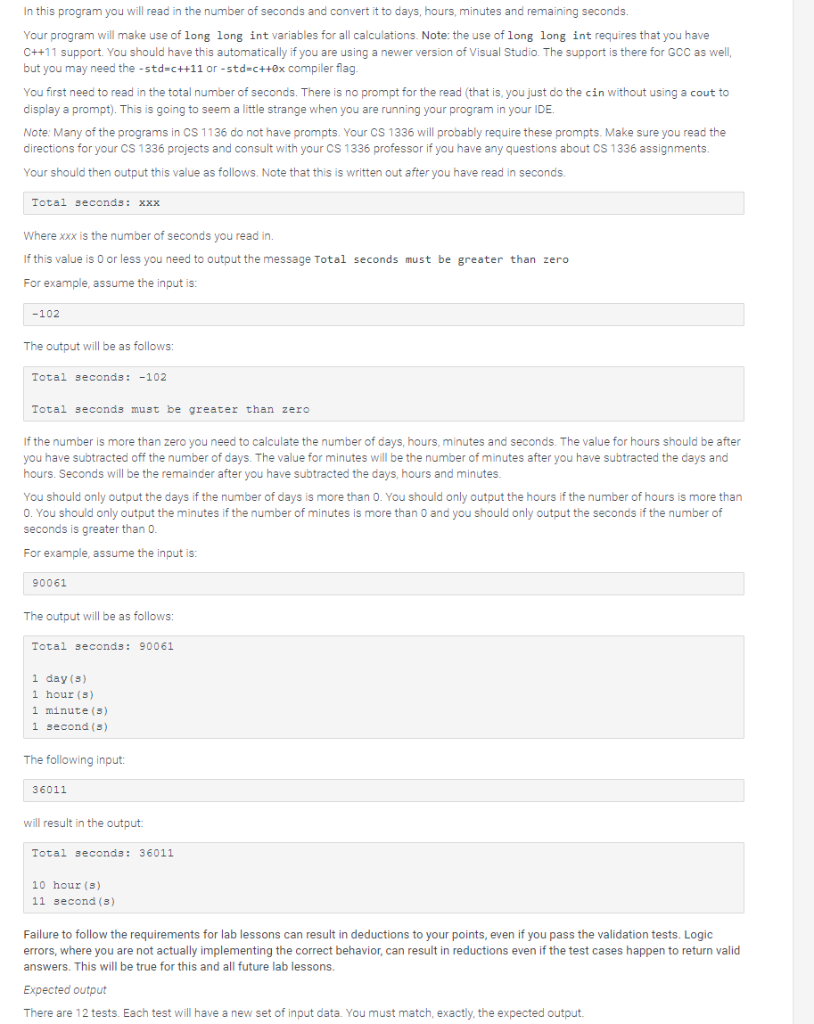
In this program you will read in the number of seconds and convert it to days, hours, minutes and remaining seconds. Your program will make use of long long int variables for all calculations. Note: the use of long long int requires that you have C++11 support. You should have this automatically if you are using a newer version of Visual Studio. The support is there for GCC as well, but you may need the -std-c++11 or -std-c++0x compiler flag You first need to read in the total number of seconds. There is no prompt for the read (that is, you just do the cin without using a cout to display a prompt). This is going to seem a little strange when you are running your program in your IDE Note: Many of the programs in CS 1136 do not have prompts. Your CS 1336 will probably require these prompts. Make sure you read the directions for your CS 1336 projects and consult with your CS 1336 professor if you have any questions about CS 1336 assignments Your should then output this value as follows. Note that this is written out after you have read in seconds Total seconds xxx Where xxx is the number of seconds you read in. If this value is 0 or less you need to output the message Total seconds must be greater than zerc For example, assume the input is: -102 The output will be as follows Total seconds: -102 Total seconds must be greater than zero If the number is more than zero you need to calculate the number of days, hours, minutes and seconds. The value for hours should be after you have subtracted off the number of days. The value for minutes will be the number of minutes after you have subtracted the days and hours. Seconds will be the remainder after you have subtracted the days, hours and minutes You should only output the days if the number of days is more than 0. You should only output the hours if the number of hours is more than 0. You should only output the minutes if the number of minutes is more than 0 and you should only output the seconds if the number of seconds is greater than 0 For example, assume the input is: 90061 The output will be as follows Total seconds: 90061 1 day (S) 1 hour (s) 1 minute (s) 1 second (S) The following input: 36011 will result in the output Total seconds: 36011 10 hour (s) 11 second (s) Failure to follow the requirements for lab lessons can result in deductions to your points, even if you pass the validation tests. Logic errors, where you are not actually implementing the correct behavior, can result in reductions even if the test cases happen to return valid answers. This will be true for this and all future lab lessons. Expected output There are 12 tests. Each test will have a new set of input data. You must match, exactly, the expected output
Step by Step Solution
There are 3 Steps involved in it

Get step-by-step solutions from verified subject matter experts
 Study Help