







Question: **USING C AND ONLY C*** Hello, I have written out my program, but I am running into multiple errors with it, and I could really
**USING C AND ONLY C***
Hello, I have written out my program, but I am running into multiple errors with it, and I could really use some help.
The purpose of the program is to allow the user to add a record, delete a record, print a record, print all records, or quit the program. When the user wants to add a record the user inputs information such as account number, name, and address. When the user wants to delete a record, the simply enter the account number, this is the same for printing a record. When you delete/add a record with the following account numbers: 1000, 1003, 1002, the print out should rearrange the account numbers in order: 1000, 1002, 1003.
Here are some of the errors I encounter:
1. When the user wants to add another record, the program doesn't work:
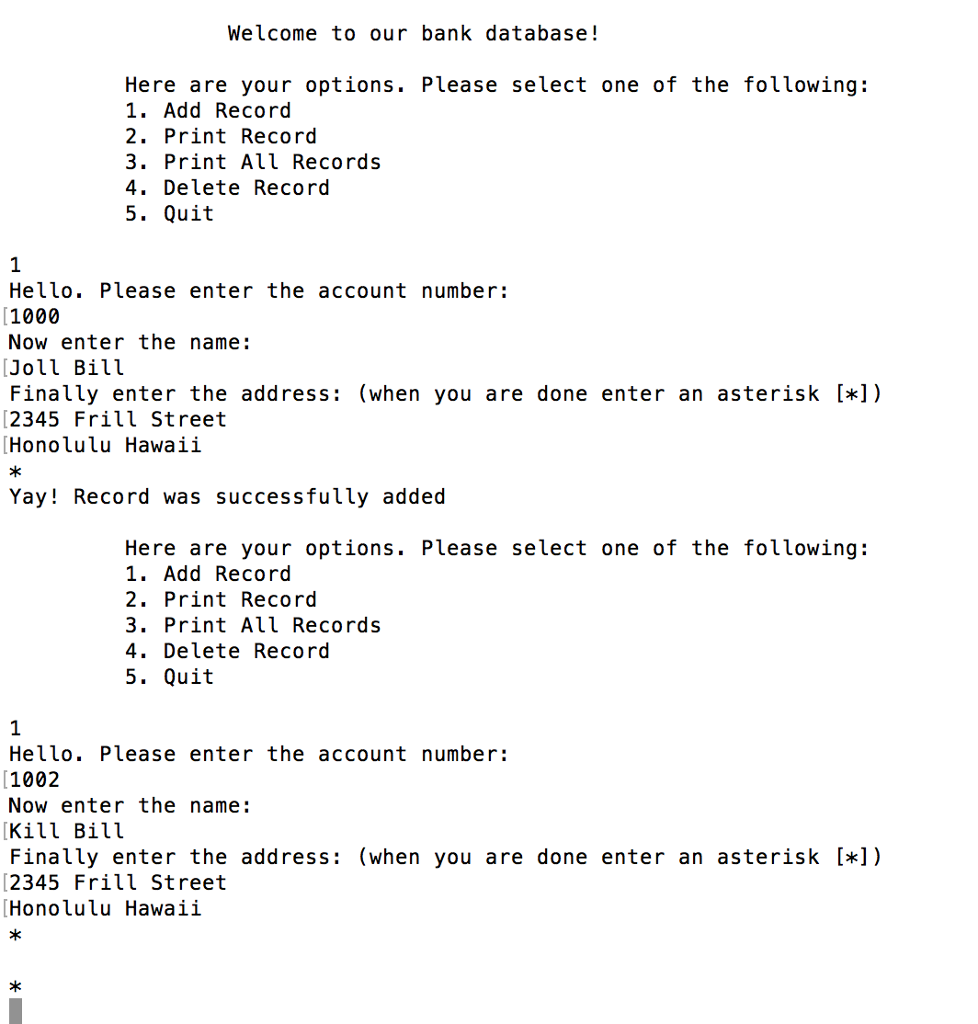
2. When the user wants to delete a record, the program fails with an error "Segmentation fault (core dumped)":
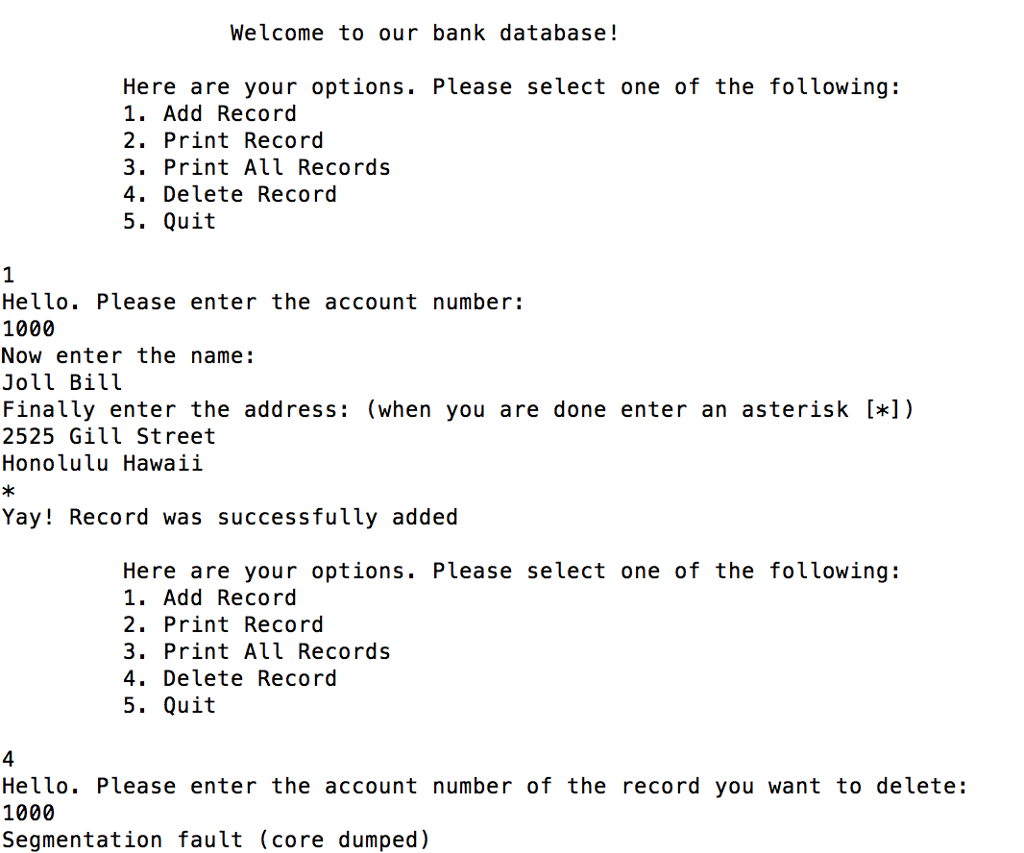
Here Are My Files (linked below since too long):
--------------------------------------
project1.c
--------------------------------------
https://onlinegdb.com/rkbNIF0i7
------------------------------------
iofunctions.c
----------------------------------
https://onlinegdb.com/r1USUFCoX
--------------------------------
record.h
------------------------------
https://onlinegdb.com/BklMIUFCjX
PLEASE HELP ME YOUR HELP IS GREATLY APPRECIATED :)
Welcome to our bank database! Here are your options. PLease se lect one of the fol Lowing: 1. Add Record 2. Print Record 3. Print All Records 4. Delete Record 5. Quit Hello. Please enter the account number: 1000 Now enter the name: Finally enter the address: (when you are done enter an asterisk []) 2345 Frill Street Honolulu Hawaii Yay! Record was successfully added Here are your options. Please select one of the following: 1. Add Record 2. Print Record 3. Print All Records 4. Delete Record 5. Quit Hello. Please enter the account number: 1002 Now enter the name: Bill Finally enter the address: (when you are done enter an asterisk []) 2345 Frill Street Honolulu Hawaii Welcome to our bank database! Here are your options. PLease se lect one of the fol Lowing: 1. Add Record 2. Print Record 3. Print All Records 4. Delete Record 5. Quit Hello. Please enter the account number: 1000 Now enter the name: Finally enter the address: (when you are done enter an asterisk []) 2345 Frill Street Honolulu Hawaii Yay! Record was successfully added Here are your options. Please select one of the following: 1. Add Record 2. Print Record 3. Print All Records 4. Delete Record 5. Quit Hello. Please enter the account number: 1002 Now enter the name: Bill Finally enter the address: (when you are done enter an asterisk []) 2345 Frill Street Honolulu Hawaii
Step by Step Solution
There are 3 Steps involved in it

Get step-by-step solutions from verified subject matter experts
 Study Help