







Question: Using C code in a linux environment. please include screenshots and commenting O O o . o 4. Assignment Task 2 - file input and
Using C code in a linux environment. please include screenshots and commenting
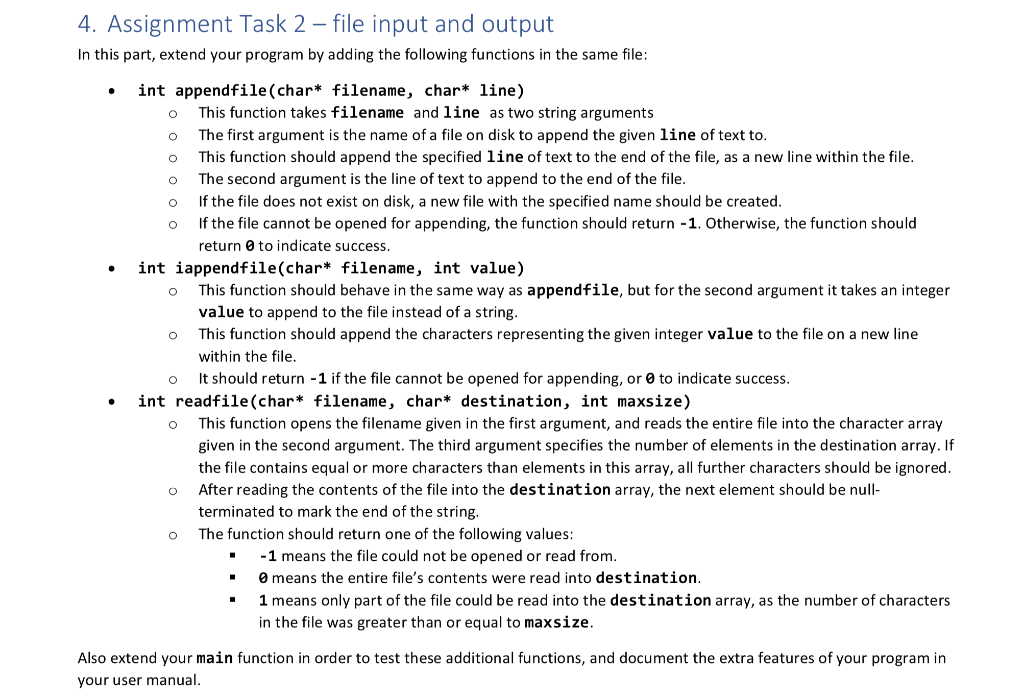
O O o . o 4. Assignment Task 2 - file input and output In this part, extend your program by adding the following functions in the same file: int appendfile(char* filename, char* line) This function takes filename and line as two string arguments The first argument is the name of a file on disk to append the given line of text to. This function should append the specified line of text to the end of the file, as a new line within the file. The second argument is the line of text to append to the end of the file. If the file does not exist on disk, a new file with the specified name should be created. If the file cannot be opened for appending, the function should return -1. Otherwise, the function should return to indicate success. int iappendfile(char* filename, int value) This function should behave in the same way as appendfile, but for the second argument it takes an integer value to append to the file instead of a string. This function should append the characters representing the given integer value to the file on new line within the file. It should return -1 if the file cannot be opened for appending, or to indicate success. int readfile(char* filename, char* destination, int maxsize) This function opens the filename given in the first argument, and reads the entire file into the character array given in the second argument. The third argument specifies the number of elements in the destination array. If the file contains equal or more characters than elements in this array, all further characters should be ignored. After reading the contents of the file into the destination array, the next element should be null- terminated to mark the end of the string. The function should return one of the following values: -1 means the file could not be opened or read from. O means the entire file's contents were read into destination. 1 means only part of the file could be read into the destination array, as the number of characters in the file was greater than or equal to maxsize. O O O Also extend your main function in order to test these additional functions, and document the extra features of your program in your user manual
Step by Step Solution
There are 3 Steps involved in it

Get step-by-step solutions from verified subject matter experts
 Study Help