







Question: Using C# in visual studio, I have build the first second and 3rd pages and done the coding behind the start order and the next
Using C# in visual studio, I have build the first second and 3rd pages and done the coding behind the start order and the next customer button. I need help figuring out how to do these calculations for the check boxs and radio buttons.
Can someone please help?
These are the instructions on the assignment
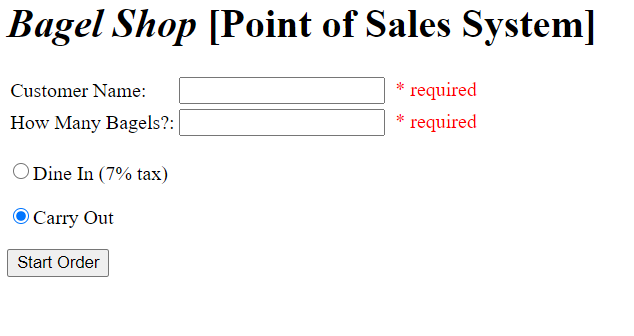
1. This its the first panel that should be seen then after these are clicked it moves to the next.
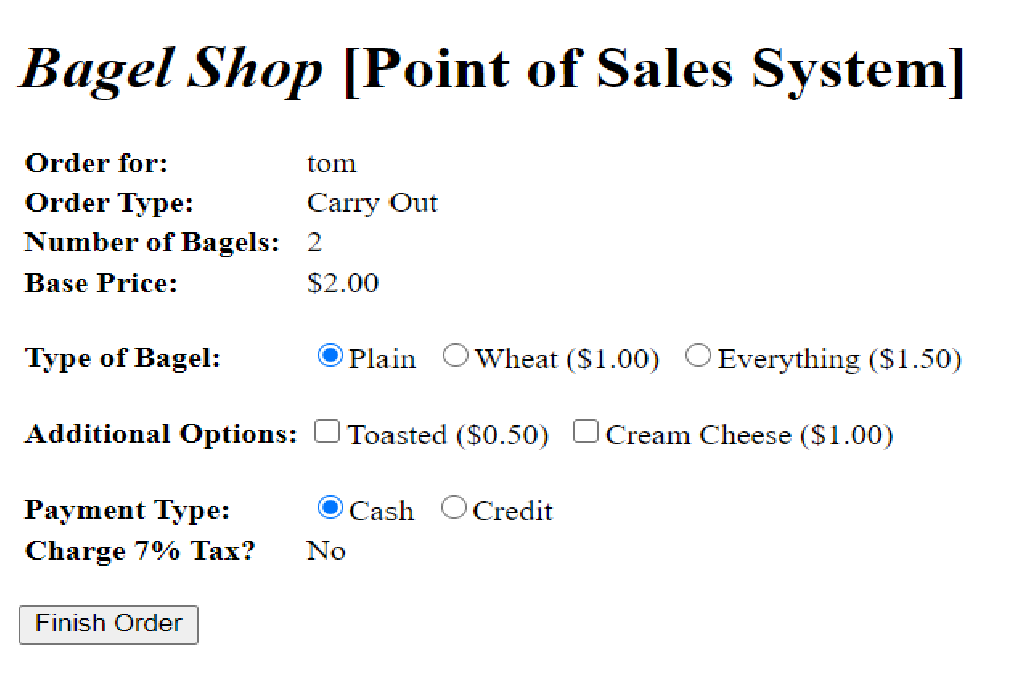
This is the second panel that should come up. After you press finish it should display the 3rd as a label.
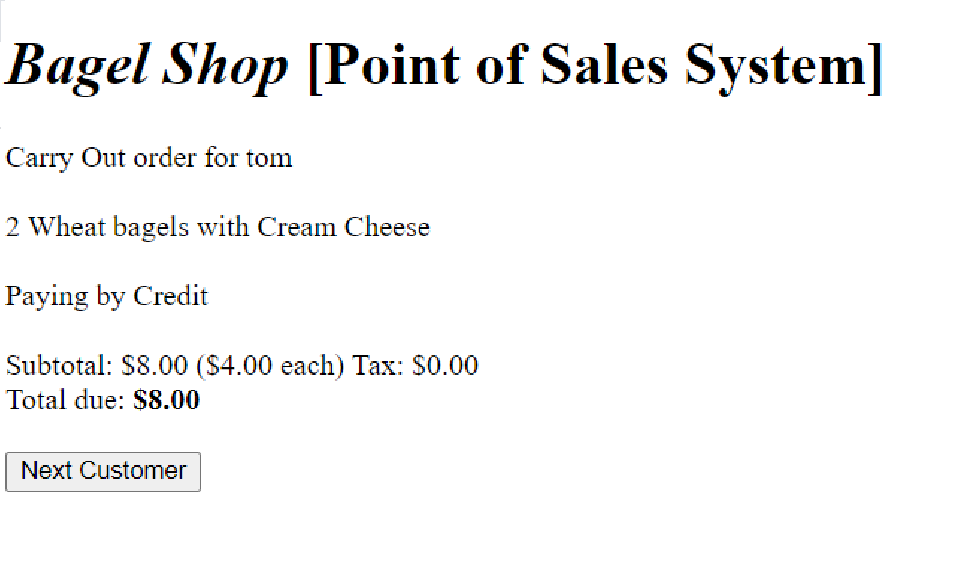
This is the final label that shows the outcome of the order.
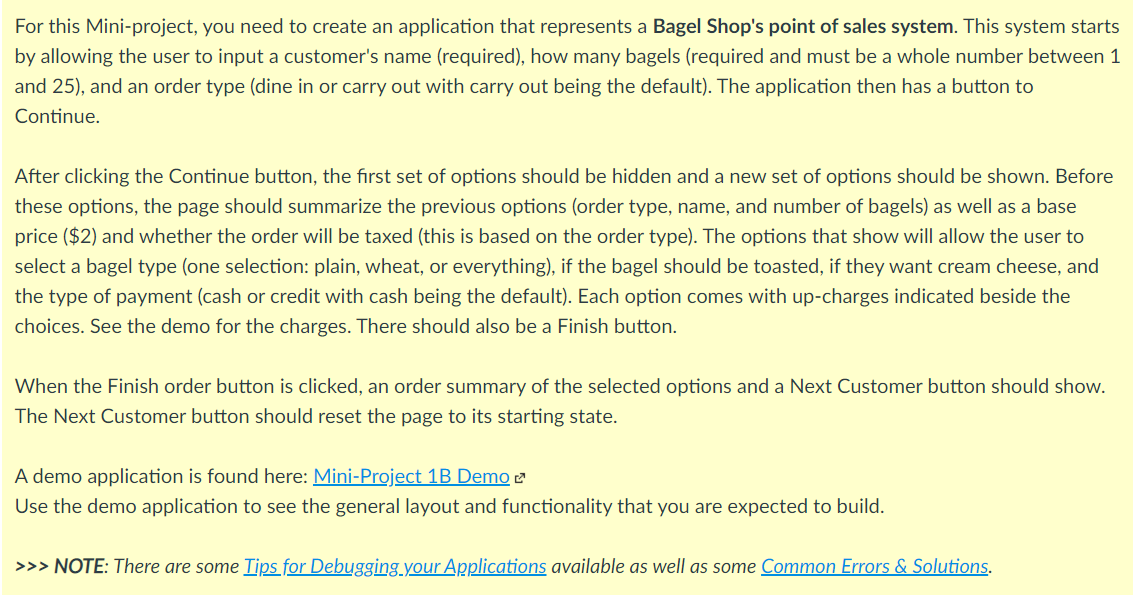
For this Mini-project, you need to create an application that represents a Bagel Shop's point of sales system. This system starts by allowing the user to input a customer's name (required), how many bagels (required and must be a whole number between 1 and 25), and an order type (dine in or carry out with carry out being the default). The application then has a button to Continue. After clicking the Continue button, the first set of options should be hidden and a new set of options should be shown. Before these options, the page should summarize the previous options (order type, name, and number of bagels) as well as a base price ($2) and whether the order will be taxed (this is based on the order type). The options that show will allow the user to select a bagel type (one selection: plain, wheat, or everything), if the bagel should be toasted, if they want cream cheese, and the type of payment (cash or credit with cash being the default). Each option comes with up-charges indicated beside the choices. See the demo for the charges. There should also be a Finish button. When the Finish order button is clicked, an order summary of the selected options and a Next Customer button should show. The Next Customer button should reset the page to its starting state. A demo application is found here: Mini-Project 1B Demo e Use the demo application to see the general layout and functionality that you are expected to build. >>> NOTE: There are some Tips for Debugging your Applications available as well as some Common Errors & Solutions. Bagel Shop [Point of Sales System] required Customer Name: How Many Bagels?: * required Dine In (7% tax) Carry Out Start Order Bagel Shop [Point of Sales System] Order for: tom Order Type: Carry Out Number of Bagels: 2 Base Price: $2.00 Type of Bagel: Plain Wheat ($1.00) O Everything ($1.50) Additional Options: Toasted ($0.50) Cream Cheese ($1.00) Cash O Credit Payment Type: Charge 7% Tax? No Finish Order Bagel Shop [Point of Sales System] Carry Out order for tom 2 Wheat bagels with Cream Cheese Paying by Credit Subtotal: $8.00 ($4.00 each) Tax: $0.00 Total due: $8.00 Next Customer
Step by Step Solution
There are 3 Steps involved in it

Get step-by-step solutions from verified subject matter experts
 Study Help