







Question: Using C + + , Quick sort is one of the O ( n log n ) sorts we consider. it relies on the idea
Using CQuick sort is one of the On log n sorts we consider. it relies on the idea of recursively splitting a list into smaller sublists using a pivot, and sorting them.
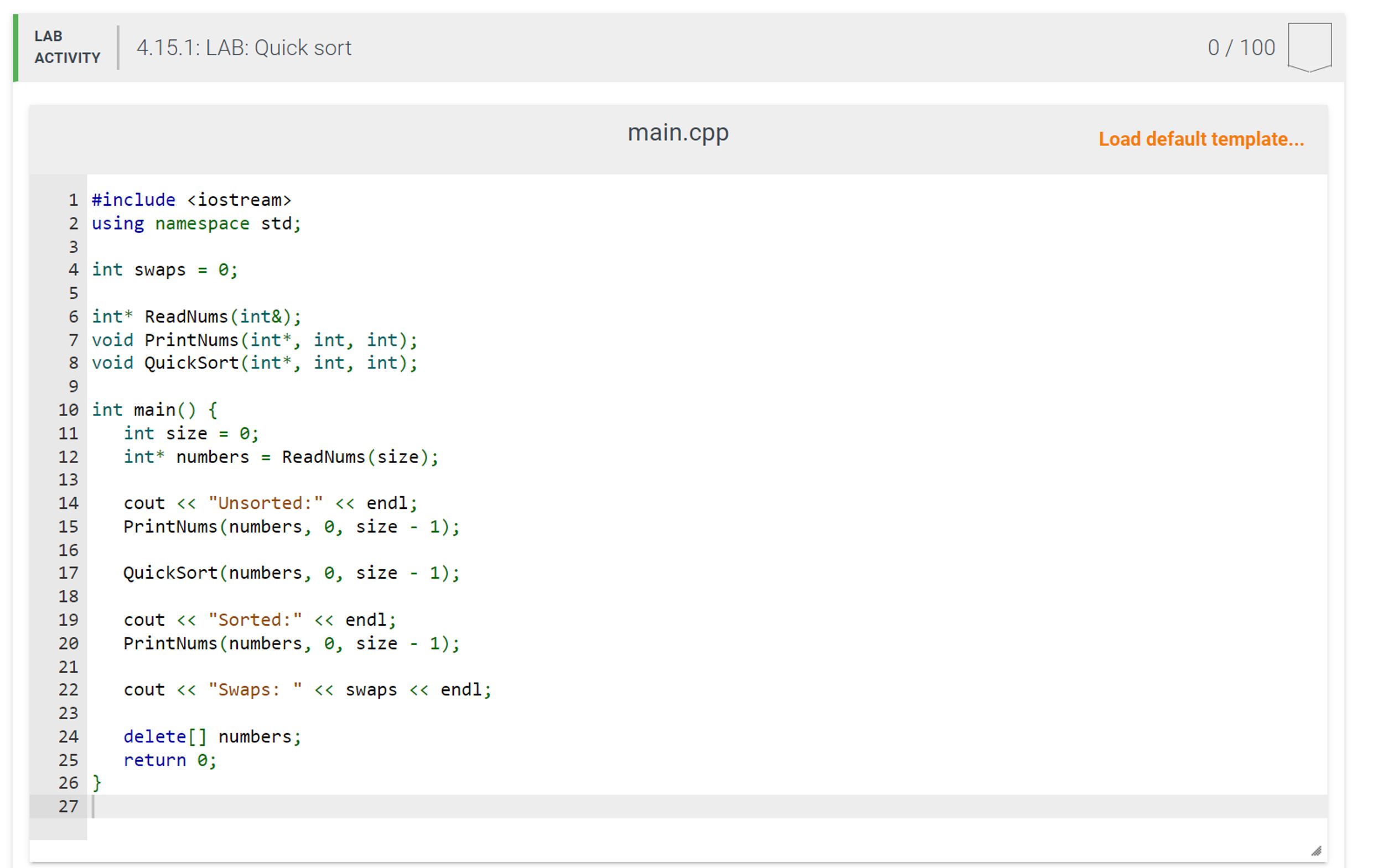
The program should read in the number of values as an integer, allocate the necessary space, then read in all the values provided. Use a helper function, ReadNums to return the dynamic array, instead of inputting the values in main
Create a function called PrintNums that prints out the array between a start and end indexinclusive It should take as parameters the array as well as the starting and stopping indices in the array. It should print out the array between those index values with a space between each number, but no space at the end. Finish with a new line.
Complete a recursive function, QuickSort You may wish to use a helper function to compute the partition. for splitting the array. Always select the pivot as the rightmost element in the subarray.
Add code to the sort algorithm to count the number of swaps performed, to output the pivot and pivoted array before each recursive call, and to output the state of the subarrays after each recursive call.
Add code at the end of main that outputs "Swaps" followed by the number of swaps Ex: "Swaps:
Hint: Use a global variable to count the swaps.
Note: Take special care to look at the output of each test to better understand the quick sort algorithm.
Ex: When the input is:
the output is:
Unsorted:
Pivot:
Pivot:
Pivot:
Left Side:
Pivot:
Left Side:
Right Side:
Right Side:
Left Side:
Right Side:
Left Side:
Right Side:
Sorted:
Swaps:
Step by Step Solution
There are 3 Steps involved in it
1 Expert Approved Answer
Step: 1 Unlock

Question Has Been Solved by an Expert!
Get step-by-step solutions from verified subject matter experts
Step: 2 Unlock
Step: 3 Unlock
 Study Help