Question: Using C# Visual Programming (Visual Basic) (Snap Picture of the design and show output and snap) You have a form that has two textboxes (name
Using C# Visual Programming (Visual Basic)
(Snap Picture of the design and show output and snap)
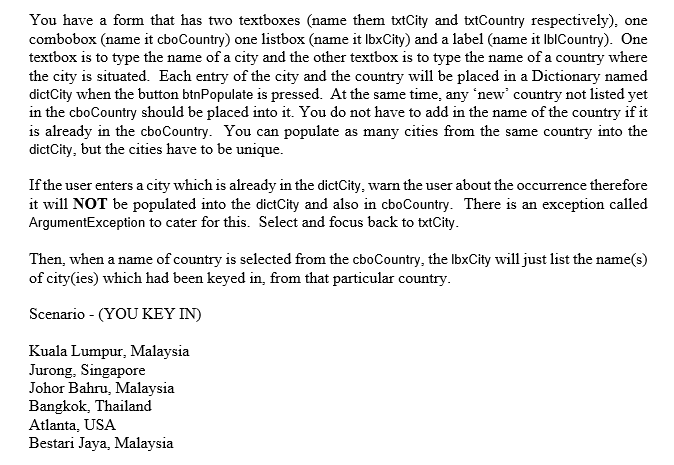
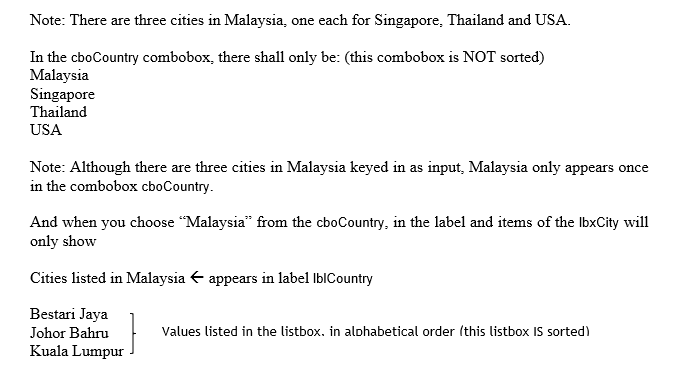
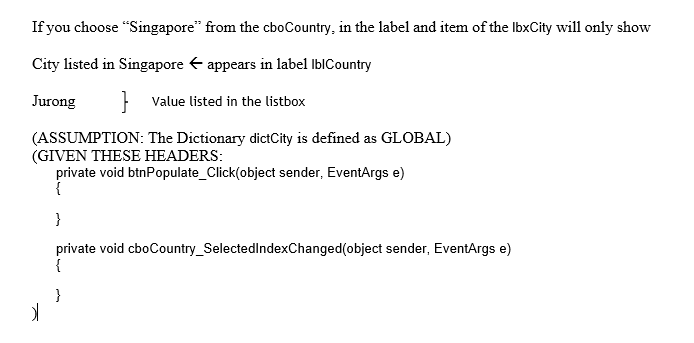
You have a form that has two textboxes (name them txtCity and txtCountry respectively), one combobox (name it cboCountry) one listbox (name it lbxCity) and a label (name it lblCountry). One textbox is to type the name of a city and the other textbox is to type the name of a country where the city is situated. Each entry of the city and the country will be placed in a Dictionary named dictCity when the button btnPopulate is pressed. At the same time, any 'new' country not listed yet in the cboCountry should be placed into it. You do not have to add in the name of the country if it is already in the cboCountry. You can populate as many cities from the same country into the dictCity, but the cities have to be unique. If the user enters a city which is already in the dictCity, warn the user about the occurrence therefore it will NOT be populated into the dictCity and also in cboCountry. There is an exception called ArgumentException to cater for this. Select and focus back to txtCity. Then, when a name of country is selected from the cboCountry, the lbxCity will just list the name(s) of city(ies) which had been keyed in, from that particular country. Scenario - (YOU KEY IN) Kuala Lumpur, Malaysia Jurong, Singapore Johor Bahru, Malaysia Bangkok, Thailand Atlanta, USA Bestari Jaya, Malaysia Note: There are three cities in Malaysia, one each for Singapore, Thailand and USA. In the cboCountry combobox, there shall only be: (this combobox is NOT sorted) Malaysia Singapore Thailand USA Note: Although there are three cities in Malaysia keyed in as input, Malaysia only appears once in the combobox cboCountry. And when you choose "Malaysia from the cboCountry, in the label and items of the lbxCity will only show Cities listed in Malaysia - appears in label lblCountry Bestari Jaya Johor Bahru Kuala Lumpur } Values listed in the listbox, in alphabetical order (this listbox IS sorted) If you choose "Singapore" from the cboCountry, in the label and item of the lbxCity will only show City listed in Singapore appears in label lblCountry Jurong } Value listed in the listbox (ASSUMPTION: The Dictionary dictCity is defined as GLOBAL) (GIVEN THESE HEADERS: private void btnPopulate_Click(object sender, EventArgs e) { } private void cboCountry_SelectedIndexChanged(object sender, EventArgs e) { }









 Study Help