Question: I need help in making this Project I need Code in visual basic and pseudocode. I Attach all information CIS 115- Programming Project 1 Chapter
I need help in making this Project
I need Code in visual basic and
pseudocode. I Attach all information
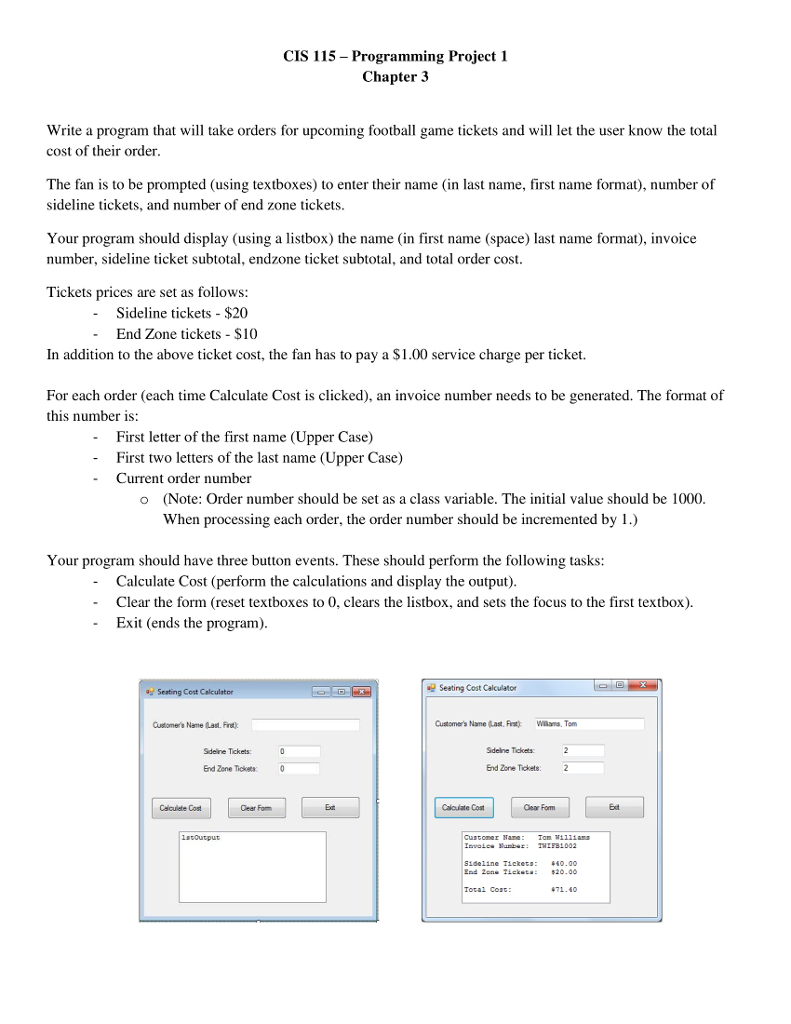
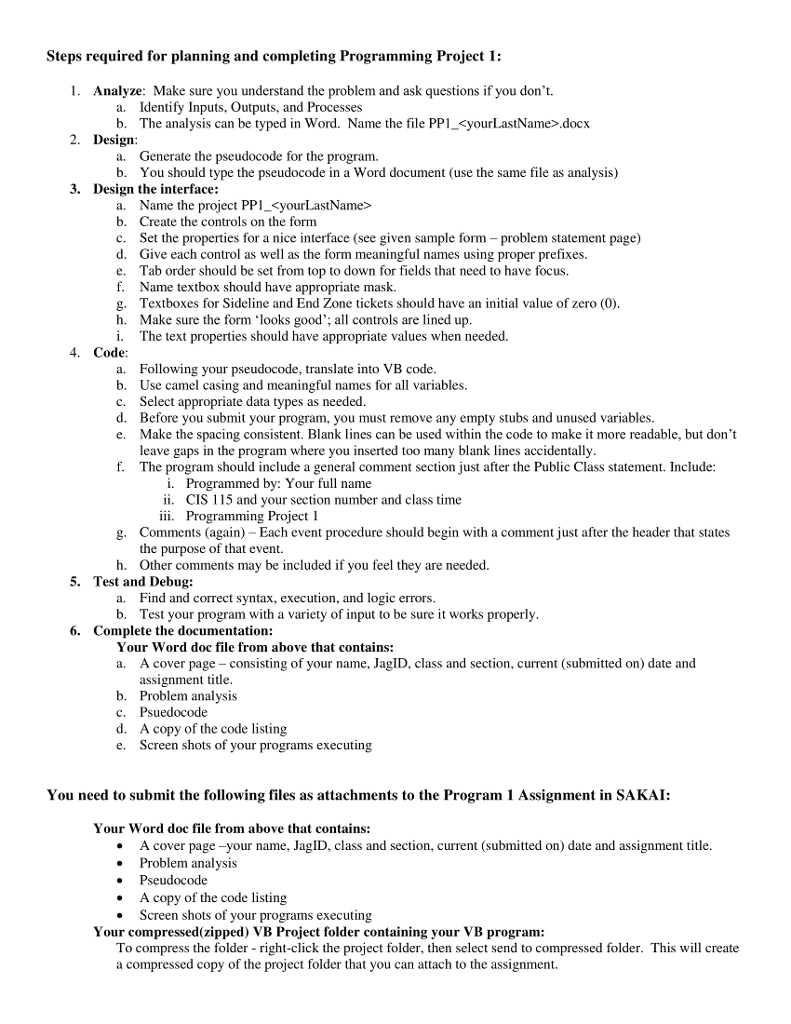
CIS 115- Programming Project 1 Chapter 3 Write a program that will take orders for upcoming football game tickets and will let the user know the total cost of their order The fan is to be prompted (using textboxes) to enter their name in last name, first name format), number of sideline tickets, and number of end zone tickets Your program should display (using a listbox) the name (in first name (space) last name format), invoice number, sideline ticket subtotal, endzone ticket subtotal, and total order cost Tickets prices are set as follows - Sideline tickets $20 - End Zone tickets $10 In addition to the above ticket cost, the fan has to pay a S1.00 service charge per ticket. For each order (each time Calculate Cost is clicked), an invoice number needs to be generated. The format of this number is: First letter of the first name (Upper Case) First two letters of the last name (Upper Case) - - Current order number (Note: Order number should be set as a class variable. The initial value should be 1000 When processing each order, the order number should be incremented by 1.) o Your program should have three button events. These should perform the following tasks Calculate Cost (perform the calculations and display the output) Clear the form (reset textboxes to 0, clears the listbox, and sets the focus to the first textbox). Exit (ends the program) - - Seating Cost Calculator Seating Cost Calculator Customer's Name (Last. Firet Customer's Name last. Fat wnans, Tom Sdeline Tickets: Sdelne Tckets End Zone Tickets 0 End Zone Tickets2 Csiculete Cost Cear Fom Ext Calouate Cost Cear Fom Ect Total Cost: 471.40 Steps required for planning and completing Programming Project 1: . Analyze: Make sure you understand the problem and ask questions if you don't. Identify Inputs, Outputs, and Processes b. a. The analysis can be typed in Word. Name the file PP1_ .docx 2. Design a. Generate the pseudocode for the program b. You should type the pseudocode in a Word document (use the same file as analysis) 3. Design the interface: a. Name the project PP1_ b. Create the controls on the form c. Set the properties for a nice interface (see given sample form problem statement page) d. Give each control as well as the form meaningful names using proper prefixes. e. Tab order should be set from top to down for fields that need to have focus. f. Name textbox should have appropriate mask. g. Textboxes for Sideline and End Zone tickets should have an initial value of zero (0) h. Make sure the form 'looks good'; all controls are lined up i. The text properties should have appropriate values when needed 4. Code: a. b. c. d. e. Following your pseudocode, translate into VB code Use camel casing and meaningful names for all variables. Select appropriate data types as needed. Before you submit your program, you must remove any empty stubs and unused variables. Make the spacing consistent. Blank lines can be used within the code to make it more readable, but don't leave gaps in the program where you inserted too many blank lines accidentally f. T he program should include a general comment section just after the Public Class statement. Include i. Programmed by: Your full name ii. iii. CIS 115 and your section number and class time Programming Project I g. Comments (again) Each event procedure should begin with a comment just after the header that states the purpose of that event. h. Other comments may be included if you feel they are needed. 5. Test and Debug: Find and correct syntax, execution, and logic errors. b. a. Test your program with a variety of input to be sure it works properly 6. Complete the documentation: Your Word doc file from above that contains: a. A cover page consisting of your name, JagID, class and section, current (submitted on) date and b. c. d. e. assignment title Problem analysis Psuedocode A copy of the code listing Screen sh r your programs executing You need to submit the following files as attachments to the Program 1 Assignment in SAKAI: Your Word doc file from above that contains: A cover page -your name, JagID, class and section, current (submitted on) date and assignment title Problem analysis Pseudocode A copy of the code listing Screen shots of your programs executing Your compressed(zipped) VB Project folder containing your VB program: To compress the folder right-click the project folder, then select send to compressed folder. This will create a compressed copy of the project folder that you can attach to the assignment









 Study Help