







Question: (Using chipKIT pro MX7, a 2-axis Parallax joystick, and MPLAB X IDE. If you need the header files just ask) I could use some help
(Using chipKIT pro MX7, a 2-axis Parallax joystick, and MPLAB X IDE. If you need the header files just ask)
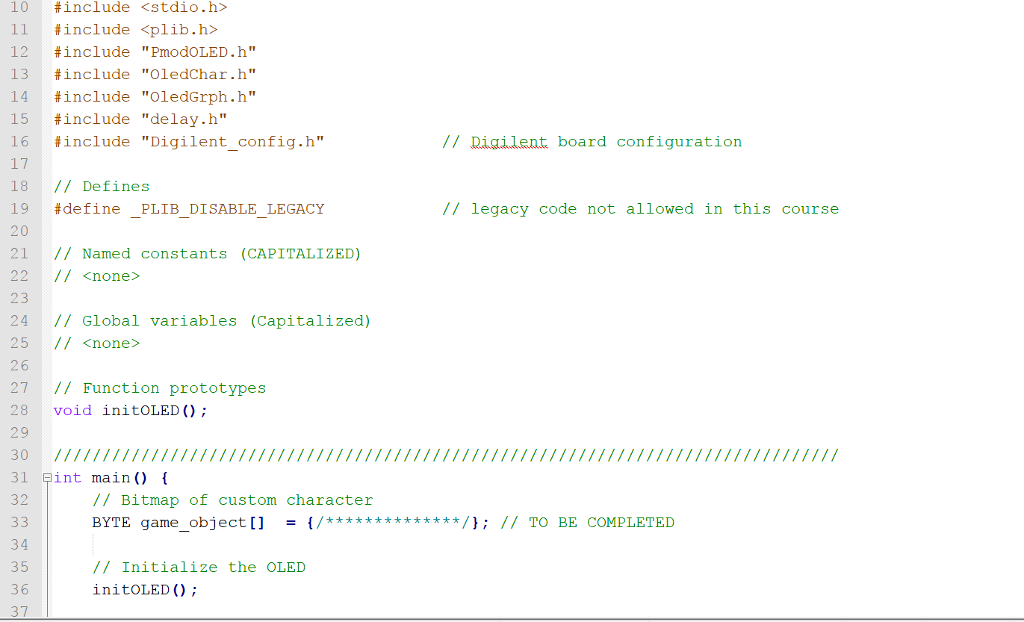
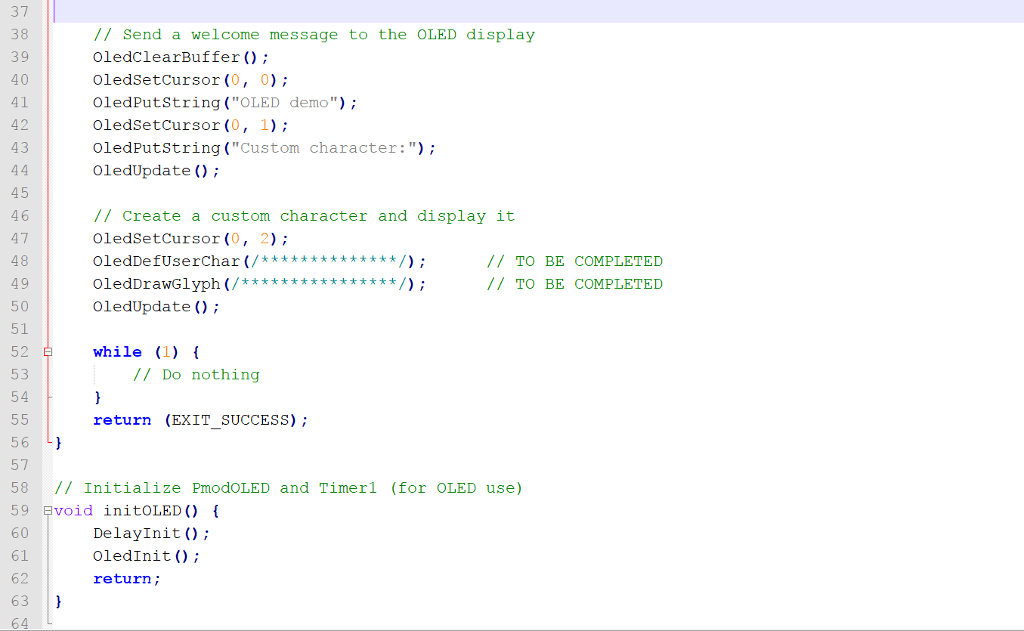
I could use some help on this coding problem (The start of the code is at the bottom):
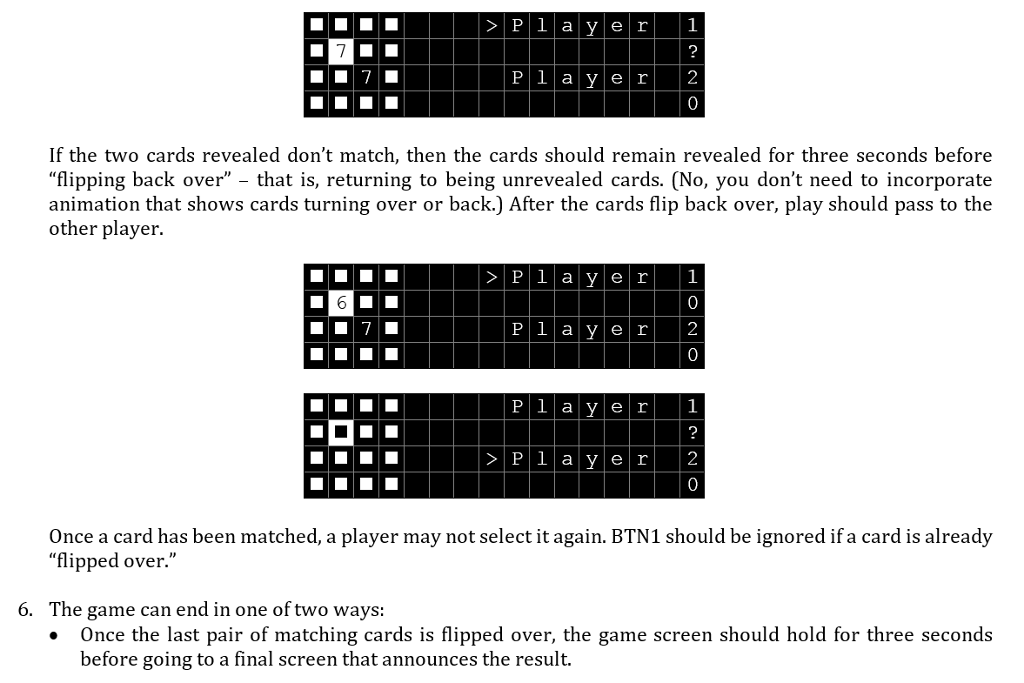
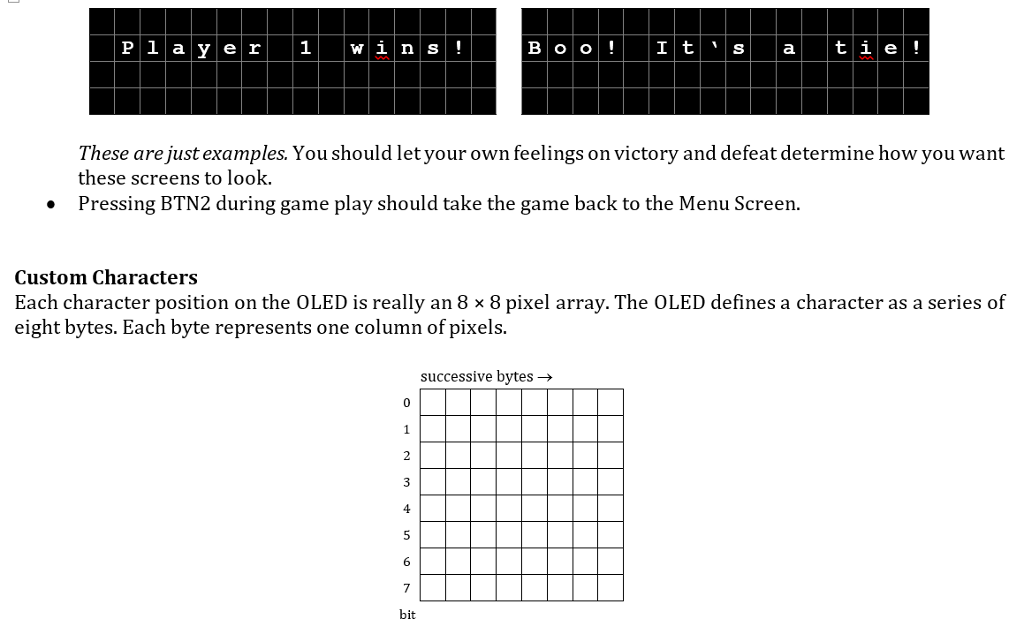
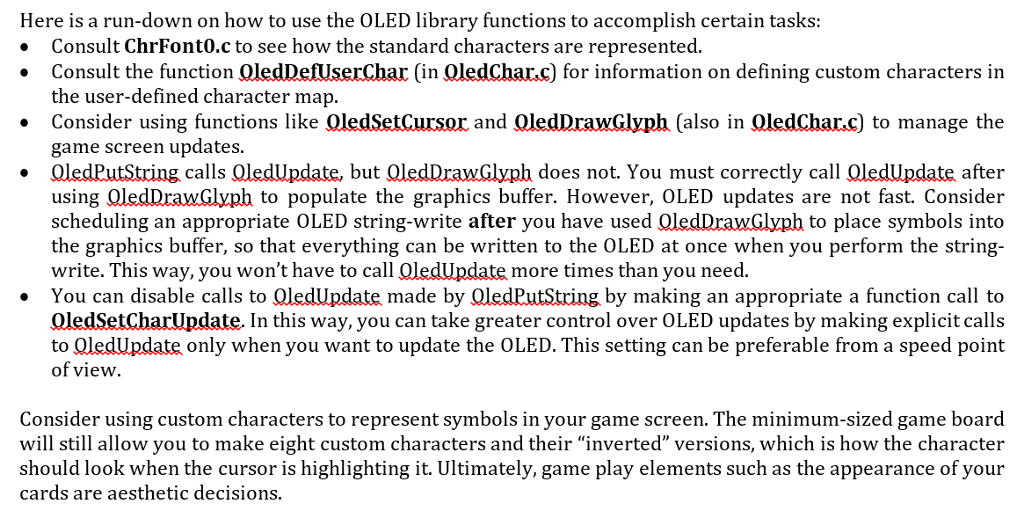
CODE:
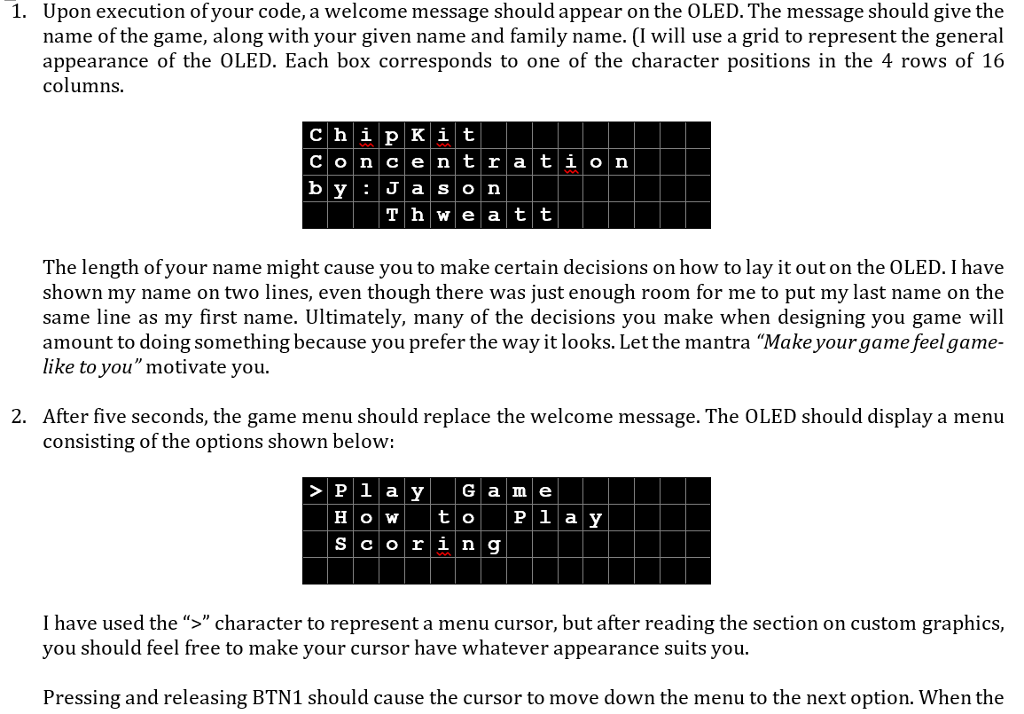
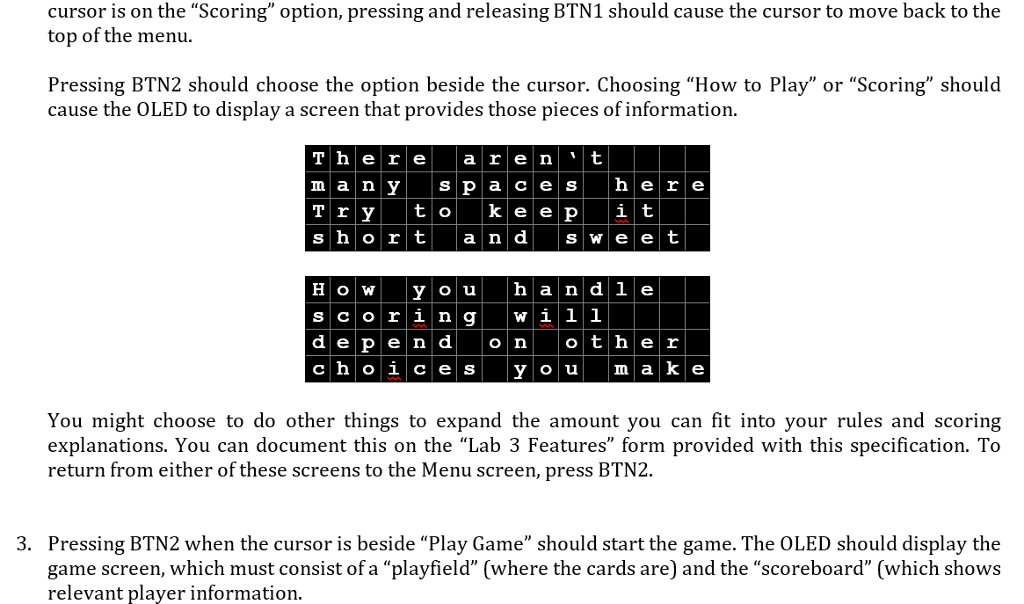
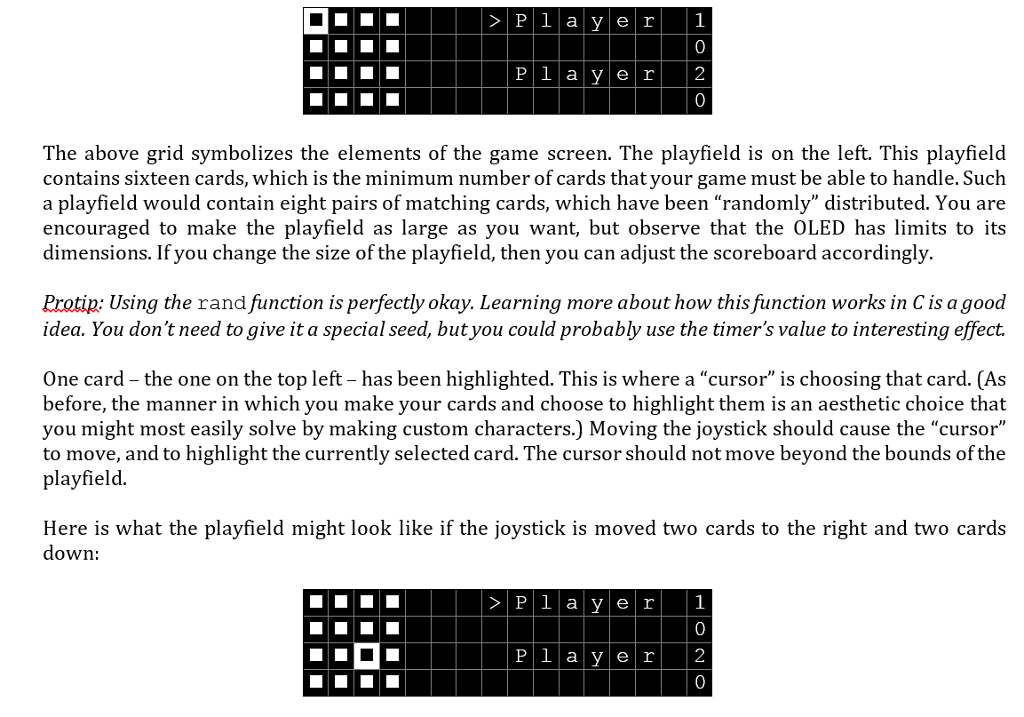
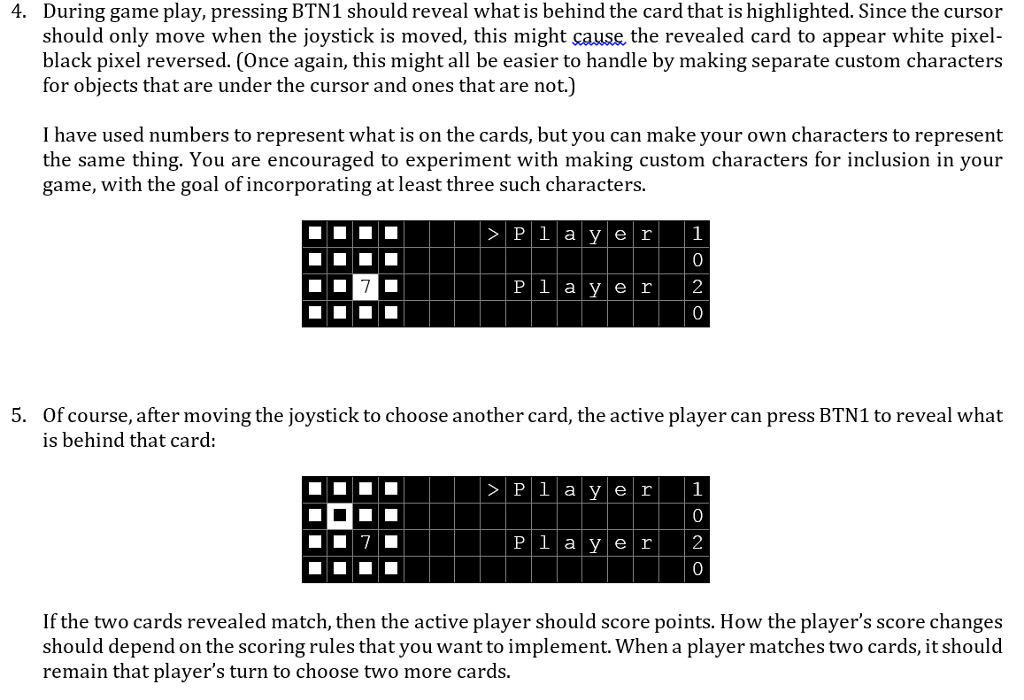
Upon execution ofyour code, a welcome message should appear on the OLED. The message should give the name of the game, along with your given name and family name. (I will use a grid to represent the general appearance of the OLED. Each box corresponds to one of the character positions in the 4 rows of 16 columns. 1. C h i p Ki t C o n centrati on by:J a s o n T h we a t t The length of your name might cause you to make certain decisions on how to lay it out on the OLED. I have shown my name on two lines, even though there was just enough room for me to put my last name on the same line as my first name. Ultimately, many of the decisions you make when designing you game wil amount to doing something because you prefer the way it looks. Let the mantra "Make your game feel game- like to you"motivate you. After five seconds, the game menu should replace the welcome message. The OLED should display a menu consisting of the options shown below: 2. HOto Pl a y Scorin 9 I have used the ">" character to represent a menu cursor, but after reading the section on custom graphics, you should feel free to make your cursor have whatever appearance suits you. Pressing and releasing BTN1 should cause the cursor to move down the menu to the next option. When the Upon execution ofyour code, a welcome message should appear on the OLED. The message should give the name of the game, along with your given name and family name. (I will use a grid to represent the general appearance of the OLED. Each box corresponds to one of the character positions in the 4 rows of 16 columns. 1. C h i p Ki t C o n centrati on by:J a s o n T h we a t t The length of your name might cause you to make certain decisions on how to lay it out on the OLED. I have shown my name on two lines, even though there was just enough room for me to put my last name on the same line as my first name. Ultimately, many of the decisions you make when designing you game wil amount to doing something because you prefer the way it looks. Let the mantra "Make your game feel game- like to you"motivate you. After five seconds, the game menu should replace the welcome message. The OLED should display a menu consisting of the options shown below: 2. HOto Pl a y Scorin 9 I have used the ">" character to represent a menu cursor, but after reading the section on custom graphics, you should feel free to make your cursor have whatever appearance suits you. Pressing and releasing BTN1 should cause the cursor to move down the menu to the next option. When the
Step by Step Solution
There are 3 Steps involved in it

Get step-by-step solutions from verified subject matter experts
 Study Help