







Question: Using Eclipse This program should be done in javafx not any other language (to make the user interface design like shown in first photo). all
Using Eclipse
This program should be done in javafx not any other language (to make the user interface design like shown in first photo).
all the details are in the 2nd picture down below.
the output should be the same as the 1st picture.
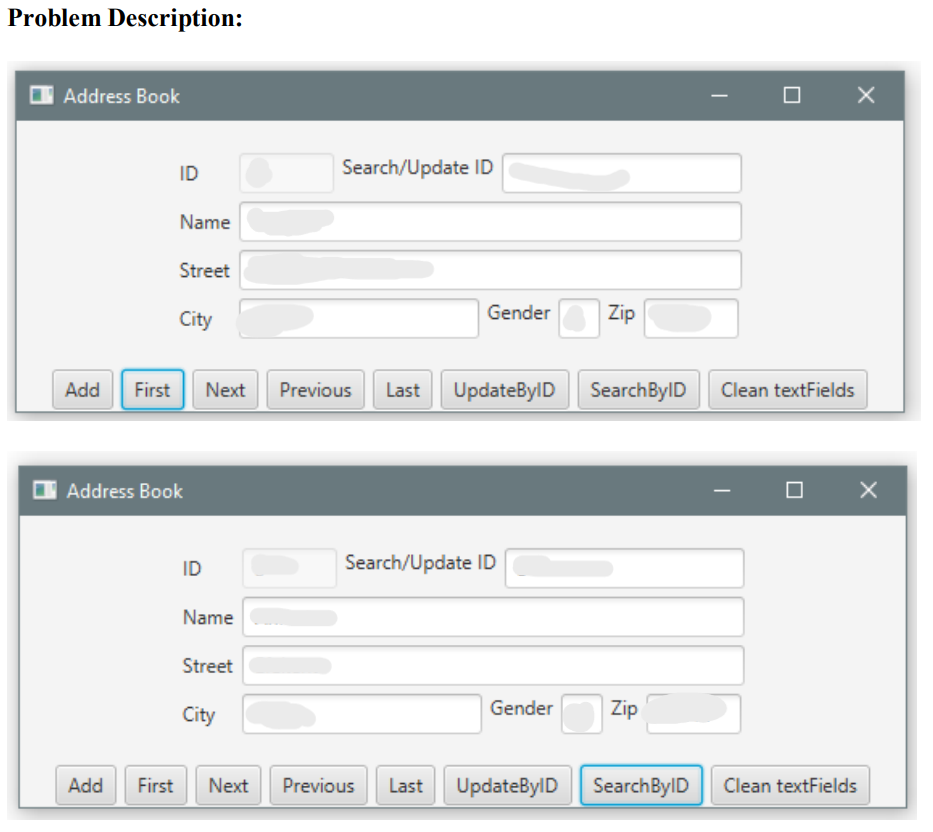
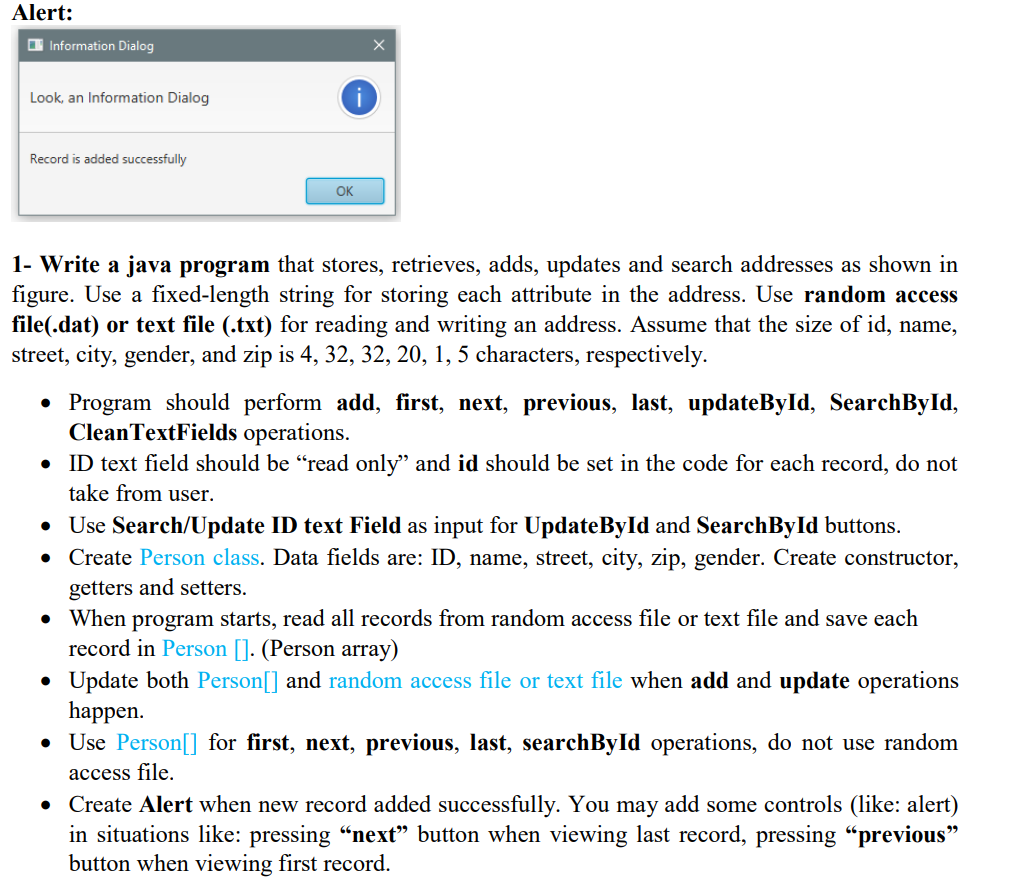
Problem Description: O Address Book . x ID Search/Update ID Name Street City Gender Zip Add First Next Previous Last UpdateByID SearchByID Clean textFields Address Book x ID Search/Update ID Name Street City Gender Zip Add First Next Previous Last UpdateByID SearchByID Clean textFields Alert: Information Dialog Look, an Information Dialog Record is added successfully OK . 1- Write a java program that stores, retrieves, adds, updates and search addresses as shown in figure. Use a fixed-length string for storing each attribute in the address. Use random access file(.dat) or text file (.txt) for reading and writing an address. Assume that the size of id, name, street, city, gender, and zip is 4, 32, 32, 20, 1, 5 characters, respectively. Program should perform add, first, next, previous, last, updateById, SearchById, CleanTextFields operations. ID text field should be read only' and should be set the code for each record, do not take from user. Use Search/Update ID text Field as input for UpdateById and SearchById buttons. Create Person class. Data fields are: ID, name, street, city, zip, gender. Create constructor, getters and setters. When program starts, read all records from random access file or text file and save each record in Person []. (Person array) Update both Person[] and random access file or text file when add and update operations happen. Use Person[] for first, next, previous, last, searchById operations, do not use random access file. Create Alert when new record added successfully. You may add some controls (like: alert) in situations like: pressing next button when viewing last record, pressing previous button when viewing first record
Step by Step Solution
There are 3 Steps involved in it

Get step-by-step solutions from verified subject matter experts
 Study Help