







Question: Using Excel to journalize and post adjusting entries, and to create the Adjustments and Adjusted Trial Balance columns of the worksheet (the last two pictures
Using Excel to journalize and post adjusting entries, and to create the Adjustments and Adjusted Trial Balance columns of the worksheet (the last two pictures are what need to be filled out- the adjusting trial balance)
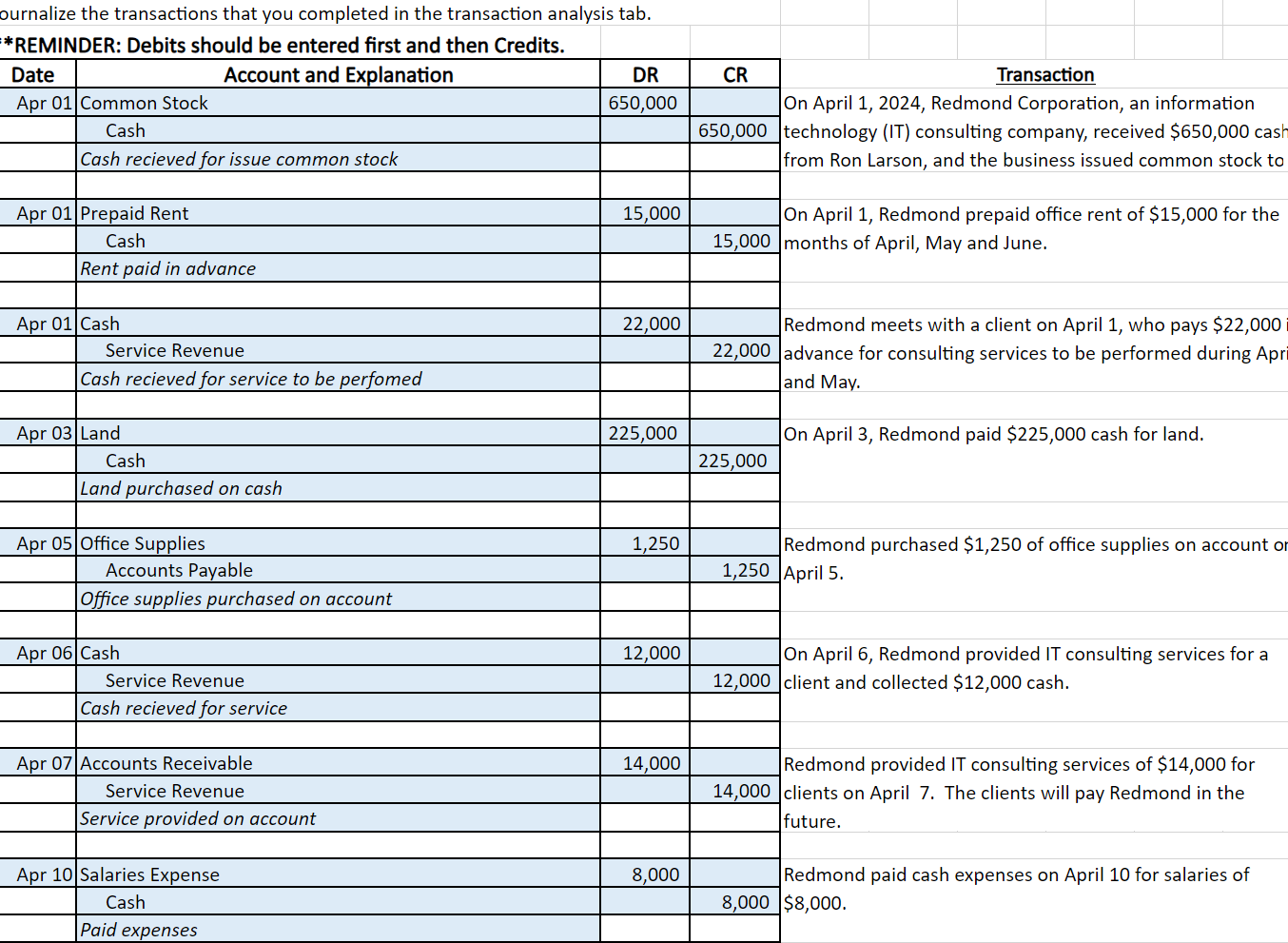
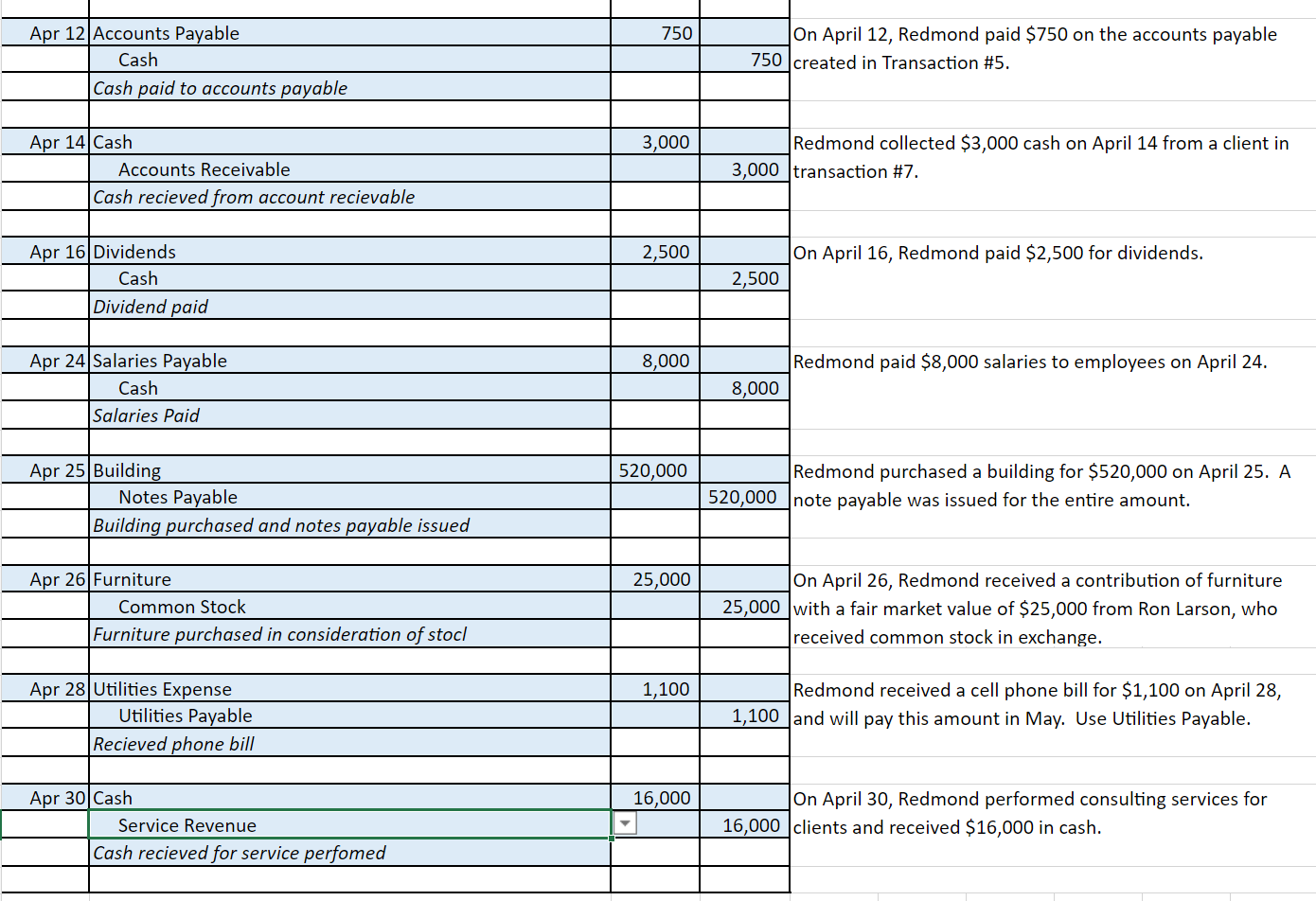
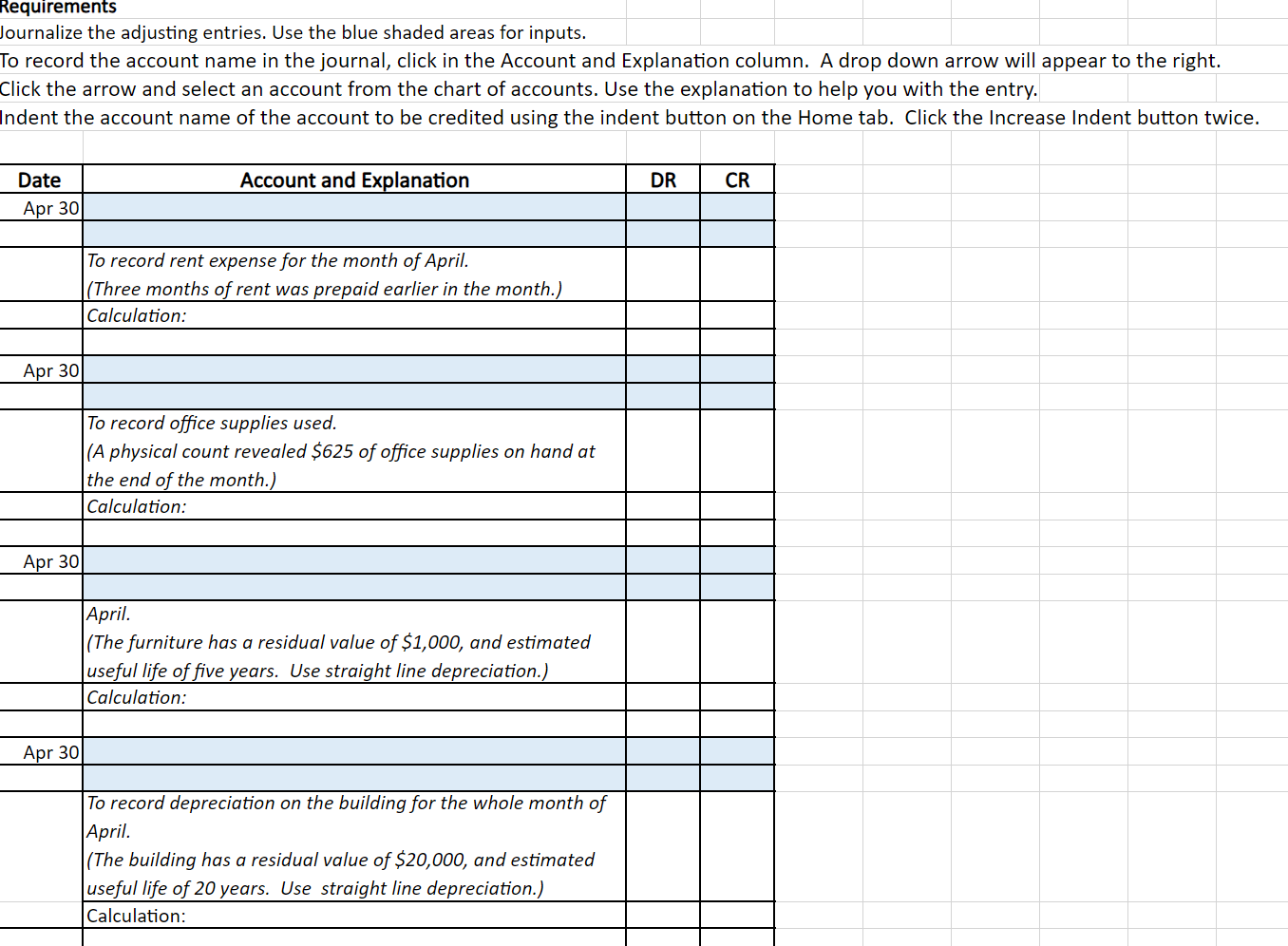
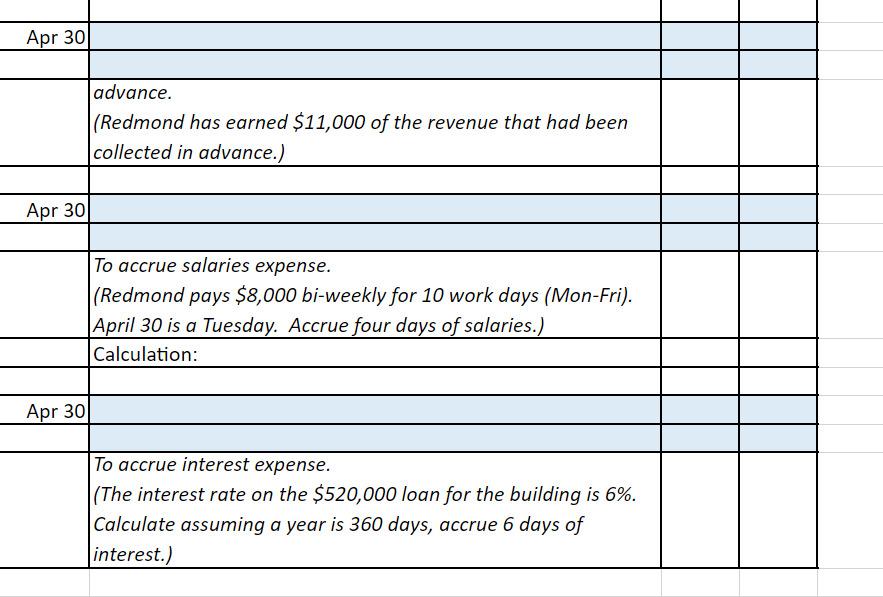
ournalize the transactions that you completed in the transaction analysis tab. \"REMINDER: Debits should be entered first and then Credits. ournalize the adjusting entries. Use the blue shaded areas for inputs. o record the account name in the journal, click in the Account and Explanation column. A drop down arrow will appear to the right. Click the arrow and select an account from the chart of accounts. Use the explanation to help you with the entry. Home tab. Click the Increase Indent button twice. ournalize the transactions that you completed in the transaction analysis tab. \"REMINDER: Debits should be entered first and then Credits. ournalize the adjusting entries. Use the blue shaded areas for inputs. o record the account name in the journal, click in the Account and Explanation column. A drop down arrow will appear to the right. Click the arrow and select an account from the chart of accounts. Use the explanation to help you with the entry. Home tab. Click the Increase Indent button twice
Step by Step Solution
There are 3 Steps involved in it

Get step-by-step solutions from verified subject matter experts
 Study Help