







Question: Using https://www.nctm.org/Classroom-Resources/Illuminations/Interactives/Isometric-Drawing-Tool/ Materials . Interactive app Interactive Drawing Tool . printed copy of data sheet Perfect Squares and Perfect Cubes Data Sheet Procedure The following
Using https://www.nctm.org/Classroom-Resources/Illuminations/Interactives/Isometric-Drawing-Tool/
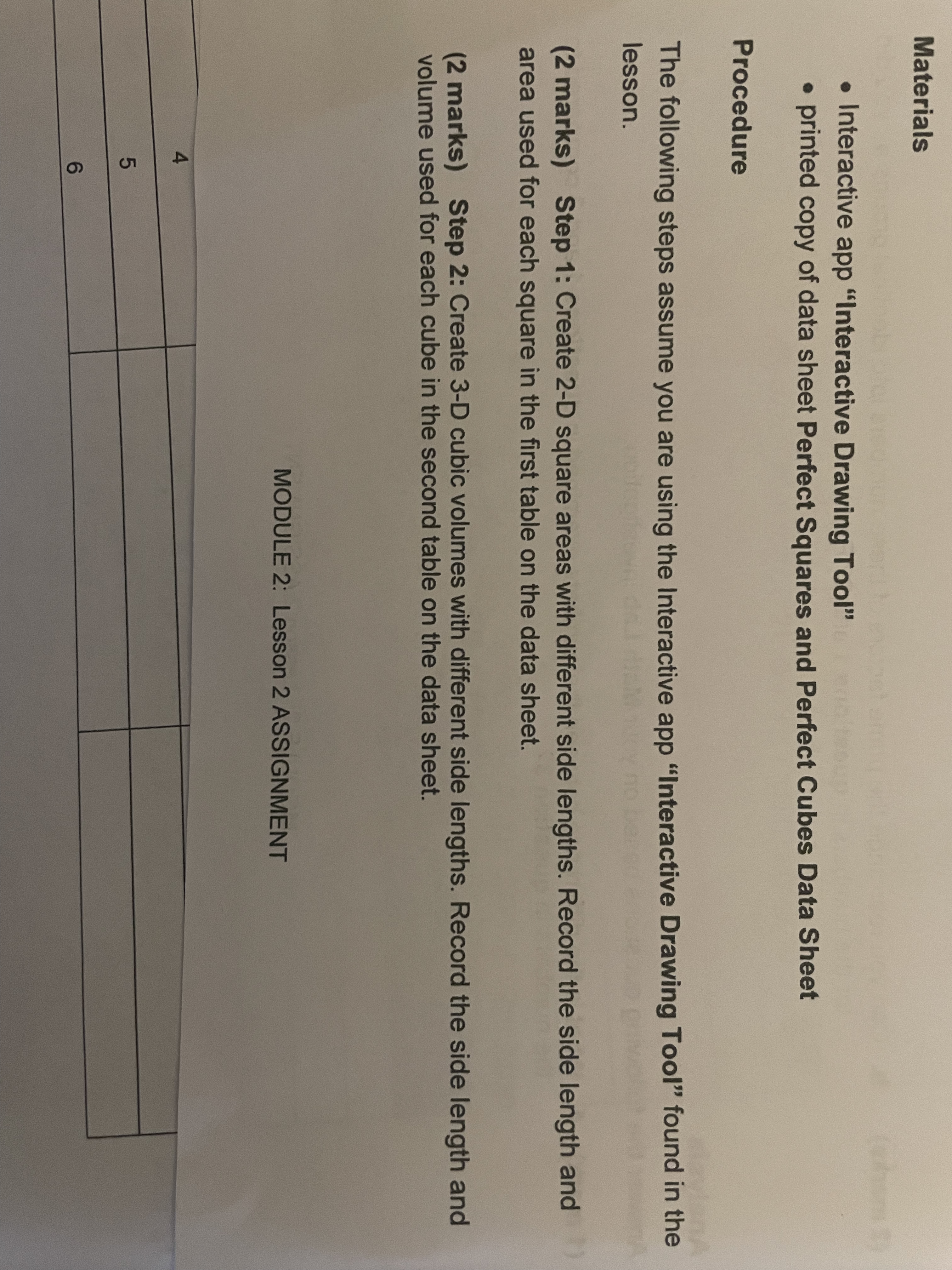
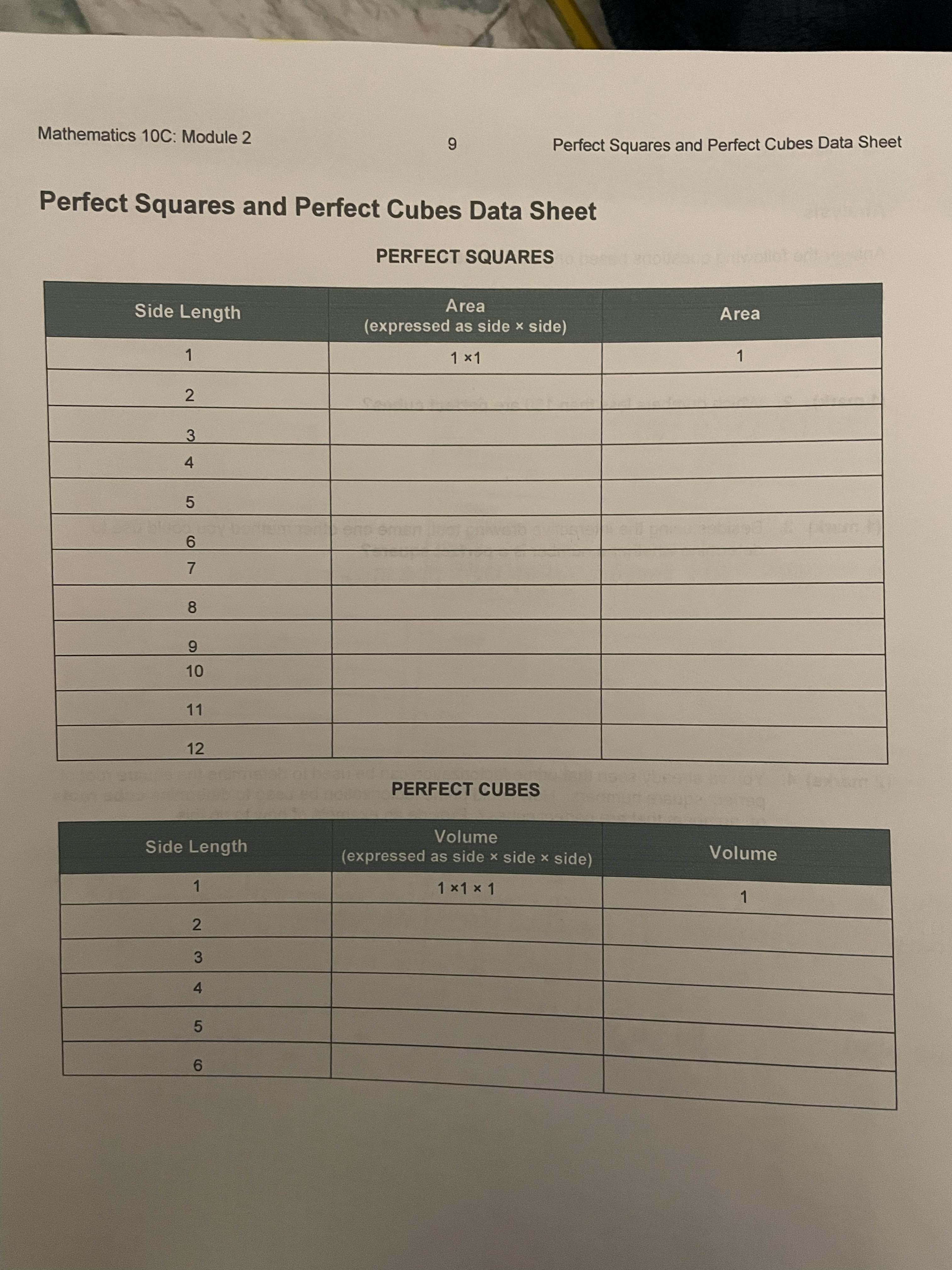
Materials . Interactive app "Interactive Drawing Tool" . printed copy of data sheet Perfect Squares and Perfect Cubes Data Sheet Procedure The following steps assume you are using the Interactive app "Interactive Drawing Tool" found in the lesson. (2 marks) Step 1: Create 2-D square areas with different side lengths. Record the side length and area used for each square in the first table on the data sheet. (2 marks) Step 2: Create 3-D cubic volumes with different side lengths. Record the side length and volume used for each cube in the second table on the data sheet. MODULE 2: Lesson 2 ASSIGNMENT LO COMathematics 10C: Module 2 CO Perfect Squares and Perfect Cubes Data Sheet Perfect Squares and Perfect Cubes Data Sheet PERFECT SQUARES Side Length Area Area (expressed as side x side) 1 1 x1 1 2 8 CO 10 11 12 PERFECT CUBES Volume Side Length (expressed as side x side x side) Volume 1 1 x1 x 1 1 2 W A 5 6
Step by Step Solution
There are 3 Steps involved in it

Get step-by-step solutions from verified subject matter experts
 Study Help