







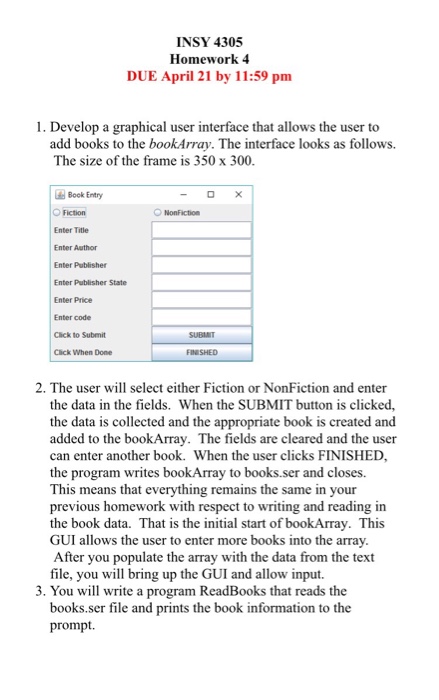
Question: Using Java 1. Develop a graphical user interface that allows the user to add books to the bookArray. The interface looks as follows. The size
 Using Java
 INSY 4305 Homework 4 DUE April 21 by 11:59 pm l. Develop a graphical user interface that allows the user to add books to the bookArray. The interface looks as follows. The size of the frame is 350 x 300. Book Entry Fiction Enter Title Enter Author Enter Publisher Enter Publisher State Enter Price Enter code Click to Submit Click When Done 2. The user will select either Fiction or NonFiction and enter the data in the fields. When the SUBMIT button is clicked, the data is collected and the appropriate book is created and added to the bookArray. The fields are cleared and the user can enter another book. When the user clicks FINISHED, the program writes bookArray to books.ser and closes. This means that everything remains the same in your previous homework with respect to writing and reading in the book data. That is the initial start of bookArray. This GUI allows the user to enter more books into the array. After you populate the array with the data from the text file, you will bring up the GUI and allow input. 3. You will write a program ReadBooks that reads the books ser file and prints the book information to the prompt
Step by Step Solution
There are 3 Steps involved in it

Get step-by-step solutions from verified subject matter experts
 Study Help