







Question: USING JAVA Normal No Spacing Heading 1 Heading 2 LAB14 Instructions Lab Objectives . Be able to create a closeable window Be able to create
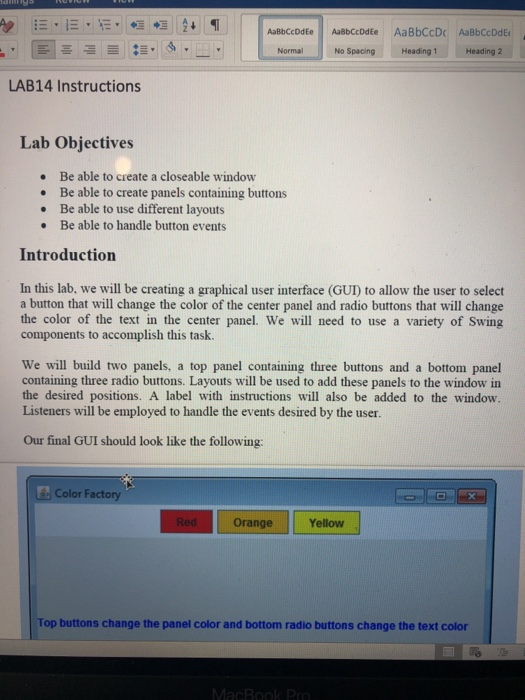
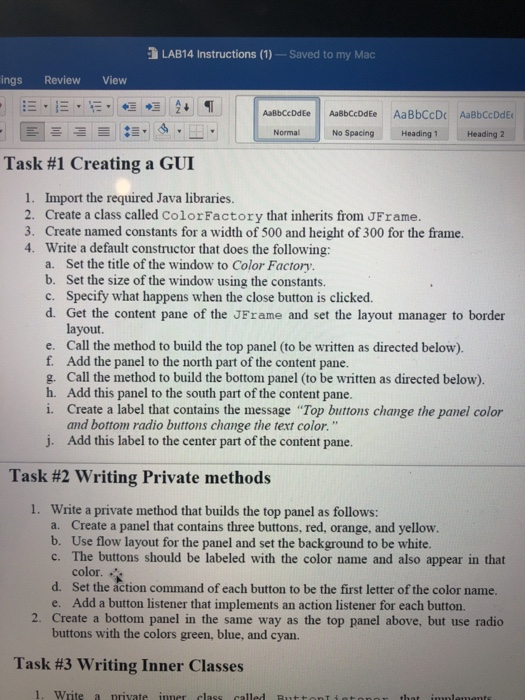
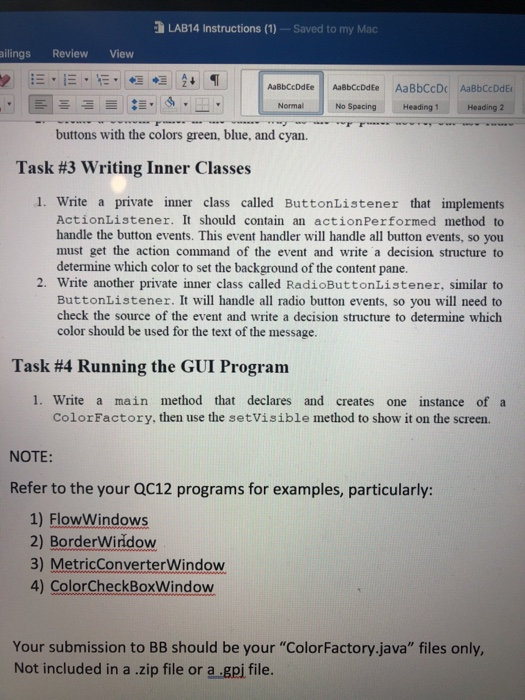
Normal No Spacing Heading 1 Heading 2 LAB14 Instructions Lab Objectives . Be able to create a closeable window Be able to create panels containing buttons . .Be able to use different layouts .Be able to handle button events Introduction In this lab, we will be creating a graphical user interface (GUI) to allow the user to select a button that will change the color of the center panel and radio buttons that will change the color of the text in the center panel. We will need to use a variety of Swing components to accomplish this task We will build two panels, a top panel containing three buttons and a bottom panel containing three radio buttons. Layouts will be used to add these panels to the window in the desired positions. A label with instructions will also be added to the window. Listeners will be employed to handle the events desired by the user. Our final GUI should look like the following Color Factory Orange Yellow Top buttons change the panel color and bottom radio buttons change the text color
Step by Step Solution
There are 3 Steps involved in it

Get step-by-step solutions from verified subject matter experts
 Study Help