







Question: Using JAVA through Netbeans perform the following to create Hypotenous Calculator : The console // output should look like shown below: Operation This application calculates
Using JAVA through Netbeans perform the following to create Hypotenous Calculator :
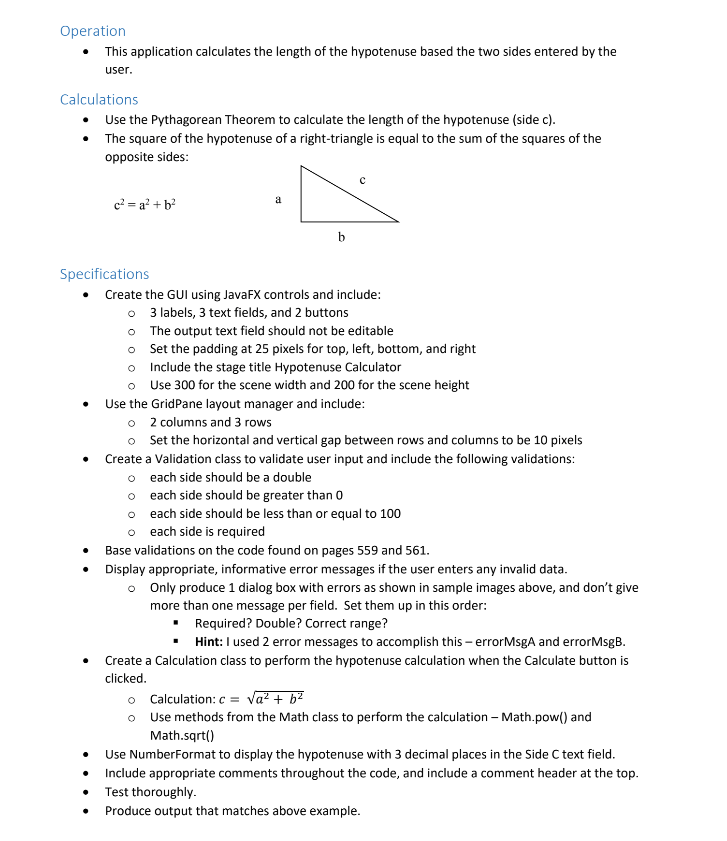
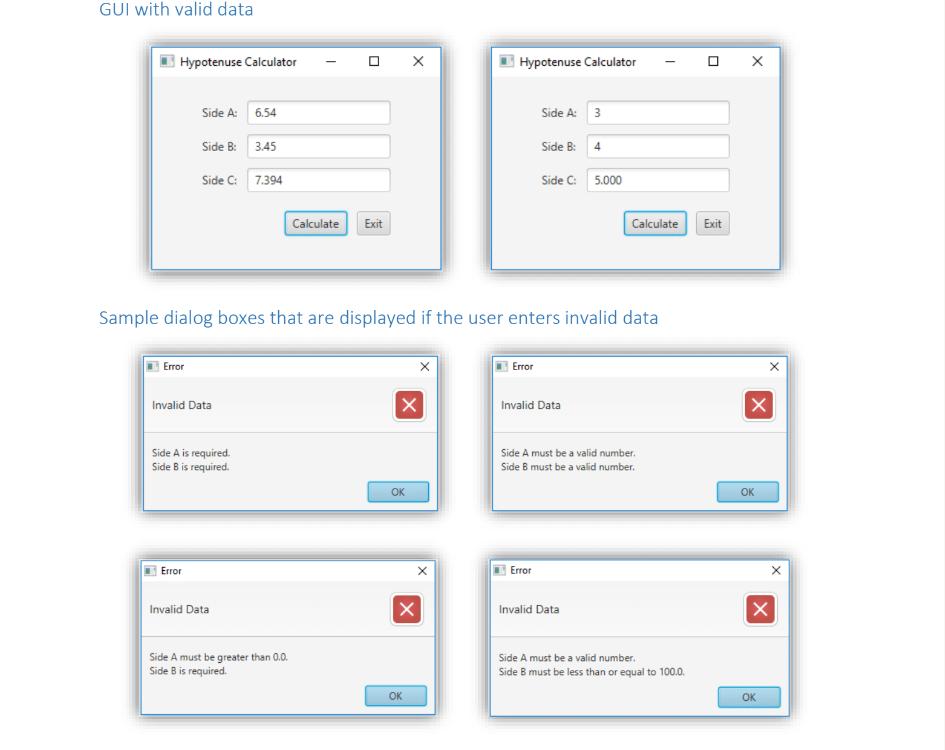
Operation This application calculates the length of the hypotenuse based the two sides entered by the user. Calculations Use the Pythagorean Theorem to calculate the length of the hypotenuse (side c). The square of the hypotenuse of a right-triangle is equal to the sum of the squares of the opposite sides: a c = a+b b Specifications Create the GUI using JavaFX controls and include: 3 labels, 3 text fields, and 2 buttons The output text field should not be editable Set the padding at 25 pixels for top, left, bottom, and right Include the stage title Hypotenuse Calculator Use 300 for the scene width and 200 for the scene height Use the GridPane layout manager and include: o 2 columns and 3 rows Set the horizontal and vertical gap between rows and columns to be 10 pixels Create a Validation class to validate user input and include the following validations: o each side should be a double o each side should be greater than 0 each side should be less than or equal to 100 each side is required Base validations on the code found on pages 559 and 561. Display appropriate, informative error messages if the user enters any invalid data. . Only produce 1 dialog box with errors as shown in sample images above, and don't give more than one message per field. Set them up in this order: Required? Double? Correct range? Hint: I used 2 error messages to accomplish this - errorMsgA and errorMsgB. Create a Calculation class to perform the hypotenuse calculation when the Calculate button is clicked. o Calculation: c = a + b Use methods from the Math class to perform the calculation - Math.pow() and Math.sqrt() Use NumberFormat to display the hypotenuse with 3 decimal places in the Side C text field. Include appropriate comments throughout the code, and include a comment header at the top. Test thoroughly. Produce output that matches above example.
Step by Step Solution
There are 3 Steps involved in it

Get step-by-step solutions from verified subject matter experts
 Study Help