







Question: ( Using Kotlin language ) Create a Simple Android Project that will capture data from the user, perform calculations and then display the output. You
Using Kotlin language Create a Simple Android Project that will capture data from the user, perform calculations and
then display the output.
You should create a simple interface of your choice that uses one or more of the following
elements: EditText, TextView, Button.
The App should read the price and quantity then display the Subtotal and the total with taxes
Assuming the tax rate is The inputType for the price and quantity EditText should be set to
numberDecimal: inputType"numberDecimal"
Add a hint for both EditText describing what the user supposed to enter in the field, for Example:
android:hint"Price of the Item"
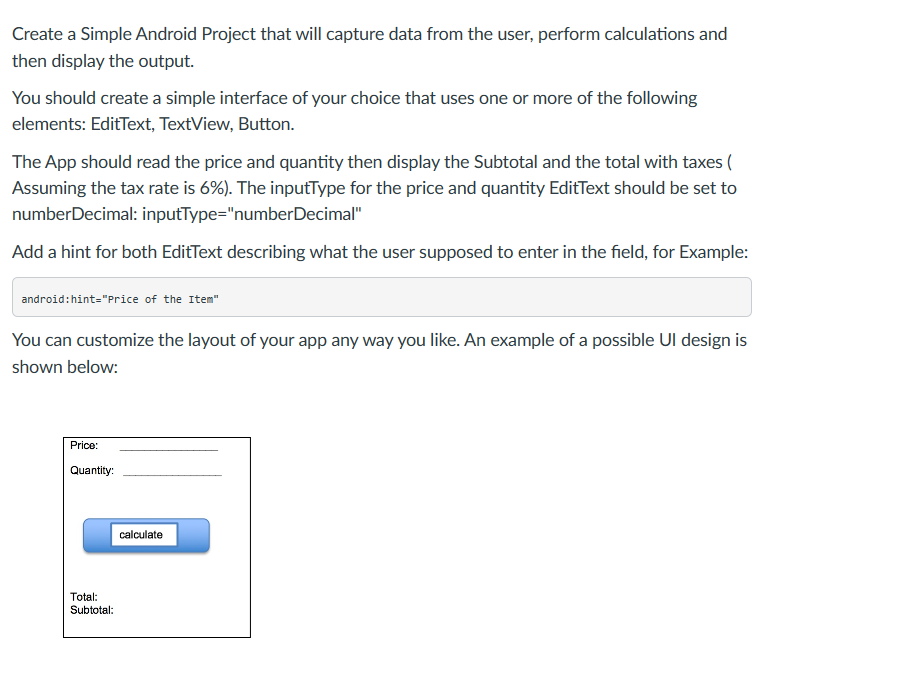
You can customize the layout of your app any way you like. An example of a possible UI design is
shown below:
Price:
Quantity:
calculate
Total:
Subtotal:
Step by Step Solution
There are 3 Steps involved in it
1 Expert Approved Answer
Step: 1 Unlock

Question Has Been Solved by an Expert!
Get step-by-step solutions from verified subject matter experts
Step: 2 Unlock
Step: 3 Unlock
 Study Help