







Question: Using matlab No Service 10:50 AM Back Laboratory8-1.docx s Write and save a function SphereArea that accepts Radius as as output input argument, and returns
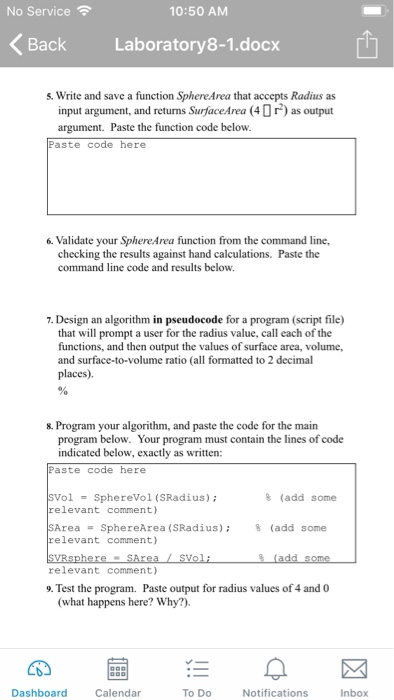
No Service 10:50 AM Back Laboratory8-1.docx s Write and save a function SphereArea that accepts Radius as as output input argument, and returns SurfaceArea (4 O argument. Paste the function code below Paste code here 6. Validate your SphereArea function from the command line, checking the results against hand calculations. Paste the command line code and results below 7. Design an algorithm in pseudocode for a program (script file) that will prompt a user for the radius value, call each of the functions, and then output the values of surface area, volume, and surface-to-volume ratio (all formatted to 2 decimal places). 8. Program your algorithm, and paste the code for the main program below. Your program must contain the lines of code indicated below, exactly as written: Paste code here % (add some olSphereVo1 (SRadius); relevant comment) Area-SphereArea (SRadus); relevant comment) %(add some relevant comment) 9. Test the program. Paste output for radius values of 4 and 0 (what happens here? Why?). Dashboard Calendar To Do Notifications Inbox
Step by Step Solution
There are 3 Steps involved in it

Get step-by-step solutions from verified subject matter experts
 Study Help