







Question: Using MATLAB subdivide and do an Incremental Search Step 1. Use an interval of 0 to 20 for Incremental Search and pick subdivision. The code
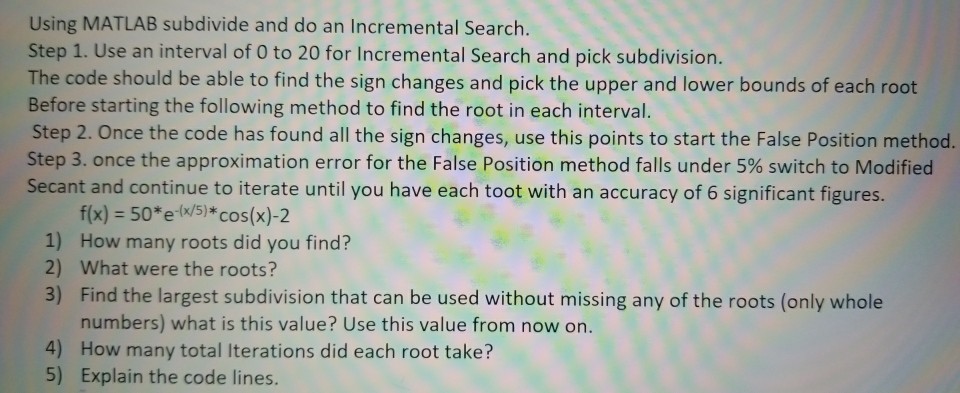
Using MATLAB subdivide and do an Incremental Search Step 1. Use an interval of 0 to 20 for Incremental Search and pick subdivision. The code should be able to find the sign changes and pick the upper and lower bounds of each root Before starting the following method to find the root in each interval. Step 2. Once the code has found all the sign changes, use this points to start the False Position method. Step 3, once the approximation error for the False Position method falls under 5% switch to Modified Secant and continue to iterate until you have each toot with an accuracy of 6 significant figures 1) 2) 3) f(x) = 50*ew5) * cos(x)-2 How many roots did you find? What were the roots? Find the largest subdivision that can be used without missing any of the roots (only whole numbers) what is this value? Use this value from now on. 4) How many total Iterations did each root take? 5) Explain the code lines
Step by Step Solution
There are 3 Steps involved in it

Get step-by-step solutions from verified subject matter experts
 Study Help