







Question: using python 12. Due Date: 25 February Modify the program from Lab 3 to show the shades of purple. Your output should look similar to:
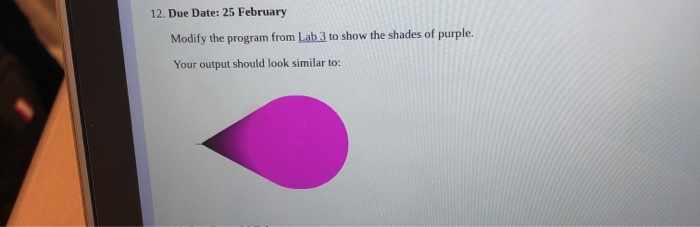
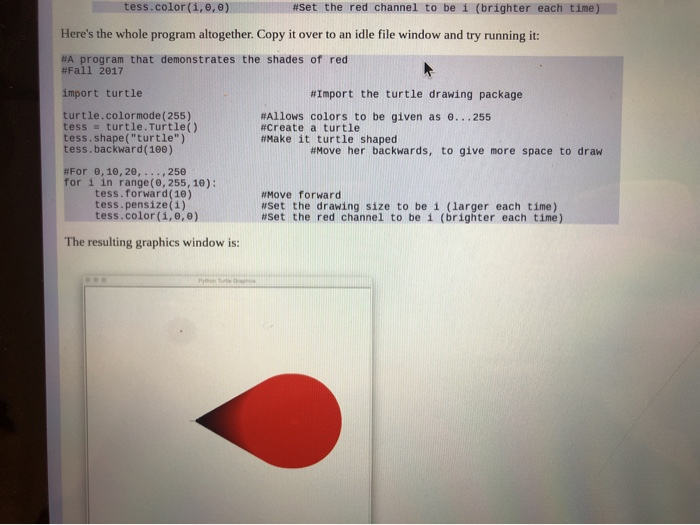
12. Due Date: 25 February Modify the program from Lab 3 to show the shades of purple. Your output should look similar to: tess.color(1,0,0) #Set the red channel to be 1 (brighter each time) Here's the whole program altogether. Copy it over to an idle file window and try running it: #A program that demonstrates the shades of red #Fall 2017 import turtle turtle.color mode(255) tess = turtle. Turtle() tess.shape("turtle") tess.backward(100) #Import the turtle drawing package #Allows colors to be given as e...255 #Create a turtle #Make it turtle shaped #Move her backwards, to give more space to draw #For B, 10, 20, ...,250 for i in range(0, 255, 10): tess.forward(10) tess. pensize(1) tess.color(1,0,0) #Move forward #Set the drawing size to be 1 (larger each time) #Set the red channel to be 1 (brighter each time) The resulting graphics window is
Step by Step Solution
There are 3 Steps involved in it

Get step-by-step solutions from verified subject matter experts
 Study Help